EasyManua.ls Logo

Canon QL FT - Exposure Settings

Canon QL FT
44 pages
Print Icon
To Next Page IconTo Next Page
To Previous Page IconTo Previous Page
Loading...
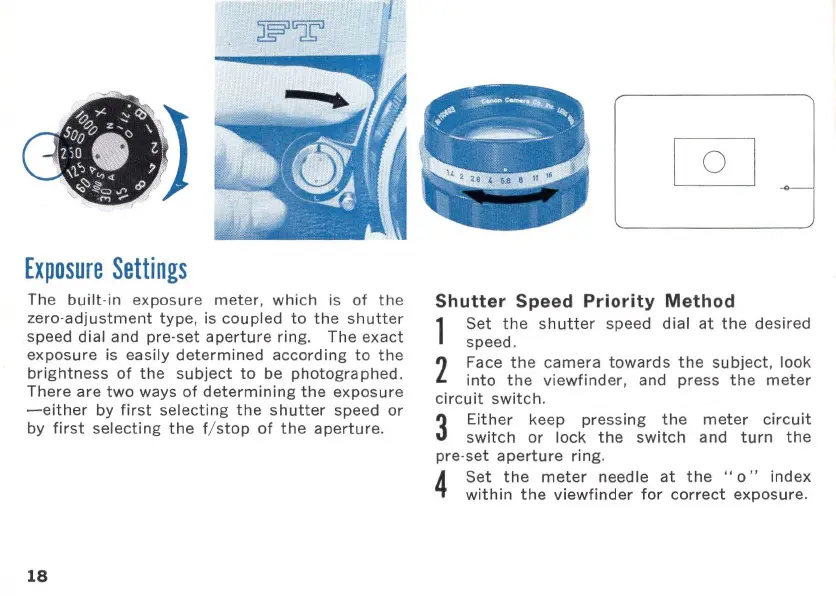
Exposure
Settings
The
built
·in
exposure
meter,
which
is
of
the
zero·adjustment
type,
is
coupled
to
the
shutter
speed dial and
pre·set
aperture
ring
. The
exact
exposure
is easily
determined
according
to
the
brightness
of
the
subject
to
be
photogra
phed.
There
are
two
ways
of
determining
the
exposure
-either
by
first
selecting
the
shutter
speed
or
by
first
selecting
the
f/
stop
of
the
aperture
.
18
Shutter
Speed
Priority
Method
1
Set
the
shutter
speed
dial
at
the
desired
speed.
2
Face
the
camera
towards
the
subject
, look
into
the
viewfinder
, and
press
the
meter
circuit
switch
.
3
Either
keep pressing
the
meter
circuit
switch
or
lock
the
switch
and
turn
the
pre·
set
aperture
ring.
4
Set
the
meter
needle
at
the
"0"
index
within
the
viewfinder
for
correct
exposure
.

Related product manuals