EasyManua.ls Logo

Canon QL FT - Holding the Camera

Canon QL FT
44 pages
Print Icon
To Next Page IconTo Next Page
To Previous Page IconTo Previous Page
Loading...
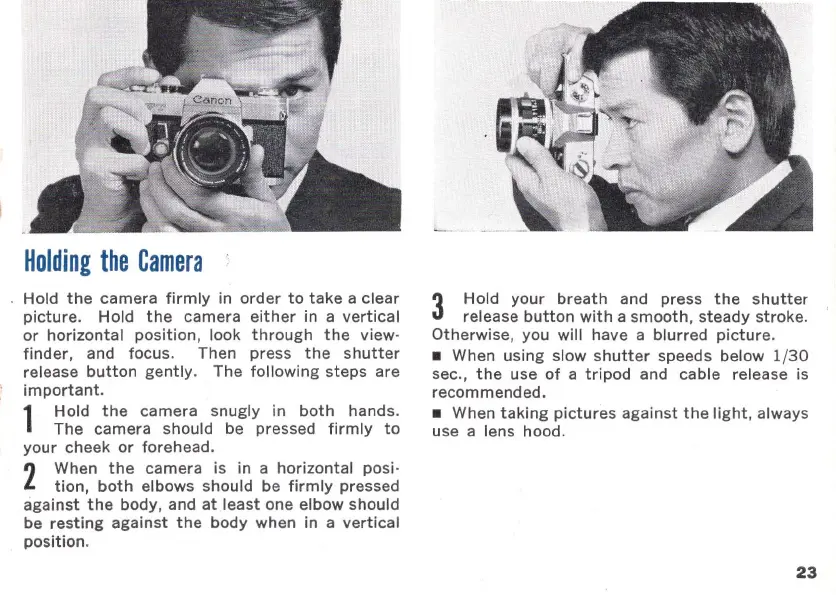
Holding
the
Camera
Hold
the
camera
firmly
in
order
to
take
a clear
picture.
Hold
the
camera
either
in a
vertical
or
horizontal
position
, look
through
the
view
·
finder,
and focus. Then press
the
shutter
release
button
gently.
The
following
steps
are
important
.
1
Hold
the
camera snugly in
both
hands.
The
camera should be pressed
firmly
to
your
cheek
or
forehead.
2
When
the
camera is in a
horizontal
posi·
tion,
both
elbows should be
firmly
pressed
against
the
body, and
at
least
one elbow should
be
resting
against
the
body
when in a
vertical
position
.
3
Hold
your
breath
and press
the
shutter
release
button
with
a
smooth
,
steady
stroke
.
Otherwise, you will have a
blurred
picture
.
When
using
slow
shutter
speeds below 1(
30
sec.,
the
use
of
a
tripod
and cable release is
recommended.
When
taking
pictures
against
the
light,
always
use a lens hood.
23

Related product manuals