Cancelling a Print Job
41
Printer Driver Functions (Windows)
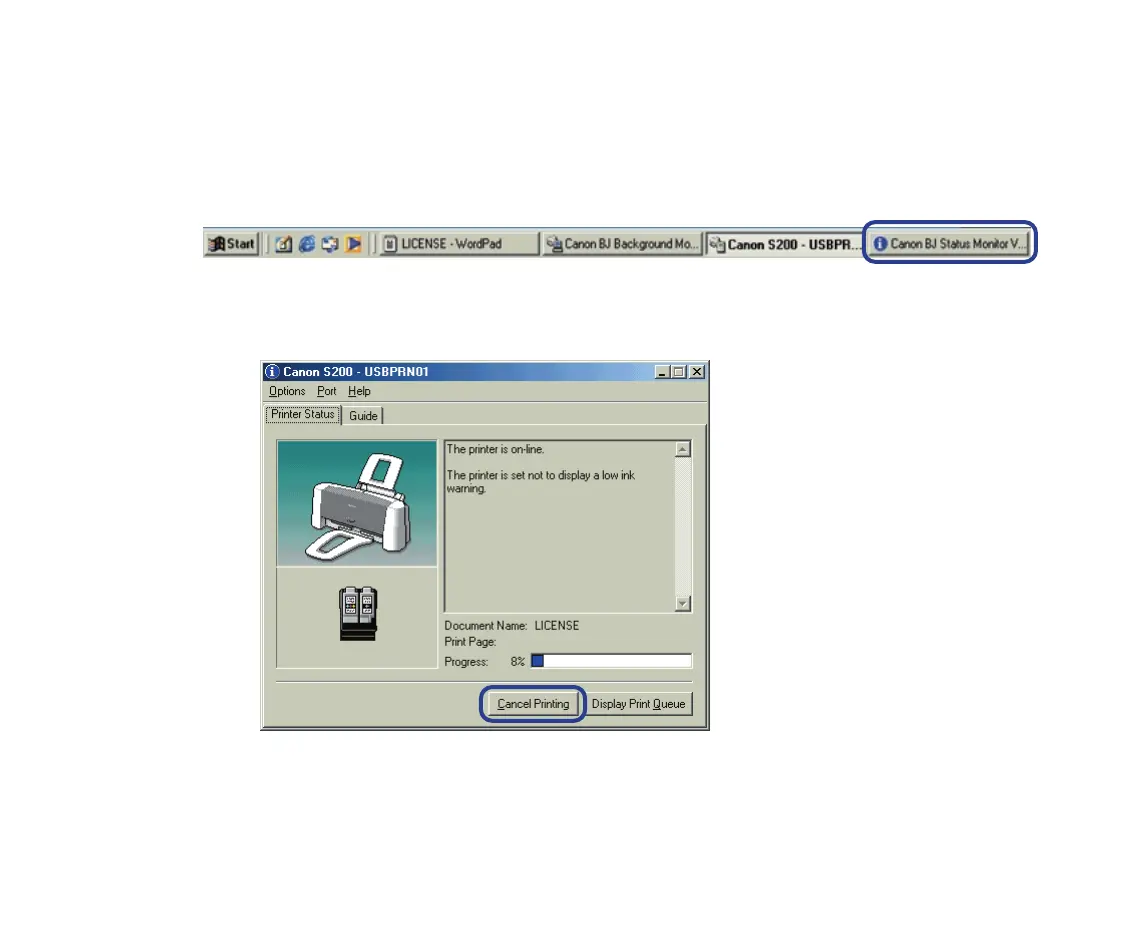
■ Cancelling a print job from the BJ Status Monitor
1 Click the Canon BJ Status Monitor (Windows Me/Windows 98) or Canon
S200 - USB001 (Windows XP/Windows 2000) icon on the Task Bar.
2 Click Cancel Printing.
S200.book Page 41 Saturday, September 22, 2001 2:34 PM


 To Next Page