Replacing an Ink Tank
73
Routine Maintenance
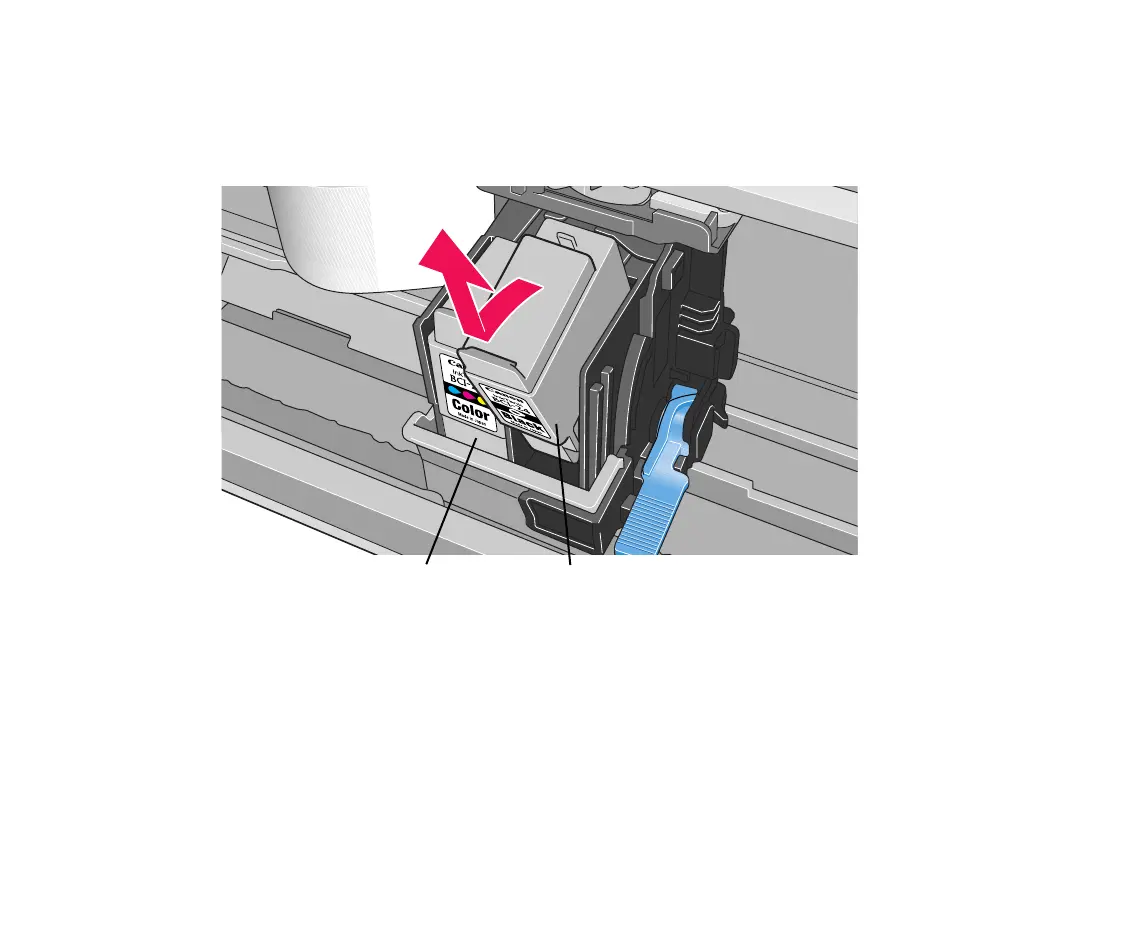
2 Remove the empty ink tank.
Pull the tab on the ink tank towards you to release.
Then lift it from its slot.
Do not touch the lock lever; remove only the ink tank.
Important
➤ • Handle ink tanks carefully to avoid staining clothing or the surrounding
area.
• Discard empty ink tanks according to the local laws and regulations
regarding disposal of consumables.
colour black
S200.book Page 73 Saturday, September 22, 2001 2:34 PM


 To Next Page