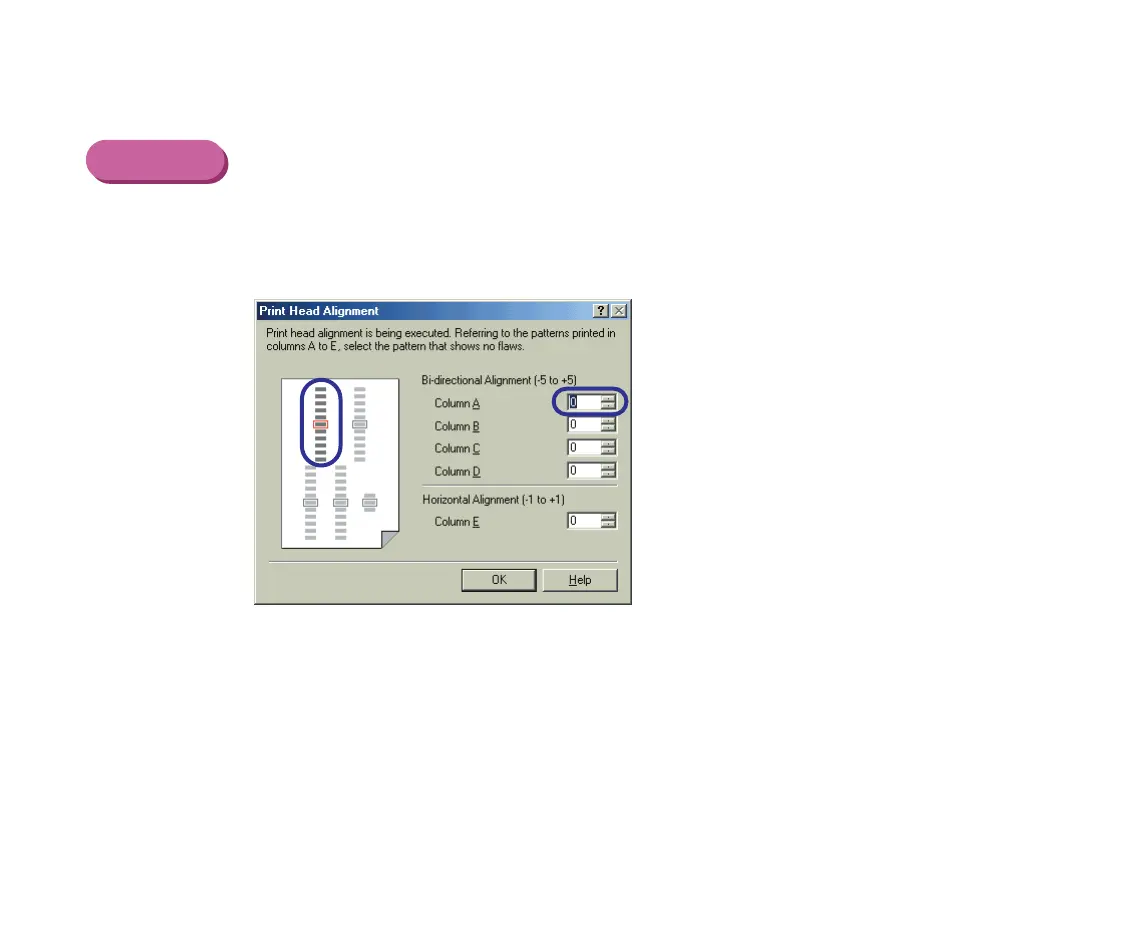
Print Head Alignment
87
Routine Maintenance
■ Examining the Print Head Alignment Pattern
Windows
1 Look at the print-out. From the patterns in Column A, select the most even,
least irregular pattern and enter the number.
S200.book Page 87 Saturday, September 22, 2001 2:34 PM



 To Next Page