21
Wireless Settings
Setting the Master Unit Transmission Channel / Wireless
Radio ID
Use the following procedure to set the master unit’s transmission
channel and wireless radio ID. Set the same channel and ID for both the
master unit and slave unit. For the slave unit settings, see the flash’s
instruction manual.
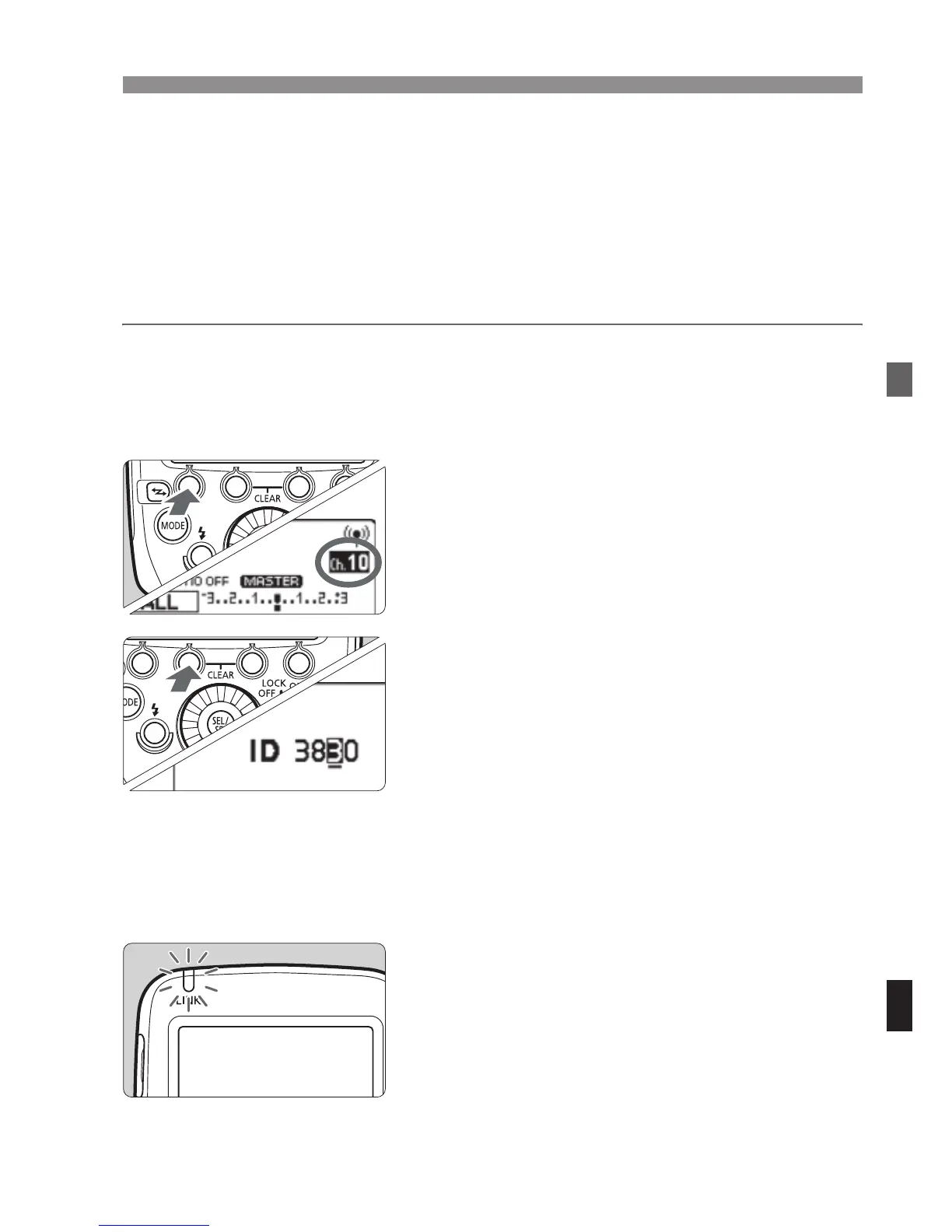
1
Display <O>.
Press function button 4 to display
<O>.
2
Set a channel.
Press function button 1 <C>.
Turn <9> to select “AUTO” or a
channel from Ch. 1 to 15, and press
the <8> button.
3
Set a wireless radio ID.
Press function button 2 <H>.
Turn <9> to select the position
(digit) to set, and press the <8>
button.
Turn <9> to select a number from 0
to 9, and press the <8> button.
Repeat step 3 to set a 4-digit number.
Press function button 4 <?> to
return to the shooting-ready state.
X When transmission between the
master unit and slave unit is
established, the <D> lamp is lit in
green.



 To Next Page