Before You Use the Product
ENGLISH
13
Using the Wide-angle Converter
The optional Wide-angle Converter WL-37 can be used to provide wide-angle shots (approx.
0.74× the normal focal distance).
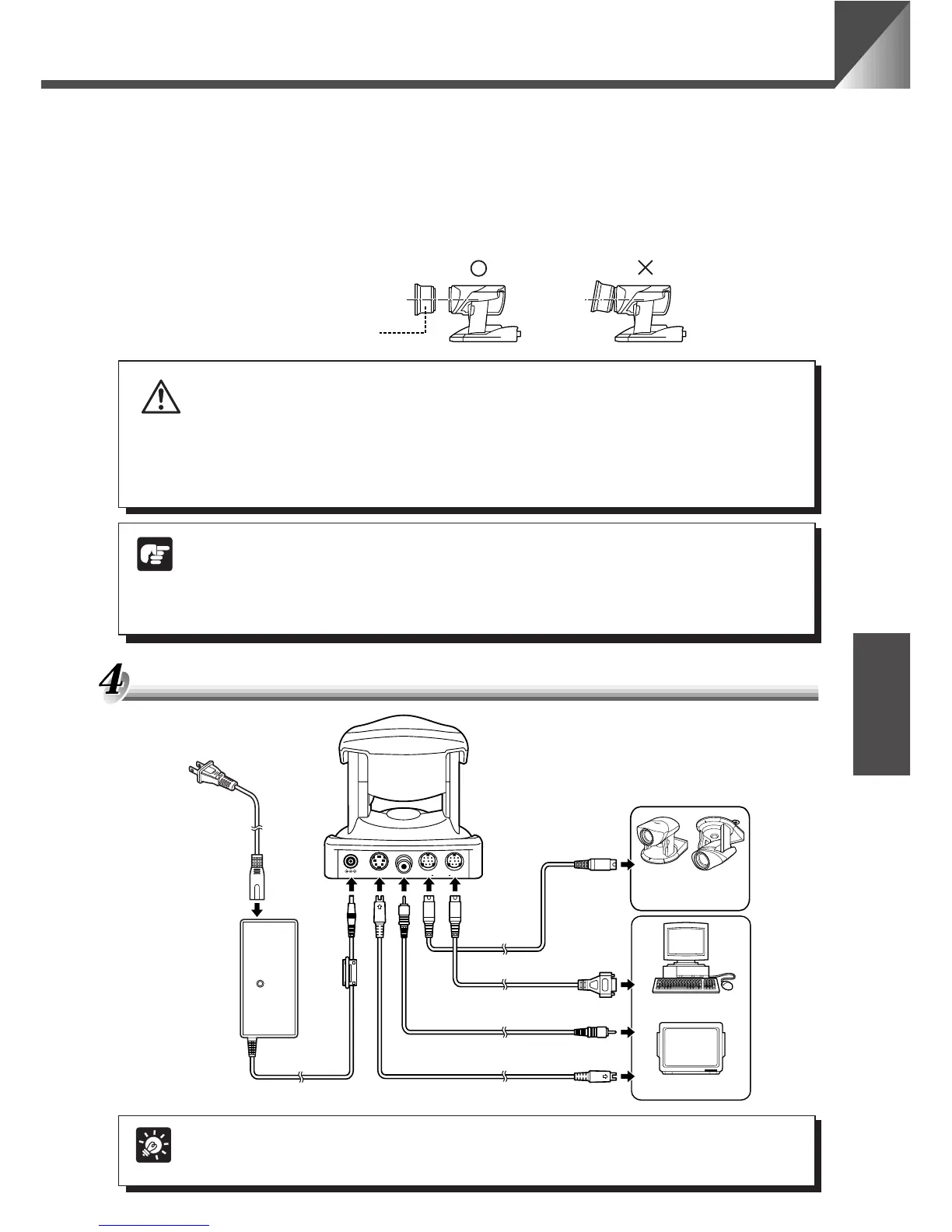
Mount the wide-angle converter correctly so that it is level and fitted securely onto the camera.
When mounted correctly, the wide-angle converter should turn roughly 3 times before stopping.
Wide-angle Converter
WARNING
The Wide-angle Converter WL-37 is designed specifically for the VC-C4 and cannot
be used on the VC-C4R. If the converter is used on the VC-C4R, the mount will gradually
loosen and the converter will fall off the camera.
NOTE
● The camera may not operate correctly if a wide-angle converter other than the
WL-37 is used.
● The permissible range of camera installation angles with the wide-angle
converter mounted on the camera is ±15° from the horizontal.
Connecting the Components
VIDEO OUTS VIDEO OUT RS232COUT INDC IN 13V
V
C
-C
4
C
O
M
M
U
N
IC
A
T
IO
N
C
A
M
E
R
A
f:4-64mm 1:1.4-2.8
PC
Another
VC-C4/VC-C4R
To RS-232C-IN
AC cable
(Rear of camera)
RS-232C cable
RS-232C cable
S-VIDEO cable
Pin cable
AC adapter
To RS-232C terminal
To VIDEO IN terminal
To S-VIDEO IN terminal
Monitor
MEMO
No S-VIDEO or RS-232C cable is supplied with the camera. Consult your dealer
for information on suitable RS-232C cables for your computer.











 To Next Page