Recording Video and Photos
40
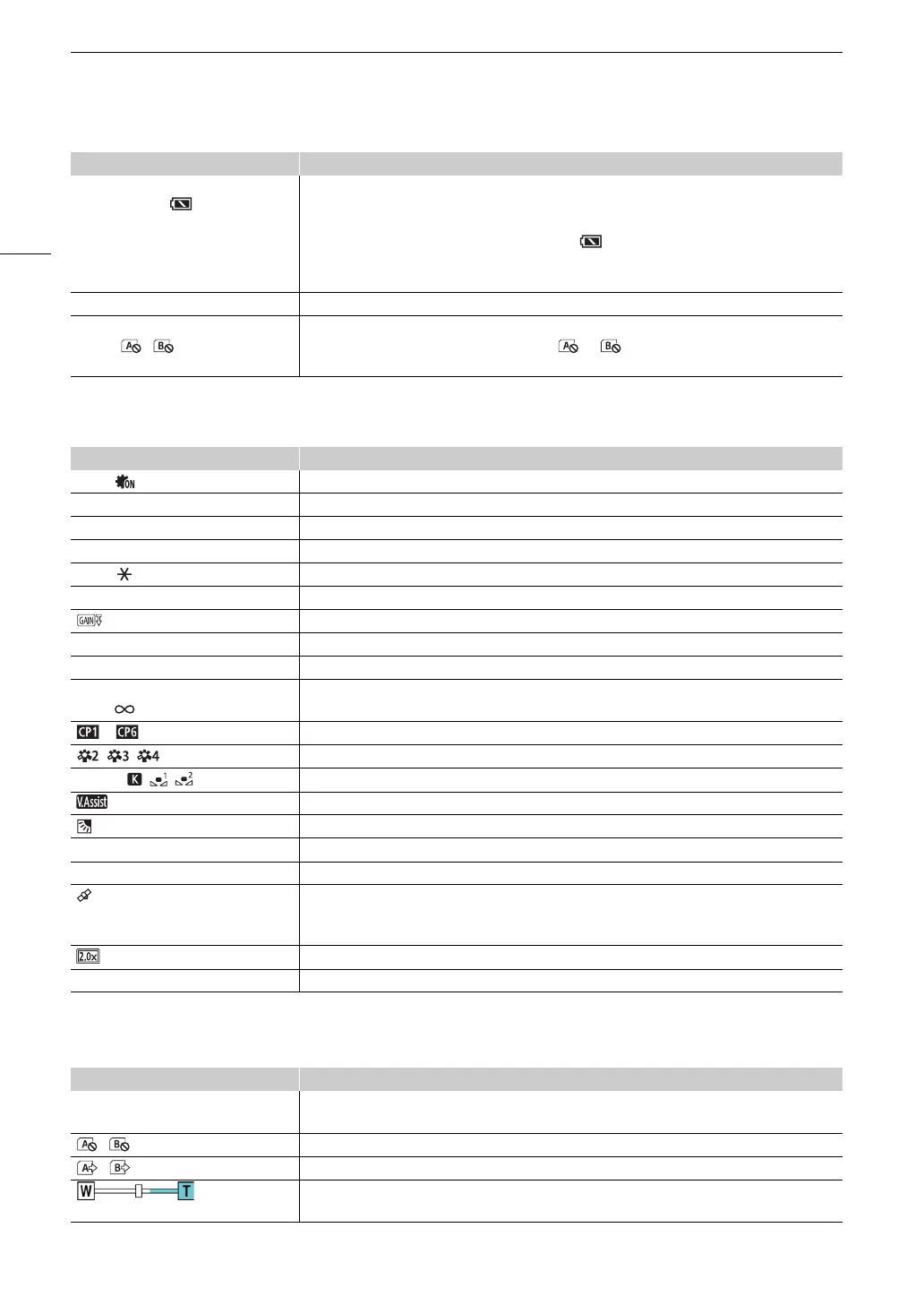
Left side of the screen
Right side of the screen
è, é, ê, ë (in white),
ë (in yellow), (in red)
000 min
Remaining battery charge (A 18)
The icon shows an estimate of the remaining charge. The remaining recording time is displayed, in
minutes, next to the icon.
• ë in yellow - battery pack is almost depleted. in red - battery pack depleted; replace the
battery pack.
• Depending on the conditions of use, the actual battery charge may not be indicated accurately.
DC IN Appears when powering the camcorder through the DC IN terminal.
{Ð6 / 7 (card icon in green/
yellow), / (in red)
Photo recorded (A 36)
• 6 (or 7) in yellow - the card is almost full. (or ) in red - the photo cannot be recorded
because of a problem with the card.
Icon/Display Description
=, Infrared light (A 85)
EF00 Aperture value (A 62, 64)
1/0000 Shutter speed (A 62, 63)
AE ±0 0/0 Exposure compensation (A 65)
±0 0/0 Exposure lock (A 65)
00.0dB Gain value (A 62)
00.0dB (value in orange) AGC limit (A 59)
ND 1/00 ND filter (A 67)
}, ~ Face detection & tracking (A 51)
D,@
000ft,
Focus (A 45)
• While adjusting the focus, the estimated focusing distance will be displayed next to the icon.
to Custom Picture (A 94)
, , Look (A 70)
¼, É, , , , 00000K White balance (A 68), color temperature
View Assistance (A 41)
Backlight correction (A 66)
O, N Peaking (A 48)
z, { Zebra pattern (A 66)
GPS signal (A 88): continuously on – satellite signal acquired; flashing – satellite signal not
acquired.
• Only when the optional GP-E2 GPS Receiver is connected to the camcorder.
Digital tele-converter (A 56)
REC`, STBY` Recording command (A 124)
Icon/Display Description
6 / 7 000h00m,
6 / 7 End (card icon in red)
Remaining recording time on the card (A 145)
6 (or 7) in yellow - the card is almost full; in red - the card is full (no available space).
/ (in red) No SD card or cannot record on the SD card.
/ 000h00m Relay recording (A 33)
Zoom bar (A 53)
• Appears only while zooming. The light blue portion indicates the digital zoom range.
Icon/Display Description



 To Next Page