45
Adjusting the Focus
Adjusting the Focus
The camcorder offers the following ways to focus.
Manual focus: Turn the focus/zoom ring to adjust the focus manually. You can use the focus assistance functions
(A 47) to help you focus more accurately when using the manual focus.
AF-Boosted MF: Focus manually most of the way and let the camcorder finish focusing automatically.
Continuous AF: The camcorder keeps focusing automatically at all times.
Manual Focus
Use the focus/zoom ring to focus manually. You can focus manually even after touching the screen to adjust the
focus automatically. You can use the > [v Camera Setup] > [Focus Ring Direction] and [Focus Ring
Response] settings to change the direction and responsiveness of the focus/zoom ring when it is used to adjust
the focus.
* Manual focus available momentarily only while operating the focus/zoom ring.
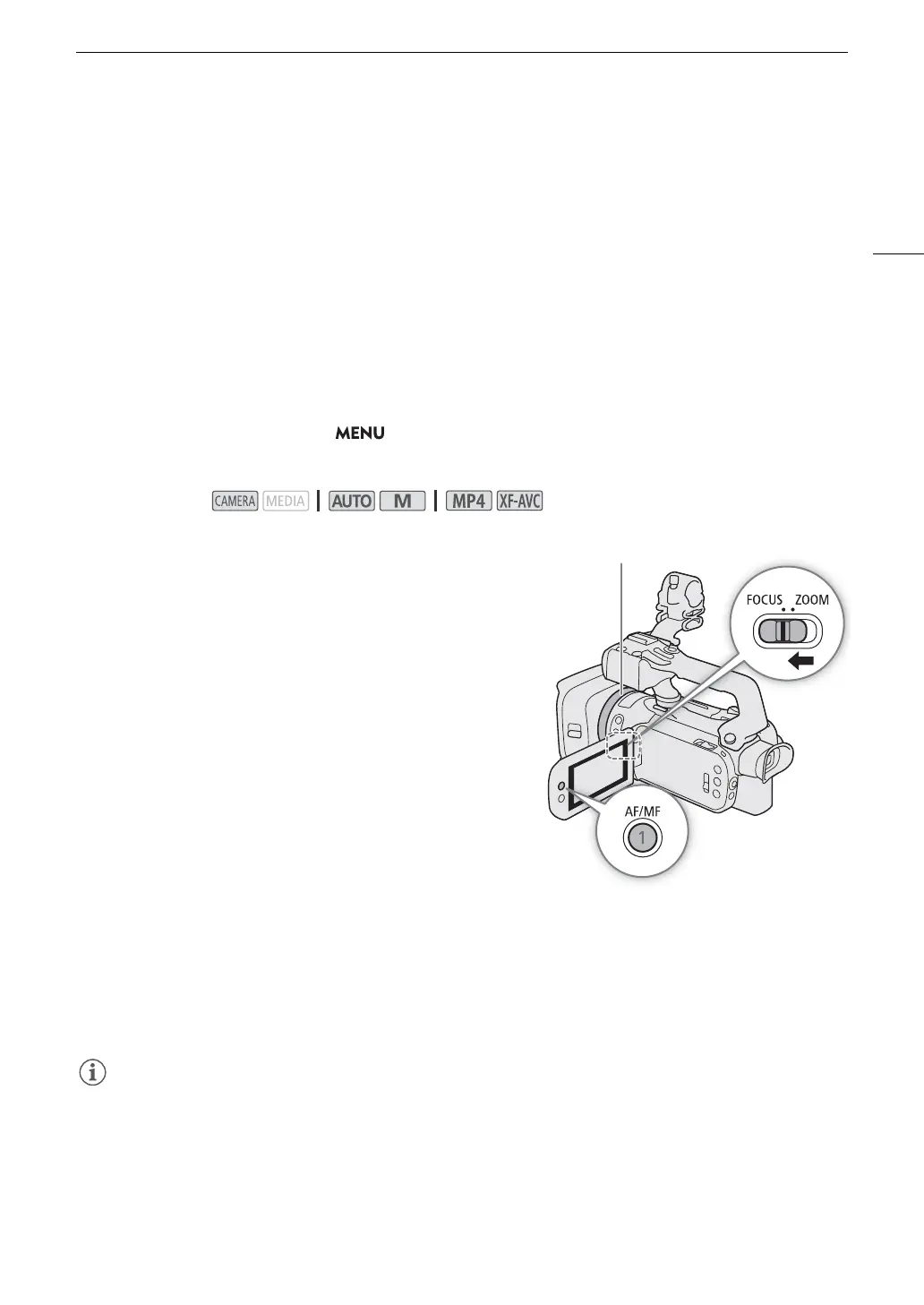
1 Set the focus/zoom ring switch to FOCUS.
To fo c u s using only the focus/zoom ring
2Press the AF/MF button.
• D will appear on the left of the screen.
3 Turn the focus/zoom ring to adjust the focus.
• The approximate focusing distance will appear on the left of the
screen while you operate the focus/zoom ring.
To fo c u s by touching a subject on the screen (Touch focus)
2 Open the focus screen.
[FUNC] > [< Focus]
3 Touch the desired point inside the focus frame.
•The I mark will flash on the selected subject. The camcorder
will focus automatically and then enter manual focus mode.
• The approximate focusing distance will appear at the top left corner of the focus frame.
• To return the camcorder to autofocus mode, select [m].
4 Select [X] to close the focus adjustment screen.
5 If necessary, turn the focus/zoom ring to further adjust the focus manually.
• The approximate focusing distance will appear on the left of the screen while you operate the focus/zoom
ring.
• If you operate the zoom after focusing, the focus on the subject may be lost.
• If you focus manually and then leave the camcorder with the power turned on, the focus on the subject may
be lost after a while. This possible slight shift in focus is a result of the internal temperature rising. Check the
focus before resuming shooting.
Operating modes:



 To Next Page