38 39THE HEADSET
If your Speedmax makes knocking noises when
you are riding or braking, you should check the
headset. Perform the check of the headset which
is invisible from outside as described in the chap‑
ter “The headset” in your bicycle manual road bike.
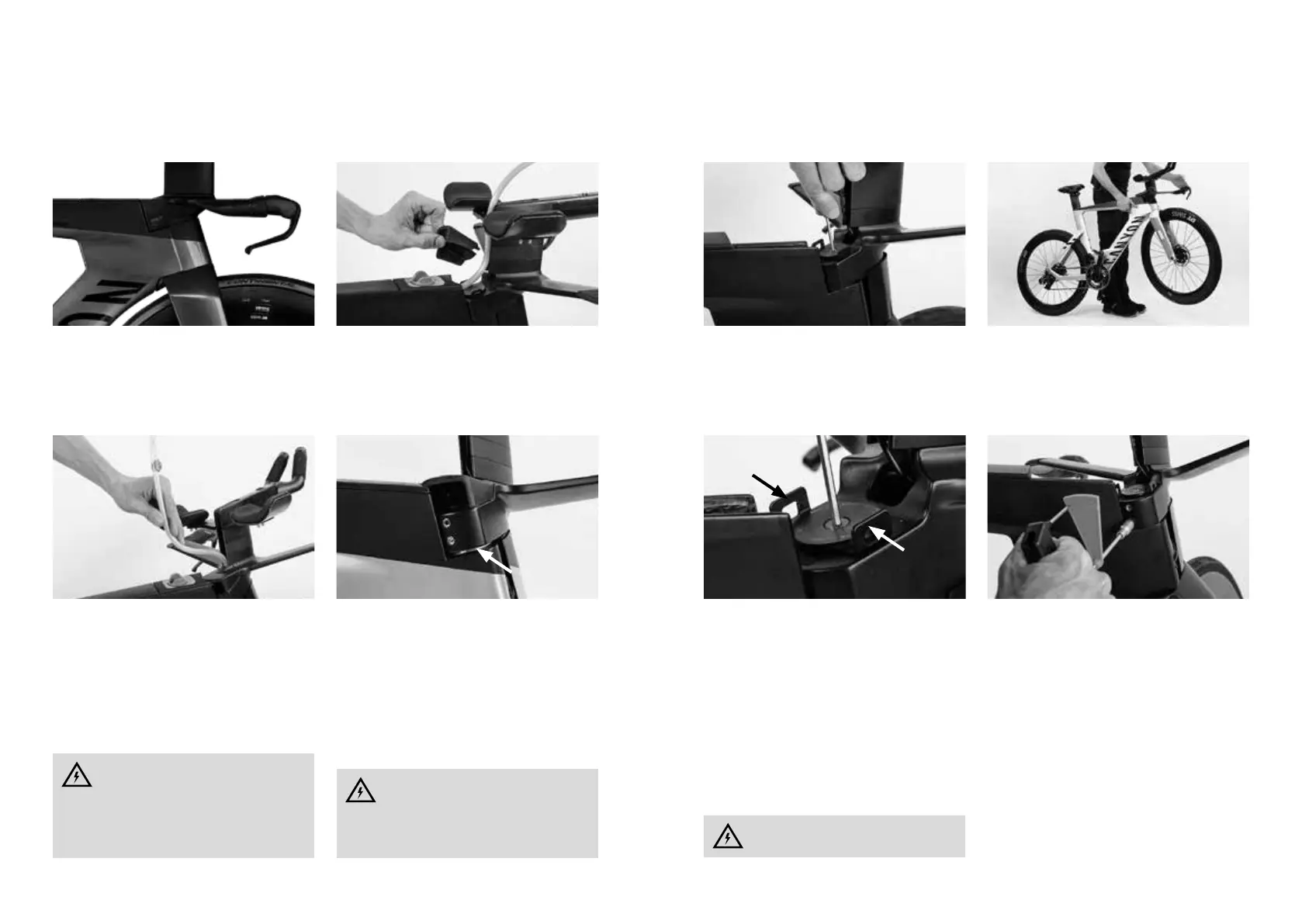
To reach the adjusting screw of the headset play
you have to remove the drinking tube from its
guide between mono extension and spacer tow‑
er. For a better handling it is recommended that
you remove the entire hydration bladder. See the
chapter “Integrated hydration system”.
Subsequently, remove the cover above the stem.
This is only a clip‑on cover. Slightly pull open both
sides to the right and the le and move the cover
upwards. It is easier to do this by steering the
handlebar to the side.
THE HEADSET
Steer the handlebar to the right or le. Loosen
gradually and alternately both clamping bolts as
well as the clamping ring below the stem. To open
the ring mount the TX6‑wrench (from the card‑
board box with the small parts) from the le side.
Loosen all bolts by two to three turns anticlock‑
wise only, do not unscrew them fully.
Carefully tighten the centre adjusting screw clock‑
wise by using a 3mm Allen key. Always start with
half a turn.
THE HEADSET
Make sure that both retaining lugs of the base
plate do not turn.
Check the bearing play again. If necessary, tighten
by another half turn and check again. Do not tight‑
en the bearing too much.
The maximum torque value for the headset ad‑
justment is 2Nm.
Check the bearing for ease of running, by liing
the front wheel and by moving it. When lied the
front wheel must rotate from the centre position
aer lightly tapping on it.
Do not tighten the adjusting screw, but
only adjust the bearing play carefully!
The thread of the clamping bolts should
not protrude from the stem aer loos‑
ing. This is to avoid that the loosened clamping
bolts collide with the frame when steering the
handlebar to the side.
Adjusting the headset requires a certain
amount of experience and should,
therefore, be le to specialists. Put your
Canyon Speedmax in expert hands, if neces‑
sary, or contact our service hotline or use our
contact form.
Tighten the TX6‑bolt at the clamping ring to the
indicated torque value.
Steer the handlebar to the right or le. Tighten
gradually and alternately the two clamping bolts
to a value of 5Nm by using a torque wrench. Do
not exceed the indicated torque value.
Finish by re‑mounting the cover above the stem.



 To Next Page