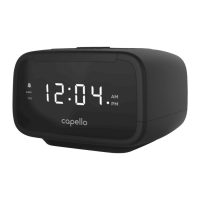
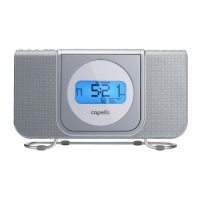
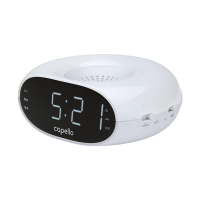
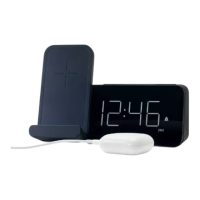
notes: The display normally shows the “FM” icon and the clock time. The preset number (“P##”) or frequency
will be shown for 5 seconds while tuning before again showing the clock time.
Press the TUNE UP / SKIP / SEARCH
or TUNE DOWN / SKIP / SEARCH buttons during clock time to
display the current frequency and then tune up or down.
setting the alarm
! Press and hold either the ALARM 1 (to set Alarm 1) or ALARM 2 (to set Alarm 2) button and the alarm hour will blink
on the display.
" Press the TUNE UP / SKIP / SEARCH or TUNE DOWN / SKIP / SEARCH button to set the alarm hour.
Mark sure AM/PM is set correctly. Press the ALARM 1 button (when setting Alarm 1) or the ALARM 2 button
(when setting Alarm 2) and the minutes will blink. Press the TUNE UP / SKIP / SEARCH
or TUNE DOWN / SKIP /
SEARCH
button to set the minute. Press the ALARM 1 (when setting Alarm 1) or ALARM 2 button (when setting
Alarm 2) and the volume level will appear.
# Press the VOLUME UP + or VOLUME DOWN – button to set the maximum alarm volume level. Press the ALARM 1
(when setting Alarm 1) or ALARM 2 (when setting Alarm 2) button and the alarm source mode will appear.
$ Press the TUNE UP / SKIP / SEARCH or TUNE DOWN / SKIP / SEARCH button to select the desired alarm
source: buzz, iPod/iPhone, FM Radio or Nature Sound. Press the ALARM 1 (when setting Alarm 1) or ALARM 2 (when
setting Alarm 2) button to conrm the setting. “ALARM 1” or “ALARM 2” will appear in the display to indicate it is set.
% If you selected Nature Sound as the alarm source (in Step 4), select your desired Nature Sound using the TUNE UP /
SKIP / SEARCH
or TUNE DOWN / SKIP / SEARCH button : 1 – Forest Sounds, 2 – Rain Drops,
3 – White Noise, 4 – Ocean Surf, 5 – Gentle Breeze. The number will be shown on the display.
& Press the ALARM 1 or ALARM 2 button, respectively, to toggle the alarm on/off. If the alarm is on, then “ALARM1”
or “ALARM 2” and the selected alarm source will appear on the display.



 To Next Page