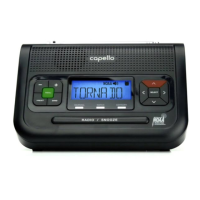
Your CR2W All Hazards Weather Alert Radio is preset to “ANY” to receive alerts and transmissions. If this is sufcient, leave the “COUNTY”
setting to “ANY.” For more options, follow the menu selections:
Customizing the S.A.M.E County Code settings
Press button until “TIME” is displayed.
Press arrow until “COUNTY” is displayed.
Press button and choose “ANY” for codes within range, press to save, then press to exit,
or press arrow to choose “SINGLE” or “MULTIPLE”.
For “SINGLE” S.A.M.E. Code
When “SINGLE” is selected, press button to display “SAME 01.”
Press button again to program your Single code. The rst digit space will start blinking.
Use the arrow to scroll through digits 0-9 to input the rst digit, which will should always be set to “0.”
Press the arrow to save each digit and advance to next digit for all 6.
Press button to save your “Single” county code, then to exit.
For “MULTIPLE” S.A.M.E. Codes
When “MULTIPLE” is selected, press button to display “SAME 01.”
Press button again to program your Multiple code. The rst digit space will start blinking.
programming your S.A.M.E. county codes
In this section we will walk you through the steps for programming your local S.A.M.E. code(s).
For a step-by-step video describing this section, scan the QR code with your smartphone app
or visit www.hellocapello.com/weather-radio-video/#4


 To Next Page