EasyManua.ls Logo

capello CR2W - User Manual

capello CR2W
28 pages
Print Icon
To Next Page IconTo Next Page
Loading...
CR2W user guide
S.A.M.E. Technology
local weather emergency information
NOAA Weather Channels
weather band plus all hazards alerts
Safe & Sound
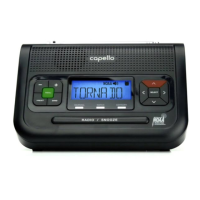
Weather Alert Clock Radio
Question and Answer IconNeed help?

Do you have a question about the capello CR2W and is the answer not in the manual?

Summary

Getting to Know Your Weather Alert Radio

AC;DC Adapter Connection Guide

Instructions for connecting the power adapter to the unit.

Inserting Batteries and Precautions

Battery Precautions and Warnings

Important safety guidelines for battery installation and usage.

Location of Controls Overview

Unit Operations and Connections

Turning the Unit On and Off

Step-by-step instructions for powering the device on and off.

Function Overview Diagrams

Advanced Function Settings

Initial Setup: Basic Functions

Setting the Clock Time

Step-by-step guide to configure the current time on the radio.

Setting Alarm and Language

Configuring the Alarm

Instructions for setting and managing the alarm function.

Alert and Backlight Configuration

Finding Your Local S.A.M.E. Codes

Programming S.A.M.E. County Codes

S.A.M.E. Code Programming Details

Customizing Alert Notifications

Managing Alert Sirens

Adding Custom Alerts

Troubleshooting Common Issues

capello CR2W Specifications

General IconGeneral
Brandcapello
ModelCR2W
CategoryClock Radio
TunerAM/FM
Display TypeLED
Power SourceAC Power
Snooze FunctionYes
Alarm FunctionYes
Radio TypeDigital
PresetsYes
Battery BackupYes
AlarmDual Alarm

Related product manuals