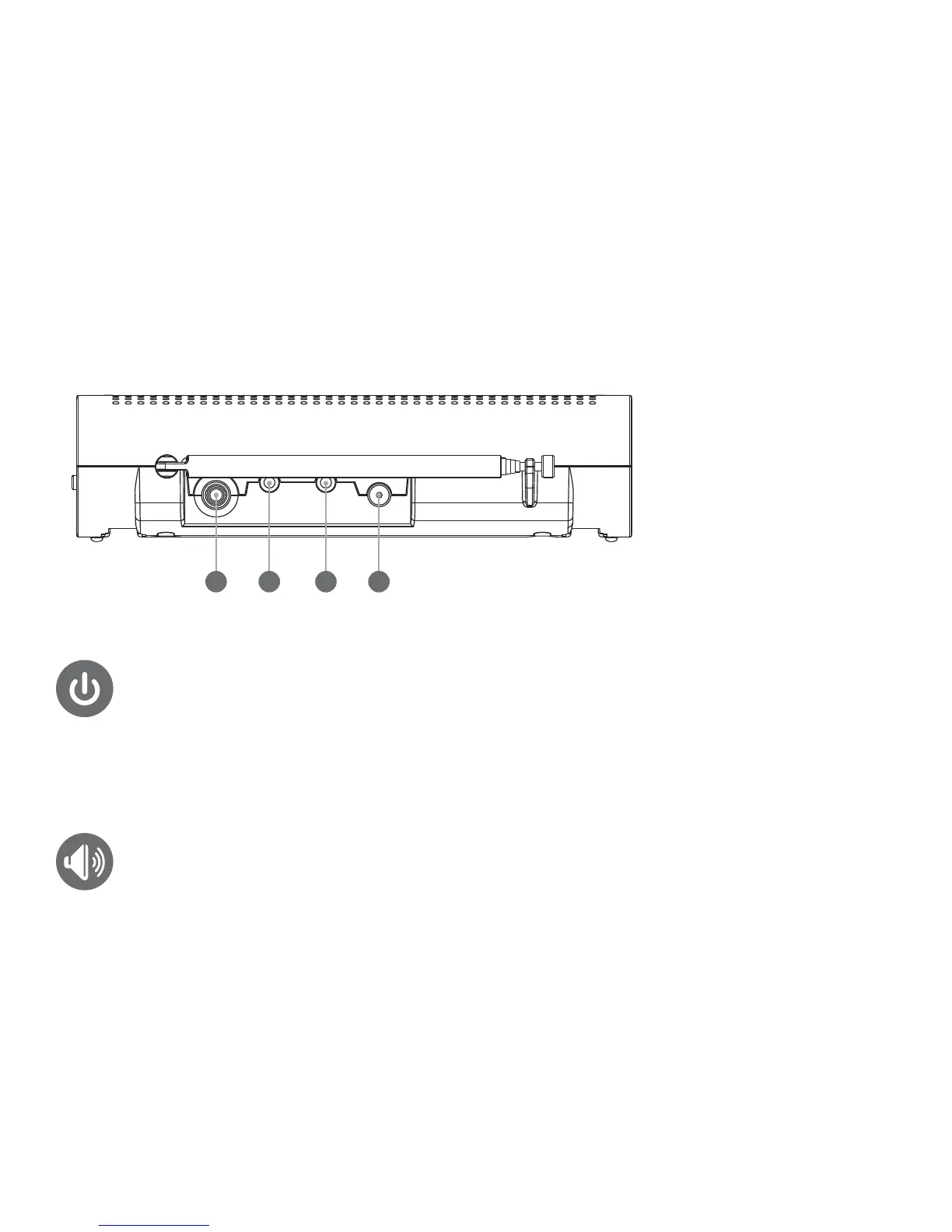
External Antenna jack
Alert Jack
Cloning Jack
DC Power Jack
adjusting the volume
Press VOLUME UP + or VOLUME DOWN – button to increase or decrease the volume.
turning the unit on
Refer to location of controls diagrams before operation.
To turn the unit on, slide the ON / OFF switch, located on the side of the unit, to the ‘ON’ position.
To turn the unit off, slide the switch to the ‘OFF’ position.
location of controls (con’t.)
18 2119 20



 To Next Page