19Instruction manual C981G & C1081GPlease keep this instruction manual for future reference
A U T O MATIC SWITCH OFF
Each burner can be programmed to operate for a specified time, after which it switches
off automatically.
To programme the timer of a specific burner, press the “timer” button. The position of each
burner is shown by means of a LED on the control panel. The LED will illuminate to indicate that
the burner has been selected for programming. Select the burner with which to associate the
timer using the “+” and “-” buttons. The timer display will show 00.00, meaning that the timer
of the selected burner is not activated.
Press the “key” button again. The flashing digits on the left of the dot indicate the hour and the
digits on the right indicate the minutes. Increase or decrease cooking time from 0 to 9 hours
using the “+” and “-” buttons. Hold down the “+” or “-” button to increase or decrease the
hours digits rapidly. To set the minutes, press the “key” button again. The digits on the right of
the dot start flashing. Set the minutes as described above for the hours.
When programming the cooking time you can cancel the current setting at any time by pressing
the “+” and “-” buttons simultaneously.
If the time is set to zero, the timer is deactivated. To confirm the time displayed, press the
“key” button.
At this point the indicators of the burners with the active timer will continue flashing. Press the
“timer” button to access programming mode and display the time remaining before the burner
switches off, or change the current setting. If no button is pressed for more than 10 seconds, the
system automatically quits programming mode and restores the main display.
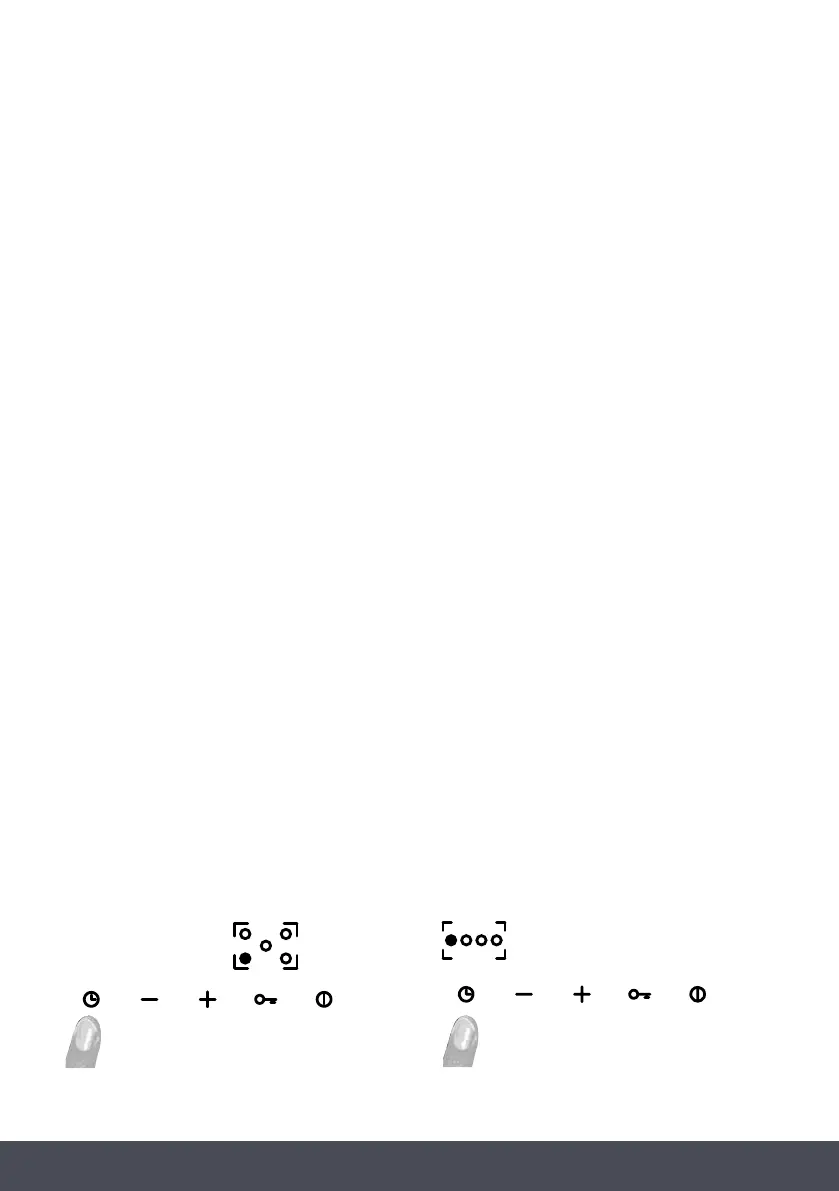
C 9 8 1 G :
C 1 0 8 1 G :
A U T O MATIC SWITCH OFF
Each burner can be programmed to operate for a specified time, after which it switches
off automatically.
To programme the timer of a specific burner, press the “timer” button. The position of each
burner is shown by means of a LED on the control panel. The LED will illuminate to indicate that
the burner has been selected for programming. Select the burner with which to associate the
timer using the “+” and “-” buttons. The timer display will show 00.00, meaning that the timer
of the selected burner is not activated.
Press the “key” button again. The flashing digits on the left of the dot indicate the hour and the
digits on the right indicate the minutes. Increase or decrease cooking time from 0 to 9 hours
using the “+” and “-” buttons. Hold down the “+” or “-” button to increase or decrease the
hours digits rapidly. To set the minutes, press the “key” button again. The digits on the right of
the dot start flashing. Set the minutes as described above for the hours.
When programming the cooking time you can cancel the current setting at any time by pressing
the “+” and “-” buttons simultaneously.
If the time is set to zero, the timer is deactivated. To confirm the time displayed, press the
“key” button.
At this point the indicators of the burners with the active timer will continue flashing. Press the
“timer” button to access programming mode and display the time remaining before the burner
switches off, or change the current setting. If no button is pressed for more than 10 seconds, the
system automatically quits programming mode and restores the main display.
C 9 8 1 G :
C 1 0 8 1 G :
C1081GC981G
AUTOMATIC SWITCH OFF
Each burner can be programmed to operate for a specified time, after which it switches off
automatically.
To programme the timer of a specific burner, press the “timer” button. The position of each burner
is shown by means of a LED on the control panel. The LED will illuminate to indicate that the
burner has been selected for programming. Select the burner with which to associate the timer
using the “+” and “-” buttons. The timer display will show 00.00, meaning that the timer of the
selected burner is not activated.
Press the “key” button again. The flashing digits on the left of the dot indicate the hour and the
digits on the right indicate the minutes. Increase or decrease cooking time from 0 to 9 hours using
the “+” and “-” buttons. Hold down the “+” or “-” button to increase or decrease the hours
digits rapidly. To set the minutes, press the “key” button again. The digits on the right of the dot
start flashing. Set the minutes as described above for the hours.
When programming the cooking time you can cancel the current setting at any time by pressing
the “+” and “-” buttons simultaneously.
If the time is set to zero, the timer is deactivated. To confirm the time displayed, press the “key”
button.
At this point the indicators of the burners with the active timer will continue flashing. Press the
“timer” button to access programming mode and display the time remaining before the burner
switches off, or change the current setting. If no button is pressed for more than 10 seconds, the
system automatically quits programming mode and restores the main display.


 To Next Page
 Loading...