15
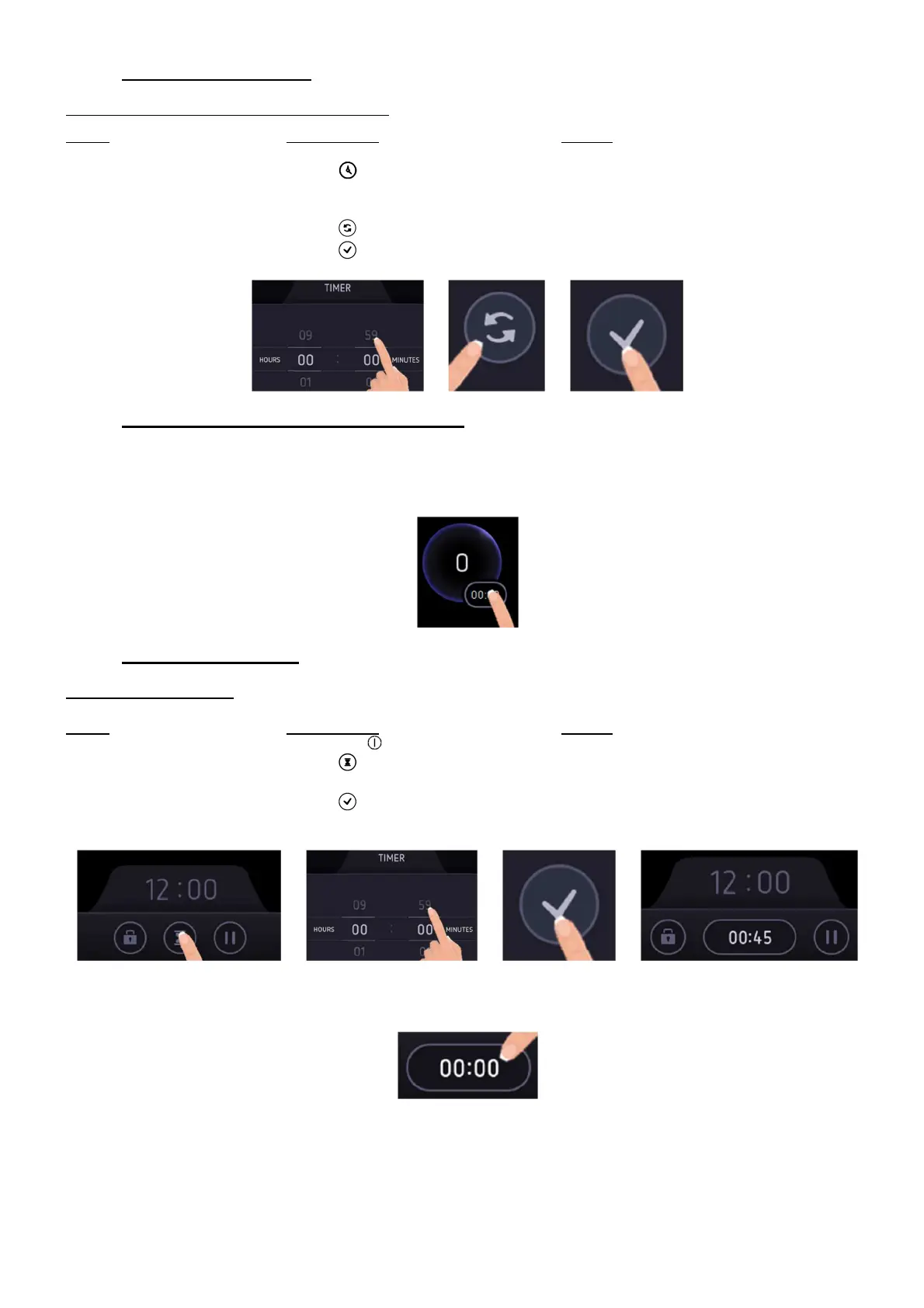
• To stop the cooking time:
Example for 1 hour and 05 minutes at power 2:
Action Control panel Display
Pan selection Select the desired pan [ 2 ]
Select “Timer” Press [ ] next to the pan [ 01:05 ]
Set the hours Scroll to [ 00 ] [ 00:05 ]
Set the minutes Scroll to [ 00 ] [ 00:00 ]
Or select “Reset” Press [ ] [ 00:00 ]
Validate the settings Press [ ] to validate the settings Timer stops and cooking process continues
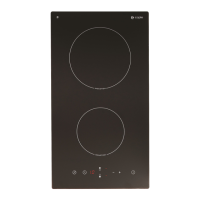
• Automatic stop at the end of the cooking time:
As soon as the selected cooking time is finished the timer displays blinking [ 00:00 ] and a sound rings.
To stop the sound and the blinking, press on [ 00:00 ].
After 30 seconds the sound stops automatically.
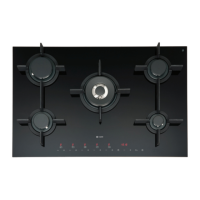
• Minute minder function:
Example for 45 minutes:
Action Control panel Display
Activate the hob Press key [ ] Main screen
Select “Egg timer” Press [ ] [ 00:00 ]
Set the minutes Scroll to [ 45 ] [ 00:45 ]
Validate the settings Press [ ] to validate the settings [ 00:45 ] on the bottom of the screen
and the Egg timer starts
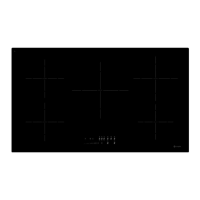
As soon as the selected cooking time is finished the Egg timer display will blink [ 00:00 ] and a sound will be heard.
To stop the sound and the blinking, press the display [ 00:00 ]. The hob switches off.


 To Next Page