17
Control panel locking
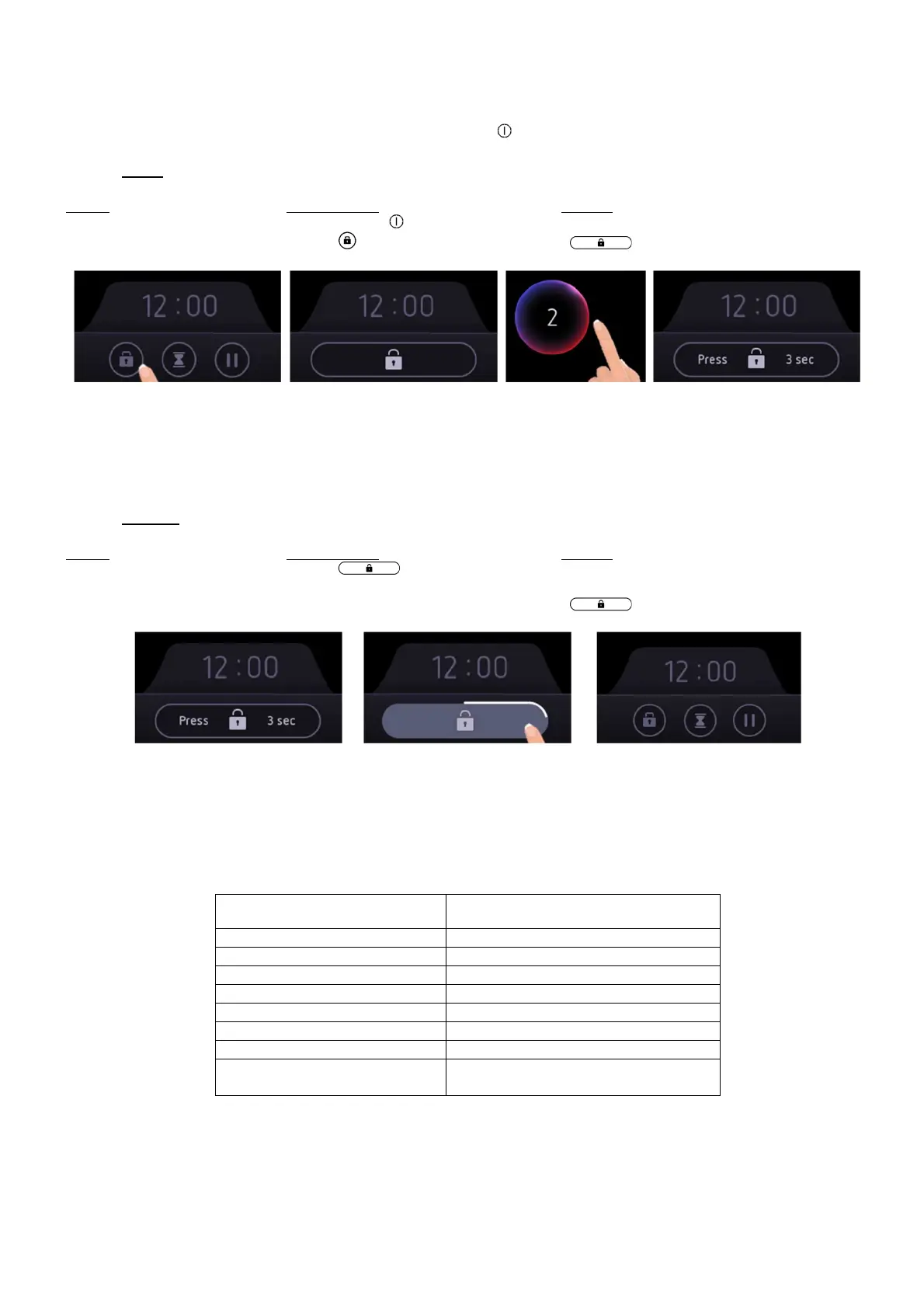
To avoid accidentally activating or interfering with the setting of the cooking zones , in particular during cleaning, the
control panel can be locked (with exception of the On/Off key [ ]).
• Lock:
Action Control panel Display
Start Press on key [ ] [ 0 ] or [ H ]
Locking the hob Press [ ] [ ] appears on the bottom
The hob is locked, and no action can be done.
If you try to do an action, the hob will inform you that the locking function is activated.
An acoustic feedback can be heard, and a message will appear at the bottom of the screen.
In the case where cooking processes are activated, they still be running but can’t be modified.
• Unlock:
Action Control panel Display
Unlock the hob Press [ ] during 3 seconds
until the animation around the symbol
is complete [ ] disappears
The hob is unlocked.
Operating time limitation
Each cooking level is equipped with an operating time limitation: the cooking process is automatically switched off
after a certain time without any change of settings. This time is varying according to the selected power level as
described in the table below.
Power level Operating time
Keep warm 2 hours
1 / 1.5 10 hours
2 / 2.5 / 3 / 3.5 5 hours
4 / 4.5 4 hours
5 / 5.5 3 hours
6 / 6.5 / 7 / 7.5 / 8 / 8.5 2 hours
9 1 hours
B
10 minutes
(switch to level 9 after this time)



 To Next Page