18
Settings Menu
The settings menu contains various functions to configurate the hob:
• Personalise
• Child lock
• Sound
• Brightness
• Clock
• Language
• Factory Reset
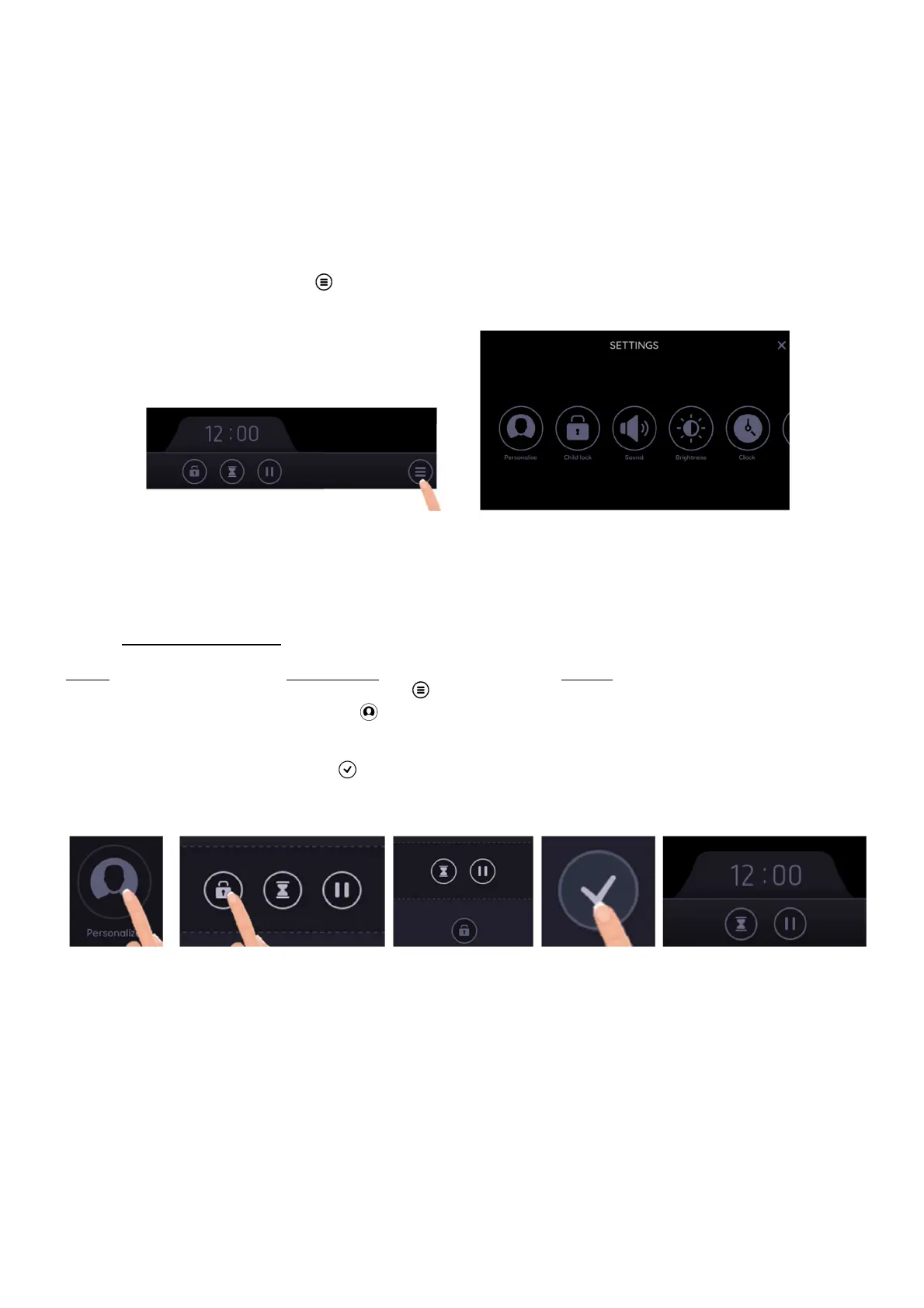
To enter this menu, press the icon [ ] at the front right of the screen.
Swipe to the left or to the right to navigate in this menu.
Personalise
This function allows to change the main bar at the bottom of the screen.
It allows you to choose to show the pause, the minute minder and the control panel locking.
• Change the main bar:
Action Control panel Display
Enter in the Settings menu Press menu key [ ] The settings are displayed
Enter in the Personalise setting Press on [ ] Personalise setting is open
Personalise main bar Press on the icon that isn’t wanted
and grab it out of the icon zone
Validate the settings Press [ ] to validate the settings Settings main menu
The new main bar is displayed at the bottom of the screen (under the clock) during cooking.



 To Next Page