20
Sound
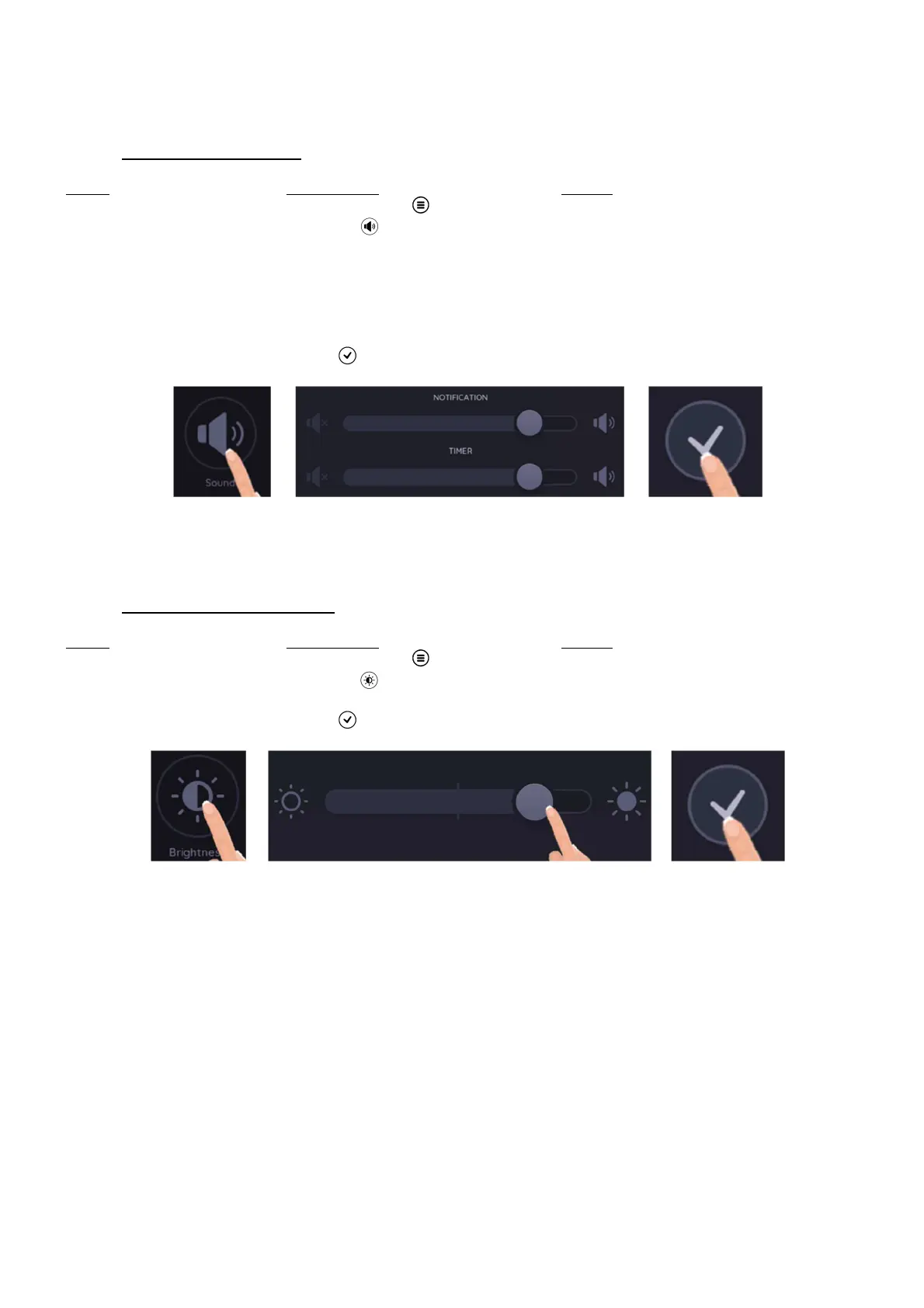
This function allows to change the sound level.
• Change the sound level:
Action Control panel Display
Enter in the Settings menu Press menu key [ ] The settings are displayed
Enter in the Sound setting Press on [ ] Sound setting is open
It is possible to change the sound level for:
o Notification (acoustic feedback for validation, etc …)
o Timer (ring tone at the end of the timer)
Change the Sound level Slide on the “SLIDER” The “SLIDER” displays the sound level
Validate the settings Press [ ] to validate the settings Settings main menu
Brightness
This function allows to change the brightness level of the screen.
• Change the brightness level:
Action Control panel Display
Enter in the Settings menu Press menu key [ ] The settings are displayed
Enter in the Brightness setting Press on [ ] Brightness setting is open
Change the Brightness level Slide on the “SLIDER” The “SLIDER” displays the brightness level
Validate the settings Press [ ] to validate the settings Settings main menu



 To Next Page