24 Instruction manual CAFF46GM Please keep this instruction manual for future reference
COMPARTMENT ON-OFF MODE
To turn off freezer Zone1, Zone2 and the cooler at the same time, press and hold the “mode”
and “cooler” buttons simultaneously for 3 seconds. All figures indicating the part turned off will
disappear on the digital indicator panel.
To turn off the Zone1 compartment, press and hold the “mode” and “zone 1” buttons
simultaneously for 3 seconds. All figures indicating the part turned off will disappear on the
digital indicator panel.
To turn off Zone2 compartment, press and hold the “mode” and “zone 2” buttons
simultaneously for 3 seconds. All figures indicating the part turned off will disappear on the
digital indicator panel.
To reactivate the turned-off compartment, use the same combination of buttons.
USING THE FREEZER COMPARTMENT (ZONE 1) AS A
FRIDGE COMPARTMENT
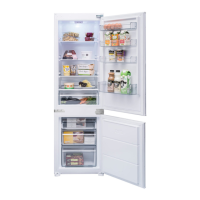
The bottom left compartment on the appliance can be used either as freezer or as a fridge.
Press and hold the “zone 1” button for 3 seconds to change the bottom-left compartment from
a freezer to a fridge.
IMPORTANT:
If the Zone1 compartment will be converted from a freezer to a fridge:
› Empty the food from the Zone1 compartment and leave the door closed for four hours. Then
food can be placed in the compartment.
› Baskets and/or shelves removed from the compartment should be re-fitted.
Similarly, in order to utilise this compartment as a freezer again, press and hold the related
compartment button for 3 seconds.
IMPORTANT:
If the Zone1 compartment will be converted from a fridge to a freezer:
› Empty the food from the Zone1 compartment and leave the door closed for two hours. Then
food can be placed in the compartment.
› When the zone 1 compartment is used as a cooler and the appliance is switched to Holiday
or Economic mode, the zone 1 compartment will keep on running as cooler.


 To Next Page