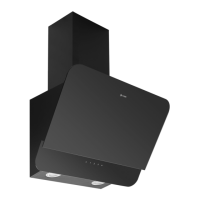
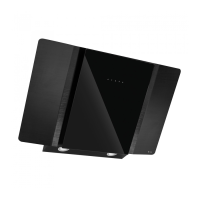
Instruction manual DD523BK
18
Please keep this instruction manual for future reference
OPERATING THE DOWNDRAFT EXTRACTOR
A - TIMER
Press to activate a 10 minute timer, after which the motor is turned off and the top panel is closed.
The setting of this function is signaled by the ashing of the speed indicators.
D -DECREASE SPEED
Press to decrease the speed of the motor.
C - INCREASE SPEED
Press to increase the speed of the motor.
D - MOTOR SPEED INDICATORS
The 4 LEDs emit a red light, depending on the set speed.
› First speed: 1 LED On
› Second speed: 2 LEDs On
› Third speed: 3 LEDs On
› Fourth speed: 4 LEDs On
E - POWER
When the product is switched off, the rst touch starts to open the top panel. Once it is fully open
to 90° the second speed of extraction is automatically set. Pressing the button further will stop the
motor and close the top panel.
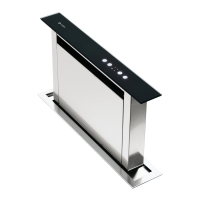
A
B
C
DE
Press to activate a 10 minute timer, after which the motor is turned off and the top panel
is closed. The setting of this function is signaled by the flashing of the speed indicators.
D - MOTOR SPEED INDICATORS
The 4 LEDs emit a red light, depending on the set speed.
First speed: 1 LED On
Second speed: 2 LEDs On
Third speed: 3 LEDs On
Fourth speed: 4 LEDs On
E - POWER
When the product is switched off, the first touch opens starts to open the top panel. Once it is
fully open to 90° the second speed of extraction is automatically set. Pressing the button further
will stop the motor and close the top panel.
B - DECREASE SPEED
Press to decrease the speed of the motor.
C - INCREASE SPE ED
Press to increase the speed of the motor.



 To Next Page