21Instruction manual RiF1801Please keep this instruction manual for future reference
› If you press any button when the lights of the control panel are Off, the current settings will
appear on the screen; adjustments can then be made. If you neither cancel Screen Saver
mode nor press on any button for 30 seconds the control panel will turn Off again.
› To cancel Screen Saver mode, press the “Mode” button for 3 seconds.
› To activate this mode, press on the “Mode” button for 3 seconds.
FREEZER TEMPERATURE SETTINGS
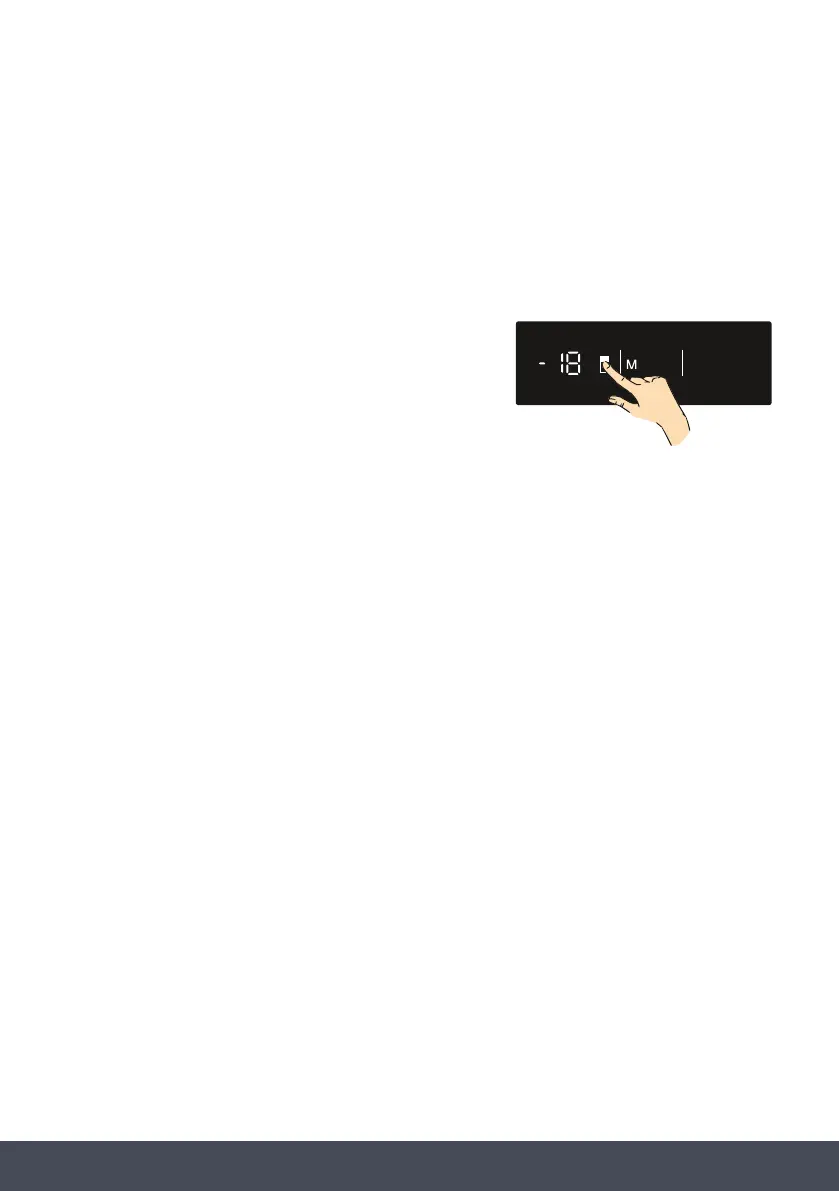
› The initial temperature value for the freezer is -18°C.
› Press the “Temperature Set” button once.
› Whenyourstpushthisbutton,thelastsetvaluewill
appear on the setting indicator.
› Whenever you press this button, a lower temperature will be set (-16 °C, -18 °C, -20 °C,
-22 °C, -24 °C, Super Freeze).
› When you push the “Temperature Set” button until the Super Freeze symbol appears, and
youdonotpushanyotherbuttonwithin1second,SuperFreezewillash.
› If you continue to press it, it will restart from -16 °C.
› The temperature value selected before Super Freeze Mode or Economy mode is activated
will remain the same when the mode is over or cancelled. The appliance continues to
operate with this temperature value.
DOOR OPEN ALARM
If the freezer door is left open for more than 2 minutes, an audible alarm will sound. Close the
freezer door.
freezer
e freezer is -18°C.
Temperature Set
Temperature Set



 To Next Page