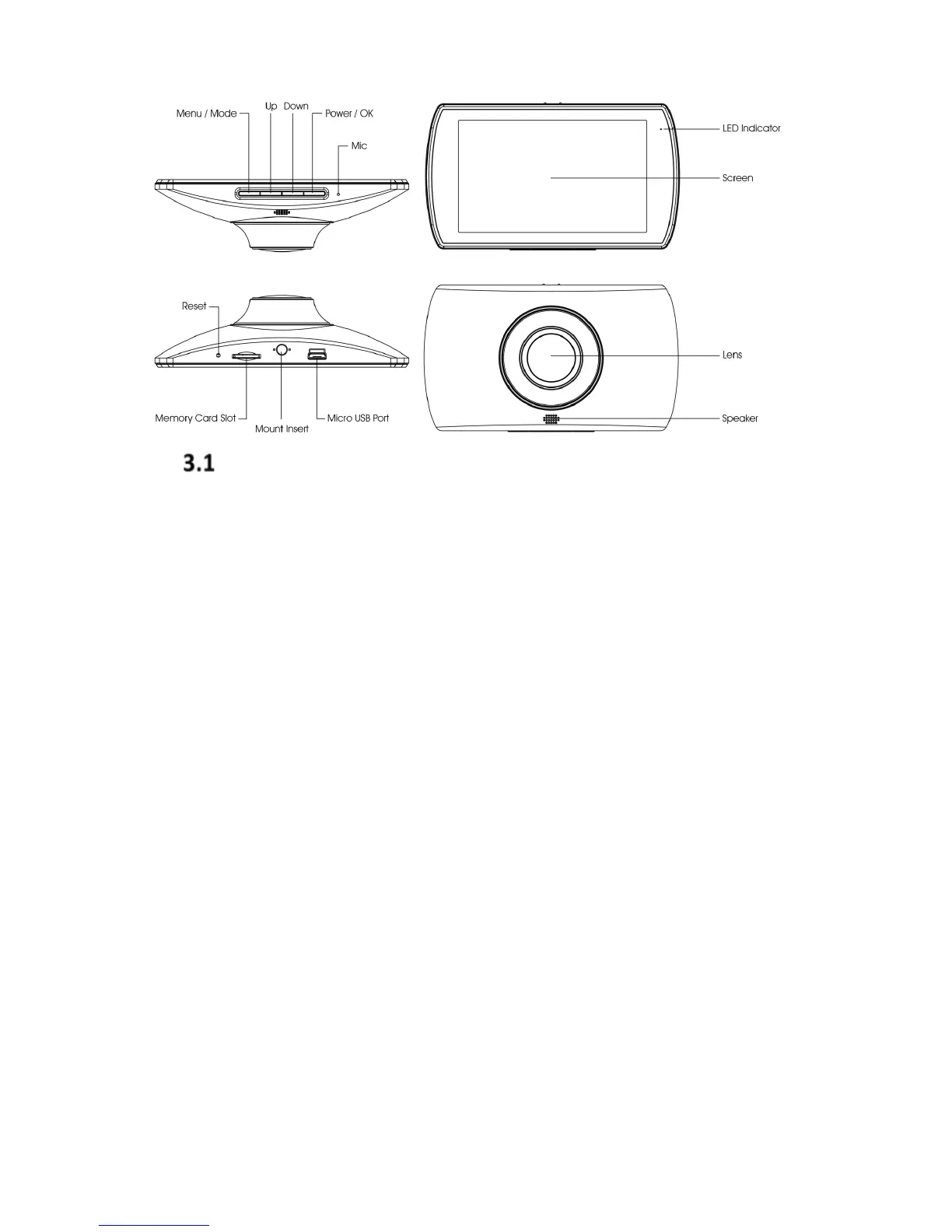
Menu/Mode Button
Menu
While the device is NOT recording a video, press the
Menu/Mode button to enter the Menu settings (if the Dash
Cam is currently recording press the Power/OK button to
stop recording). Press the up or down button to select your
desired Menu/Mode option, and the OK button to confirm.
After confirming, press the Menu/Mode button to go back
or exit.
Mode
While the device is NOT recording video, hold the
Menu/Mode button to change modes (if the Dash Cam is
currently recording press the Power/OK button to stop
recording). The mode cycle order is:
• Video Mode
• Photo Mode
• Playback Mode (see 4.9 Media Playback and
Management on page 13)


 To Next Page