Page 9
FOR ALL OTHER DOOR TYPES PLEASE CONTACT YOUR DISTRIBUTOR!
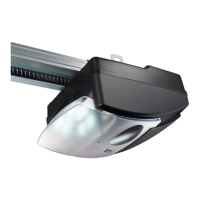
e Make sure motorhousing and rail are mounted correctly and secured.
Strengthen where needed.
f Install light bulb.
Type E14, max. 40 Watt (not included).
OPERATOR CONTROL PANEL INDICATIONS
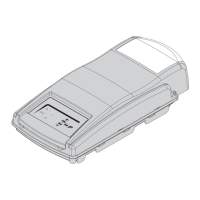
Your automatic door operator is provided with an easy to read
LED display panel with 8 light icons and three program buttons.
Light icons
1 external beam break
2 door fully open
3 automatic timer
4 door fully closed
5 operator 230V light
6 malfunction
7 operator impulse (slow flash when on vacation lock)
8 power on (230V)
Adjustment buttons
/ Program button “decrease” and CLOSE test button
& Program button “increase” and
OPEN test button
% Programming button
LEGEND
LED off i.e. 1
LED illuminated i.e. E
LED blinking i.e. G
LED rapid blinking i.e. N
Button pressed % or & or /
Operator light bulb on: { off: }
External Lights on: [ off: ]
Default setting: i.e.
8Q
7W
6E
54
3/8



 To Next Page