EasyManua.ls Logo

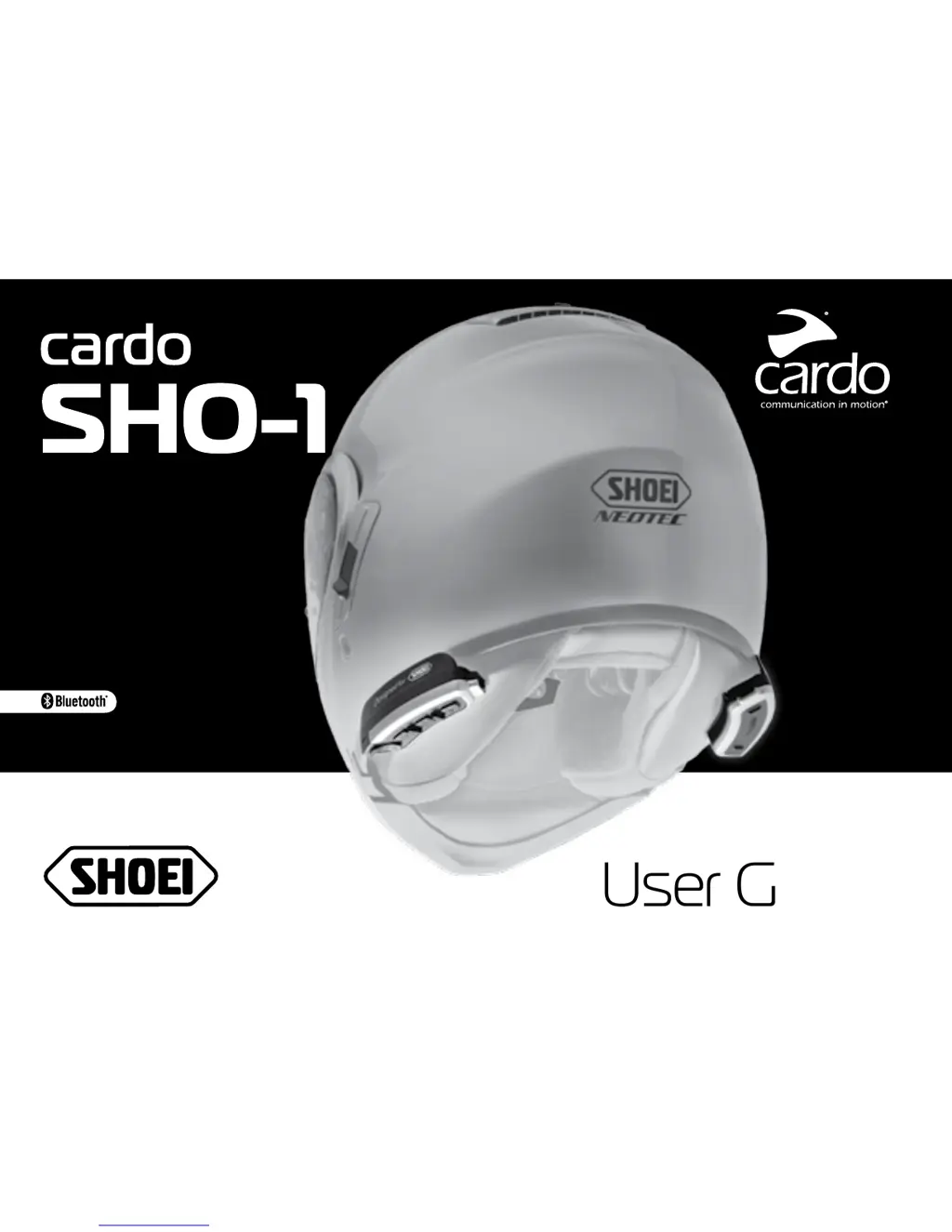
Cardo Systems SHO-1 - User Manual

Cardo Systems SHO-1
18 pages
Print Icon
To Next Page IconTo Next Page
Loading...
User Guide
PREMIUM HELMETS
Recommended by

Other manuals for Cardo Systems SHO-1

Questions and Answers

Summary

1. INTRODUCTION

ADVANCED TECHNOLOGY

Details key technologies like Voice Command, AGC, VOX, and PLC for enhanced user experience.

2. CHARGING THE BATTERY

3. CARDO COMMUNITY PLATFORM AND ONE+8 INTERCOM

4. GETTING STARTED

4.1 GENERAL FUNCTIONS

Explains basic operations like Power ON/OFF, Volume control, Mute, battery status, and menu navigation.

4.2 STATUS LIGHTS

Details the meaning of LED indicators for different operational states like OFF, Standby, Active, and charging.

4.3 AUDIO SOURCES AND PRIORITIES

Defines the priority order for audio sources (Phone, Intercom, A2DP, FM, AUX) when multiple are active.

4.4 VOICE COMMAND

4.5 SETTINGS

4.6 VOICE CONNECT (VOX)

5. INTERCOM

5.1 ONE+8 INTERCOM TOGGLING

5.1 a CONFIGURING YOUR BUDDY NAME

Instructions for setting a custom Buddy Name for easier identification and calling within the 'One+8' system.

5.1 b PAIRING WITH A ONE+8 INTERCOM BUDDY

Step-by-step guide for pairing your cardo SHO-1 with another 'One+8' intercom buddy.

5.1 c PAIRED DEVICE INDICATION

How to identify 'One+8' intercom buddies within a 20m range using LED indicators.

5.1 d CALLING ONE+8 INTERCOM BUDDIES

Methods for initiating intercom calls to 'One+8' buddies via Voice Connect (VOX) or Manual Mode.

5.2 INTERCOM WITH CHANNELS A AND B

5.2 a PAIRING INTERCOM CHANNELS A AND B

Procedure for pairing units to Channels 'A' and 'B' for intercom conference calls.

5.2 b CALLING INTERCOM CHANNELS A AND B

Methods to start intercom calls on Channels 'A' and 'B' using Voice Connect (VOX) or Manual Mode.

THREE-WAY INTERCOM

FOUR-WAY INTERCOM

5.3 CLICK-TO-LINK (CTL) INTERCOM

5.4 BUSY SIGNAL

5.5 RECEIVING INTERCOM CALLS

5.6 GROUP SIGNAL

6. PAIRING AND USING A MOBILE PHONE, GPS OR MP3 PLAYER

6.1 PAIRING BLUETOOTH CHANNELS 1 AND 2

Step-by-step instructions for pairing Bluetooth Channel 1 and Channel 2 with devices like phones and GPS.

6.2 MAKING AND RECEIVING PHONE CALLS

Operations for answering, rejecting, ending, and redialing phone calls, plus managing default mobile connections.

6.3 LISTENING TO MUSIC VIA A2 DP

6.4 MUSIC SHARING

6.5 LISTENING TO MUSIC VIA THE AUX

7. FM RADIO

7.1 GENERAL FUNCTIONS

Basic radio operations: turn on/off, station tuning, and RDS settings.

7.2 RADIO TUNING

Explains how to seek, scan, and save FM stations to presets.

7.3 AUTOMATIC RADIO TUNING

Describes the automatic tuning feature for finding and storing up to six temporary radio stations.

8. TROUBLESHOOTING

9. SUPPORT

10. NOTICES

Federal Communications Commission (FCC) Statement

Details FCC regulations, warnings about modifications, and compliance statements for digital devices.

FCC RF Radiation Exposure Statement

Statement on FCC compliance with radiation exposure limits for the transmitter.

Industry Canada (IC)

Details Industry Canada compliance, including RSS-102 exemption and operational conditions.

IC RF Radiation Exposure Statement

European CE Notice

Declaration of Conformity (DOC)

Copyright

IMPORTANT SAFETY AND WARRANTY INFORMATION

General Safety Warnings

Emphasizes user's attention to safety, road conditions, and legal compliance while operating the device.

Health and Device Warnings

Covers hearing loss, RF signal interference, and pacemaker proximity concerns.

LIMITED WARRANTY

Disclaimer of Warranty

LIMITATION OF LIABILITY

Warranty Service

WAIVER AND GENERAL RELEASE

Summary

1. INTRODUCTION

ADVANCED TECHNOLOGY

Details key technologies like Voice Command, AGC, VOX, and PLC for enhanced user experience.

2. CHARGING THE BATTERY

3. CARDO COMMUNITY PLATFORM AND ONE+8 INTERCOM

4. GETTING STARTED

4.1 GENERAL FUNCTIONS

Explains basic operations like Power ON/OFF, Volume control, Mute, battery status, and menu navigation.

4.2 STATUS LIGHTS

Details the meaning of LED indicators for different operational states like OFF, Standby, Active, and charging.

4.3 AUDIO SOURCES AND PRIORITIES

Defines the priority order for audio sources (Phone, Intercom, A2DP, FM, AUX) when multiple are active.

4.4 VOICE COMMAND

4.5 SETTINGS

4.6 VOICE CONNECT (VOX)

5. INTERCOM

5.1 ONE+8 INTERCOM TOGGLING

5.1 a CONFIGURING YOUR BUDDY NAME

Instructions for setting a custom Buddy Name for easier identification and calling within the 'One+8' system.

5.1 b PAIRING WITH A ONE+8 INTERCOM BUDDY

Step-by-step guide for pairing your cardo SHO-1 with another 'One+8' intercom buddy.

5.1 c PAIRED DEVICE INDICATION

How to identify 'One+8' intercom buddies within a 20m range using LED indicators.

5.1 d CALLING ONE+8 INTERCOM BUDDIES

Methods for initiating intercom calls to 'One+8' buddies via Voice Connect (VOX) or Manual Mode.

5.2 INTERCOM WITH CHANNELS A AND B

5.2 a PAIRING INTERCOM CHANNELS A AND B

Procedure for pairing units to Channels 'A' and 'B' for intercom conference calls.

5.2 b CALLING INTERCOM CHANNELS A AND B

Methods to start intercom calls on Channels 'A' and 'B' using Voice Connect (VOX) or Manual Mode.

THREE-WAY INTERCOM

FOUR-WAY INTERCOM

5.3 CLICK-TO-LINK (CTL) INTERCOM

5.4 BUSY SIGNAL

5.5 RECEIVING INTERCOM CALLS

5.6 GROUP SIGNAL

6. PAIRING AND USING A MOBILE PHONE, GPS OR MP3 PLAYER

6.1 PAIRING BLUETOOTH CHANNELS 1 AND 2

Step-by-step instructions for pairing Bluetooth Channel 1 and Channel 2 with devices like phones and GPS.

6.2 MAKING AND RECEIVING PHONE CALLS

Operations for answering, rejecting, ending, and redialing phone calls, plus managing default mobile connections.

6.3 LISTENING TO MUSIC VIA A2 DP

6.4 MUSIC SHARING

6.5 LISTENING TO MUSIC VIA THE AUX

7. FM RADIO

7.1 GENERAL FUNCTIONS

Basic radio operations: turn on/off, station tuning, and RDS settings.

7.2 RADIO TUNING

Explains how to seek, scan, and save FM stations to presets.

7.3 AUTOMATIC RADIO TUNING

Describes the automatic tuning feature for finding and storing up to six temporary radio stations.

8. TROUBLESHOOTING

9. SUPPORT

10. NOTICES

Federal Communications Commission (FCC) Statement

Details FCC regulations, warnings about modifications, and compliance statements for digital devices.

FCC RF Radiation Exposure Statement

Statement on FCC compliance with radiation exposure limits for the transmitter.

Industry Canada (IC)

Details Industry Canada compliance, including RSS-102 exemption and operational conditions.

IC RF Radiation Exposure Statement

European CE Notice

Declaration of Conformity (DOC)

Copyright

IMPORTANT SAFETY AND WARRANTY INFORMATION

General Safety Warnings

Emphasizes user's attention to safety, road conditions, and legal compliance while operating the device.

Health and Device Warnings

Covers hearing loss, RF signal interference, and pacemaker proximity concerns.

LIMITED WARRANTY

Disclaimer of Warranty

LIMITATION OF LIABILITY

Warranty Service

WAIVER AND GENERAL RELEASE

Cardo Systems SHO-1 Specifications

General IconGeneral
BrandCardo Systems
ModelSHO-1
CategoryIntercom System
LanguageEnglish

Related product manuals