EasyManua.ls Logo

Cardo Systems FREECOM 1+ - User Manual

Cardo Systems FREECOM 1+
12 pages
Print Icon
To Next Page IconTo Next Page
Loading...
EN POCKET GUIDE
FREECOM 1+/2+
Question and Answer IconNeed help?

Do you have a question about the Cardo Systems FREECOM 1+ and is the answer not in the manual?

Summary

Getting Started

Device On;Off

Instructions for powering the Cardo FREECOM device on and off.

Mute; Unmute Audio

How to mute or unmute the audio output of the device.

Use While Charging

Information on operating the device while it is connected to a power source.

Pair Mobile Devices

Initiate Pairing

Steps to begin the Bluetooth pairing process with a mobile phone.

Pair Phone

Procedure for successfully connecting your mobile device to the Cardo unit.

Cancel Pairing

How to abort an ongoing Bluetooth pairing attempt.

Add Second Phone or GPS

Instructions for pairing an additional phone or a GPS device.

Pair GPS Device

Steps to establish a Bluetooth connection with a GPS navigation device.

Phone Features

Answer Incoming Call

How to accept an incoming phone call using voice command or button press.

Ignore Incoming Call

Procedure to decline an incoming phone call.

Initiate Voice Dial

How to start a phone call using voice activation.

End Active Call

How to terminate a current phone call.

Reject Incoming Call

How to reject an incoming phone call with a long press.

Redial Last Number

How to redial the last dialed phone number.

Speed Dial Function

Instructions for making calls using pre-set speed dial numbers.

FM Radio

FM Radio On;Off

How to turn the built-in FM radio receiver on and off.

Navigate FM Stations

Controls for moving to the previous or next FM radio station.

FM Radio Scanning

Procedures for performing an automatic scan and stopping the scan.

Music

Music Playback Control

How to play, pause, and navigate music tracks.

Audio Sharing

Instructions for initiating and stopping audio sharing with another device.

Intercom

Pairing with Cardo Device

Steps to pair the unit with another Cardo device for intercom communication.

Pairing with Non-Cardo Device

Steps to pair the unit with a non-Cardo device for intercom communication.

Using Intercom

How to start and end an intercom conversation with a paired rider.

Factory Reset

Factory Reset Procedure

Instructions on how to restore the device to its original factory settings.

Cardo Mobile App

App Features and Download

Overview of the Cardo Connect app's capabilities and how to download it.

Overview

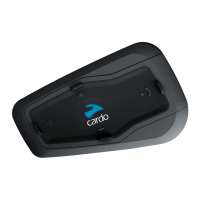
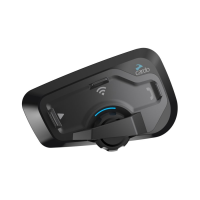
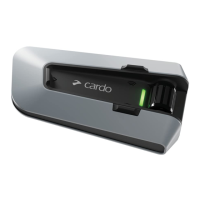
The Cardo FREECOM 1+/2+ is a communication system designed for users on the go, enabling various audio and communication functions through a compact, wearable device. It integrates Bluetooth technology for seamless connectivity with mobile devices and other Cardo units, offering a range of features for enhanced communication and entertainment during activities like riding.

Function Description

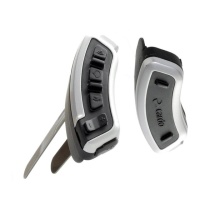
The core function of the Cardo FREECOM 1+/2+ is to provide a versatile communication platform. It allows users to manage phone calls, listen to music, tune into FM radio, and communicate with other riders via intercom. The device is designed for intuitive operation, with clearly labeled buttons for volume control, mobile device interaction, and intercom activation. An LED indicator provides visual feedback on the device's status, such as charging or pairing.

Usage Features

Getting Started:

  • Power On/Off: The device is turned on or off by pressing the main button for 1 second.
  • Volume Control: Volume is adjusted using dedicated '+' and '-' buttons.
  • Mute/Unmute: A single press of the '-' button mutes or unmutes the audio.
  • Charging: The device can be used while charging, indicated by a battery icon. It connects to a power source via a USB cable, which can be a laptop or a wall adapter.

Pairing Mobile Devices:

The FREECOM 1+/2+ supports pairing with one or two mobile devices (phones or GPS units).

  • Initiate Pairing: To begin pairing, the main button is pressed for 5 seconds until the LED flashes.
  • Pair Phone: Once pairing is initiated, the device appears in the Bluetooth settings of a smartphone as "CARDO." Selecting it completes the pairing process, indicated by a flash.
  • Add a 2nd Phone/GPS: To add a second device, the main button is pressed twice, and the LED flashes. The pairing process is similar to the first phone. For a GPS unit, the device will appear as "CARDO GPS" in the GPS unit's Bluetooth settings.
  • Cancel Pairing: Pairing can be canceled by pressing the main button for 5 seconds.
  • Successful Pairing: A successful pairing is indicated by an "END Paired successfully" message and a flash.

Phone Features:

The device offers comprehensive phone call management.

  • Answer a Call: Calls can be answered by saying "Hey!!!" or by pressing the main button once.
  • Ignore a Call: To ignore an incoming call, the main button is pressed once.
  • Voice Dial: Voice dialing is activated by pressing the main button once.
  • End a Call: A call is ended by pressing the main button once.
  • Reject a Call: To reject a call, the main button is pressed for 2 seconds.
  • Redial: The last number dialed can be redialed by pressing the main button for 2 seconds.
  • Speed Dial: Speed dial is activated by pressing the main button three times. Speed dial numbers can be set via the Cardo Connect mobile app.

FM Radio:

The device includes an FM radio for entertainment.

  • Turn On/Off: The FM radio is turned on by pressing the main button twice. It is turned off by pressing the main button for 2 seconds.
  • Previous/Next Station: Stations can be changed by pressing the '-' button once for the previous station or the '+' button once for the next station.
  • Auto Scan: An auto scan for available stations is initiated by pressing the main button once.
  • Stop Scan: The scan can be stopped by pressing the main button once.

Music:

Music playback is a key feature of the FREECOM 1+/2+.

  • Turn On/Off: Music playback is turned on by pressing the main button once. It is turned off by pressing the main button for 2 seconds.
  • Previous/Next Track: Tracks can be skipped by pressing the '-' button once for the previous track or the '+' button once for the next track.
  • Sharing Audio: The device supports audio sharing, allowing users to share music with another rider. This feature is activated or stopped by pressing the main button for 2 seconds.

Intercom:

The intercom feature allows communication between riders.

  • Intercom Pairing with a Cardo Device: To pair with another Cardo device, both devices initiate intercom pairing by pressing the main button for 5 seconds. The devices will connect, enabling communication.
  • Intercom Pairing with a Non-Cardo Device: For non-Cardo devices, the pairing process involves initiating phone pairing on the FREECOM 1+/2+ by pressing the main button for 5 seconds, and the other device initiates phone pairing as well.
  • Using Intercom: Once paired, communication with "Rider 1" (the paired intercom partner) is started or ended by pressing the intercom button once.

Maintenance Features

Factory Reset:

If the device encounters issues or needs to be returned to its original settings, a factory reset can be performed. This is done by pressing the '+' and '-' buttons simultaneously for 5 seconds.

Cardo Mobile App:

The Cardo Connect mobile app is an essential tool for managing and customizing the FREECOM 1+/2+.

  • Easy Configuration: The app provides a user-friendly interface for configuring device settings.
  • Remote Control Operation: Users can control various device functions remotely through the app.
  • On-the-Go Setting Customization: Settings can be adjusted conveniently while on the move. The app is available for download on both the Apple App Store and Google Play Store.

Full Version of the Manual:

For detailed instructions and troubleshooting, a full version of the manual is available online at cardosystems.com/support.

The Cardo FREECOM 1+/2+ is designed to be a robust and user-friendly communication system, enhancing the riding experience through its comprehensive features and intuitive controls. Its integration with the Cardo Connect app further simplifies management and customization, ensuring a personalized and seamless communication experience.

Cardo Systems FREECOM 1+ Specifications

General IconGeneral
Bluetooth Version4.1
Talk Time13 hours
Water ResistanceIP67
CompatibilityUniversal
WaterproofYes
FM RadioYes
Music StreamingYes
Standby Time1 week
Speakers40 mm
Number of Riders1
Voice ActivationYes
Music SharingYes
Mobile App SupportYes
Operating Temperature-20°C to 55°C

Related product manuals