Need help?
Do you have a question about the Cardo Systems PACKTALK CUSTOM and is the answer not in the manual?
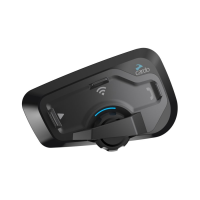
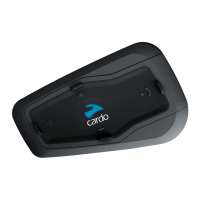
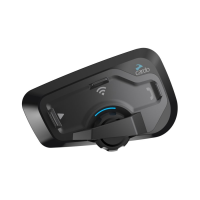
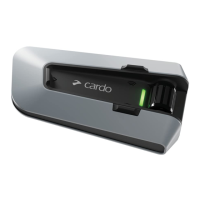
Overview of the physical components of the PACKTALK CUSTOM unit.
Instructions for charging the PACKTALK CUSTOM unit and understanding charging status.
Explanation and activation of the Eco-Mode for extended operation.
Procedure for turning the PACKTALK CUSTOM unit on and off.
Methods for operating the PACKTALK CUSTOM unit's features.
Steps to pair the unit with Bluetooth devices like mobile phones and GPS.
Guide to activating the PACKTALK CUSTOM unit via the Cardo Connect App.
Instructions for updating the unit's software via the Cardo Connect App.
Overview of features available through packages and customization.
Steps to select and upgrade the unit with desired feature packages.
Procedures for switching between and managing feature packages.
How to adjust volume and mute/unmute the microphone.
How to make, receive, and redial phone calls using the unit.
Instructions for starting and stopping music streaming from a paired device.
How to turn the FM radio on/off and skip stations.
Overview of available voice commands for operating unit features.
Introduction to Cardo's Dynamic Mesh Communications (DMC) technology for group communication.
How to manage DMC Intercom groups, including creating and joining.
Step-by-step guide to creating a DMC intercom group.
Instructions for joining an existing DMC intercom group.
Methods for leaving a DMC intercom group.
Features and functionalities within the DMC intercom mode.
How to add a non-DMC passenger to an intercom group via bridging.
How to initiate and end private conversations within a DMC group.
Procedure for muting and unmuting the DMC intercom group audio.
How to share a phone call with other riders in a DMC group.
How the unit manages multiple audio sources and their volumes.
How to connect and use Bluetooth intercom with other riders.
How to set up a non-DMC intercom group with other brands.
How to start and end Bluetooth intercom calls with other riders.
How incoming Bluetooth intercom calls are received.
Instructions for sharing music with a passenger or another rider.
How to switch between DMC and Bluetooth intercom modes.
Procedure for performing a soft reset on the unit.
How to reset the unit to its factory default settings.
Information on where to find answers to frequently asked questions.
How to use parallel audio streaming with different audio sources.
Explanation of audio source priority management.
 General
| Bluetooth Version | 5.2 |
|---|---|
| Battery Life | 13 hours |
| Waterproof Rating | IP67 |
| Dynamic Mesh Communication | Yes |
| Number of Riders in Mesh Network | 15 |
| Voice Command | Yes |
| FM Radio | Yes |
| Audio Multitasking | Yes |
| JBL Speakers | Yes |
| RDS | Yes |
| Software Updates | Yes |
| Bluetooth Intercom | Yes |
| Fast charging | Yes |
| Standby Time | 1 week |
| Range | 1.6 km (1 mile) |
| Operating Temperature | -20°C to 55°C |
| Device Settings | Cardo Connect App |
| Intercom Technologies | Bluetooth, DMC |
| DMC Intercom Range | Up to 1.6 km (1 mile) |
| Audio Technologies | JBL |
| User Interface | Voice commands and physical buttons |

 To Next Page