Need help?
Do you have a question about the Cardo Systems FREECOM 1 Plus and is the answer not in the manual?
Instructions for turning the Cardo device on and off using the main button.
Learn how to mute or unmute the microphone during active calls or intercom sessions.
Guidance on using the Cardo device while it is connected to a power source.
Steps to begin the Bluetooth pairing process with your mobile devices.
Detailed instructions on pairing your smartphone via Bluetooth.
How to abort an ongoing Bluetooth pairing attempt.
Instructions for pairing an additional mobile phone or GPS device.
Steps to connect your GPS navigation system to the device.
Learn to answer or reject calls using voice commands or button presses.
How to reject an incoming call and perform a redial.
Instructions for setting up and using speed dial contacts.
Guide to activating and deactivating the integrated FM radio.
How to switch between FM radio stations using the device controls.
Instructions for automatically scanning and stopping at available radio stations.
Learn to play, pause, skip tracks, and turn music on or off.
Steps to start and stop sharing audio streams with another connected device.
Instructions for initiating intercom pairing with another Cardo communication device.
Steps to initiate intercom pairing with a non-Cardo Bluetooth device.
How to start and end an intercom conversation with a paired rider.
Guide on how to reset the device to its original factory settings.
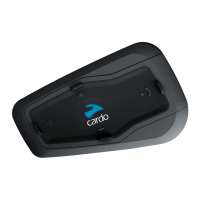
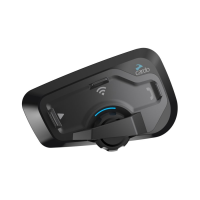
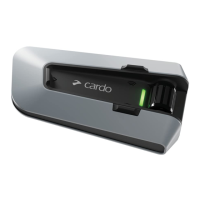
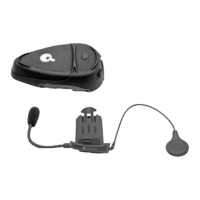
The Cardo FREECOM 1+/2+ is a Bluetooth communication system designed for use in motion, likely for motorcycle riders or similar activities, enabling various audio and communication functions. It integrates with mobile devices and offers intercom capabilities.
The device serves as a comprehensive communication hub, allowing users to manage phone calls, listen to music, tune into FM radio, and communicate via intercom. It supports pairing with mobile phones and GPS devices, and offers both device-to-device intercom for Cardo units and universal intercom for non-Cardo devices. The system is designed for ease of use with intuitive button controls and visual feedback from an LED indicator.
While specific technical specifications like battery capacity, Bluetooth version, or speaker output are not detailed in the provided pages, the manual highlights key functionalities:
The Cardo FREECOM 1+/2+ offers a wide array of user-friendly features:
Basic Operations:
Mobile Device Pairing:
Phone Features:
FM Radio:
Music:
Intercom:
Factory Reset: Pressing the "Volume +" and "Volume -" buttons simultaneously for 5 seconds performs a factory reset.
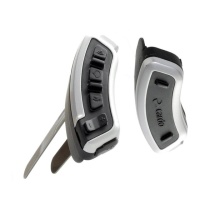
The device's design emphasizes intuitive control through a combination of distinct buttons (Volume +, Mobile, Volume -, Intercom) and an LED indicator for status feedback. The "communication in motion" tagline highlights its intended use in dynamic environments.
 General
| Brand | Cardo Systems |
|---|---|
| Model | FREECOM 1 Plus |
| Category | Intercom System |
| Language | English |


 To Next Page