2. It can be set up by the user or accumulated automatically for count up function.
OPERATION PROCEDURE:
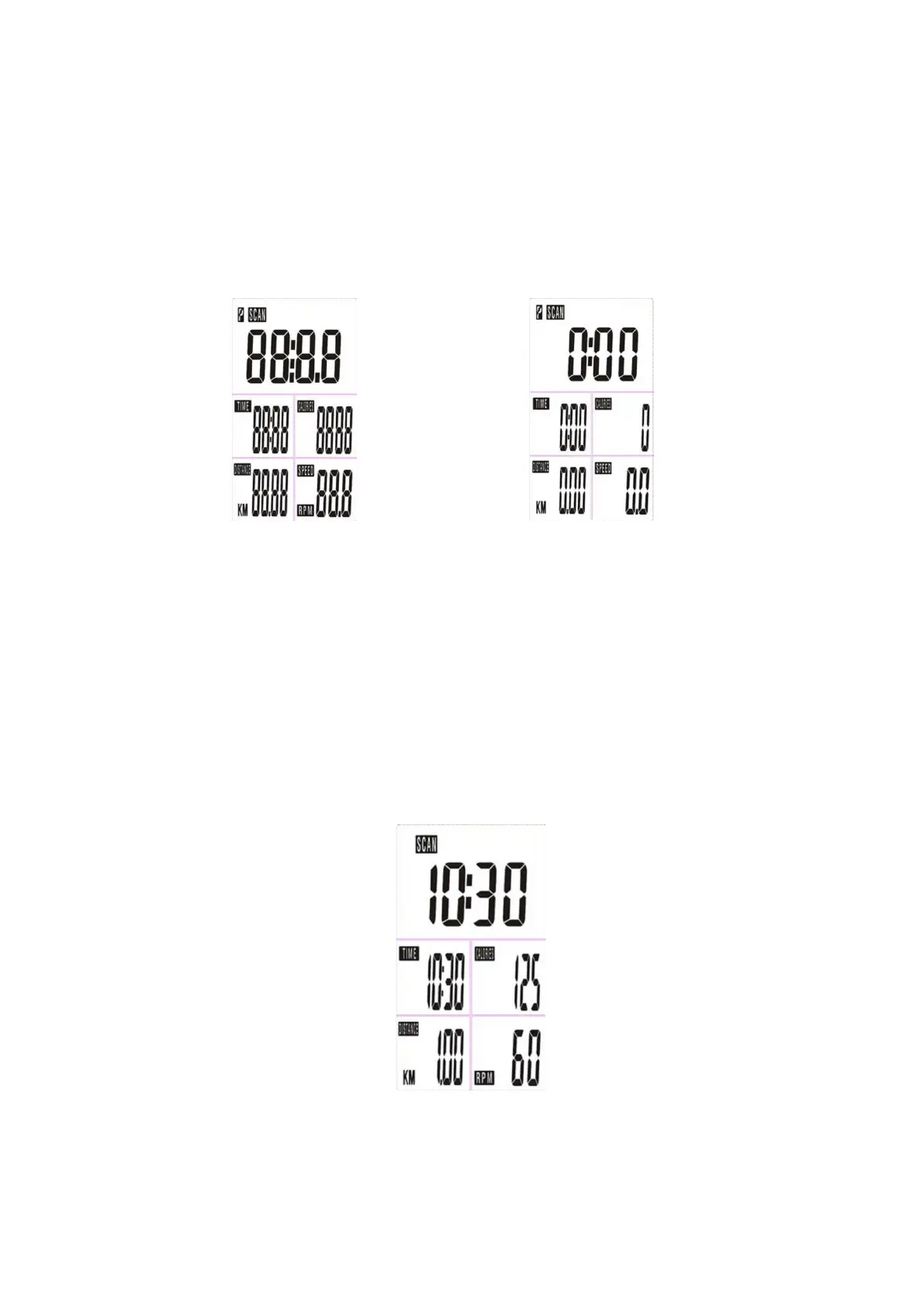
1. Installs 1 piece of CR2032 3V battery, then the screen will display as following “Drawing A” and have “Bi”
sound at the same time, then enter to the calendar setting (year, month, day, and clock) and press “MODE”
button for confirmation.
After that, it goes to the next step to the main menu as “Drawing B”.
Drawing A Drawing B
2. Get access to the set-up mode of TIME/DISTANCE/CALORIES. When you are in each set- up mode, for
example in the time set-up mode, time value is blinking, you can press “SET” button to adjust the value
and press “MODE” for confirmation. The set-up of DISTANCE, CALORIES is the same as TIME.
3. With any signal been transmitted into the monitor, the value of TIME, DISTANCE, CALORIES start to
count up as Drawing C. When there is any function has been preset the target (TIME or DISTANCE or
CALORIES), the function will be counting down from the preset to zero while the training starts. Once the
target is achieved to zero, the monitor start to beep for 8 seconds, and the function will be counting up
from zero directly if the training is going. Press “MODE” button for confirmation and skip to next set-up.
4. In SCAN mode shown as “Drawing C”. TIME/DISTANCE/CALORIES/(RPM/SPEED) will skip to display
in every 6 seconds. The order is as follows.
Drawing C
5. You can also press “MODE” button to select single function display except RPM & SPEED function. The


 To Next Page