RPM & SPEED function will switch display.
Note:
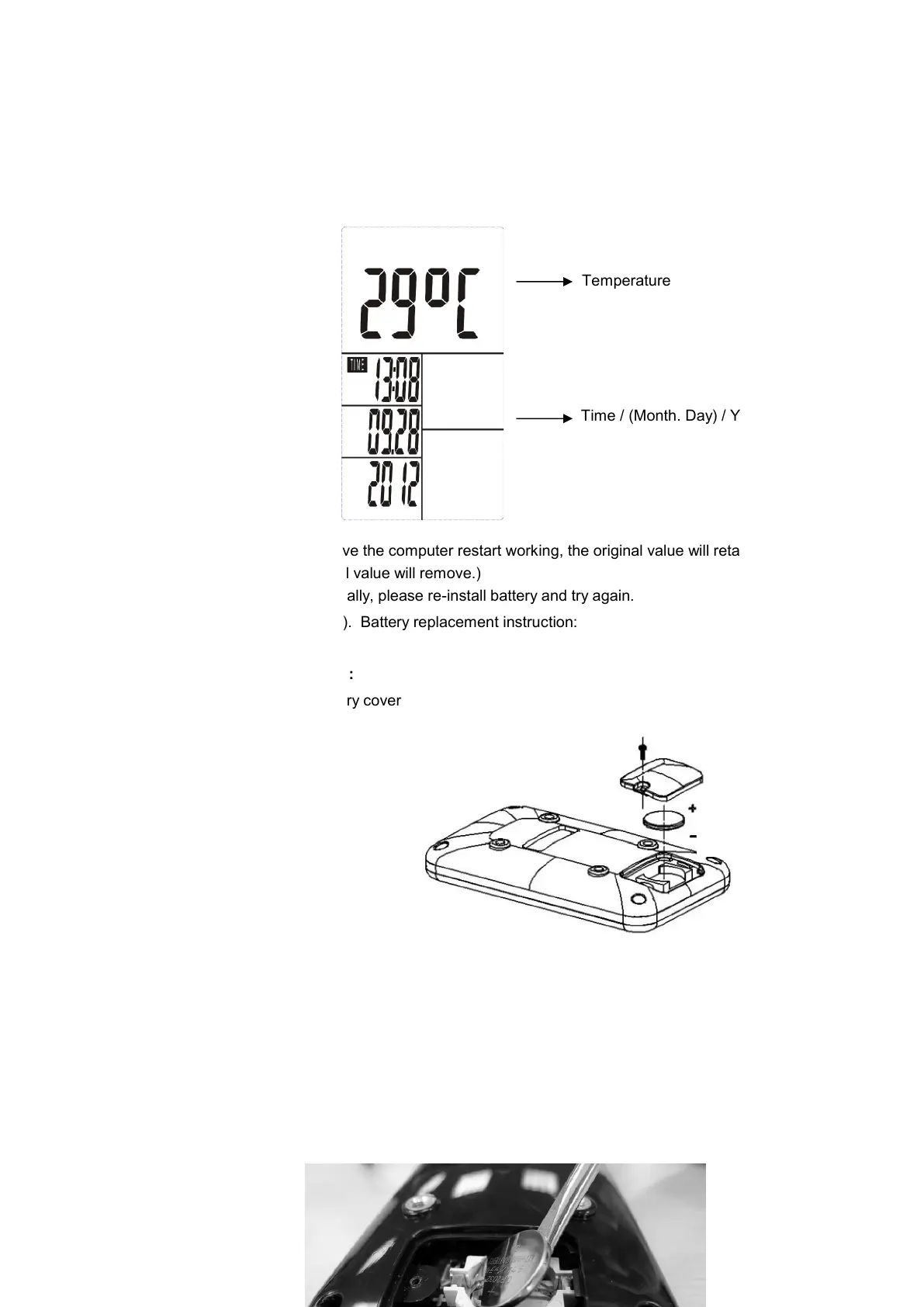
1. Stop training for 4 minutes, the main screen will be off and display the room temperature and the
calendar automatically as the following.
Temperature
Time / (Month. Day) / Year
You may press any button to have the computer restart working, the original value will retain.
(If re-install batteries, the original value will remove.)
2. If the computer displays abnormally, please re-install battery and try again.
3. Battery Spec: 3V CR2032 (1PC). Battery replacement instruction:
Battery installation instruction:
1- Remove screws from the battery cover
2- And remove the cover
3- Install a new CR2032 battery by tilting the battery slightly to its side and slide it in.
(positive (+) at upper side and negative (-) at down side)
Positive (+)
Negative (-)


 To Next Page