www.careco.co.uk CareCo, 1 Turing Court, Great Notley, Braintree, Essex, CM77 7AT
Zoom Mobility Scooter - MS01010014
10
How to adjust the armrest width
Loosen the knobs at the back of the seat frame first, then adjust the armrest width by sliding the armrest.
Once satisfied with the width, tighten the knob.
Warning
When on a gradient NEVER switch the vehicle to the freewheel mode. The electromagnetic brakes will NOT be
applied and this may result in injury.
Light Button
Push the light button to switch the front and rear lights on.
Push the button again to turn the lights off.
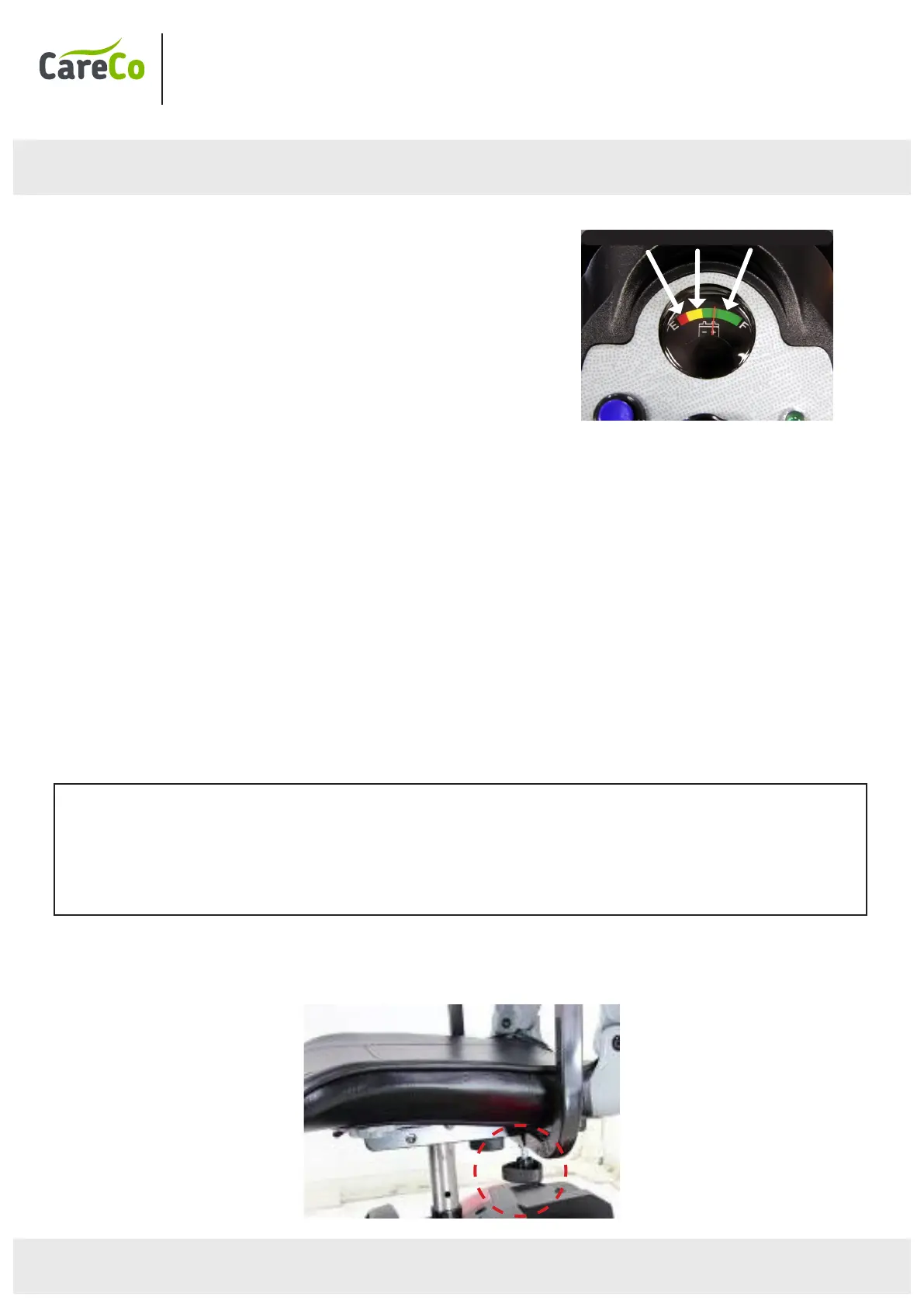
Battery Indicator
The battery indicator on the tiller console uses a
colour code to indicate the approximate power
remaining in your battery. Green indicates (40-100%)
capacity, yellow a low charge (10-30%); and red
indicates that an immediate recharge is necessary.
• The remaining power suggested by the battery indicator will vary by the actual driving time incurred and how you
drive. Repeated starting, stopping, or climbing will consume the power more quickly.
Braking
Electro-magnetic brake: Release the speed control lever completely, and the electromagnetic brake will be
activated automatically, and the scooter will stop.
Manual Handbrake :
Emergency braking is possible using the manual handbrake. Squeeze the handbrake and use the button to lock it
(use it for parking).
Parking
After stopping, turn the main key to OFF and remove the key. The lights will turn OFF. The electromagnetic brake
is engaged (locked).
The handbrake lever can be locked by pushing the button while squeezing the handbrake lever. To release the
handbrake – squeeze lever gently.
RED | YELLOW | GREEN


 To Next Page