5. Set down the seat on the seat post until the swivel lock engages and you hear a click.
6. Turn key switch to ‘ON’. Make sure the battery gauge indicates sufficient power.
Disassembling The Scooter
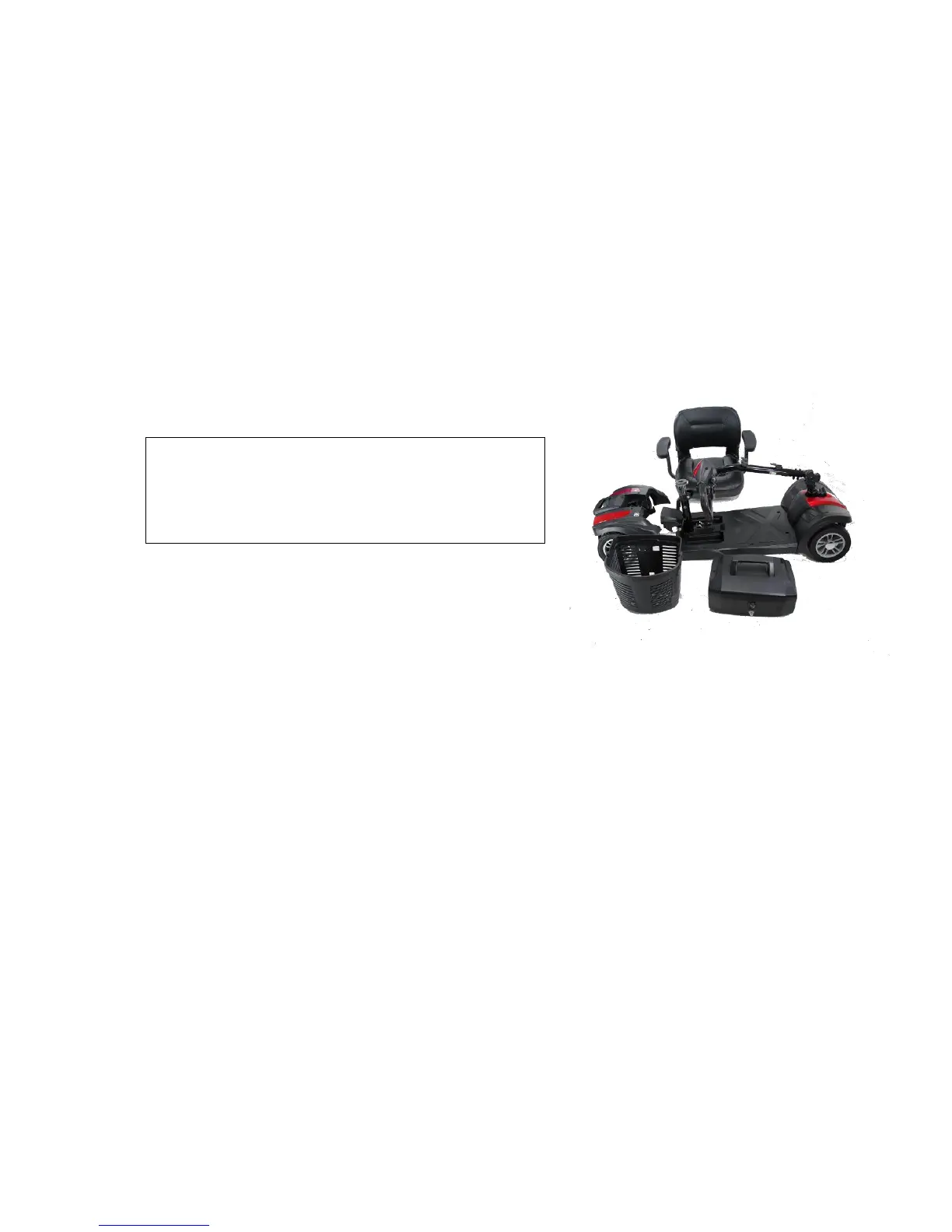
The ZOOM can be disassembled into four pieces, the seat (7.21 kg / 15.9 lbs), the front section
(15.74 kg / 34.7 lbs), the rear section (10.69 kg / 23.5 lbs) and battery pack 9.18 kg (Zoom Plus –
13.38 kg / 29.5 lbs).
Please follow the steps.
1. Make sure the tiller is raised before reassembling the scooter.
2. Turn key switch to ‘OFF’.
3. Place the freewheel mode lever in the drive position.
4. Take off the basket.
5. Push the Seat Rotate Lever whilst pulling up on the seat to remove.
6. Unlock the battery lock part and rotate the battery lock part.
7. Pick up the battery pack and remove it from the scooter.
8. Loosen the tiller adjustment knob and fold down the tiller and retighten the knob.
9. Lock the front wheel and tiller by turning and pulling the wheel lock catch down.
10. Pull the connecting device upward to the rear section and stand upright.
11. Take off the front section with both hands and lower the shaft.
Warning
To avoid personal injury, ask for assistance,
if necessary, while disassembling or
assembling your scooter.



 To Next Page