EasyManua.ls Logo

CareFusion Micro I - User Manual

CareFusion Micro I
294 pages
Print Icon
To Next Page IconTo Next Page
Loading...
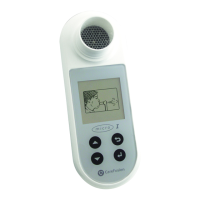
Micro I
Diagnostic
Spirometer
Operating Manual – English
Operating Manual – CareFusion USA
Mode d’emploi - Français
Bedienungsanleitung - Deutsch
Manual de funcionamiento – Español
Manual de Instruções - Português
Gebruikshandleiding – Nederlands

Table of Contents

Questions and Answers

Summary

Introduction

Package Contents

Details the items included in the Micro I spirometer package.

Contraindications, Warnings, and Cautions

Outlines critical safety information, warnings, and precautions for using the device.

Intended Use

Specifies the intended purpose and target users for the Micro I spirometer.

Environment

Provides environmental precautions for operating and storing the spirometer.

Getting Started

Guides the user through initial setup, including charging the device.

Configuration

Micro I PC Software

Details the PC software for customizing settings and generating reports.

System Requirements

Lists hardware and software requirements for the PC software.

PC Requirements

Specifies minimum hardware specifications for the PC.

Operating System Requirements

Lists compatible operating systems for the PC software.

Installing Micro I PC Software

Running Micro I PC Software

Explains how to connect and run the Micro I PC software.

Operation

Main Menu Overview

Provides a summary of the options available in the main menu.

Last Results

Allows viewing the results of the last stored spirometry examination.

Settings

Allows adjusting various device settings like date, time, and language.

Quick Exam

Explains how to perform a quick spirometry measurement without predicted values.

Exam with Predicted Values

Post BD Exam

NLHEP Mode

Explains the functionality and compliance with NLHEP requirements.

NLHEP Quality Checks

NLHEP QC Grades

Explains the grading criteria for the quality of a spirometry session.

NLHEP Interpretation

Describes how spirometry results are interpreted in NLHEP mode.

Switching Off

Maintenance

General section for maintenance procedures.

Battery Management

Information on how the device manages its battery.

Battery Replacement

Calibration Check

Cleaning Instructions

Provides guidelines on how to clean the spirometer components.

Cleaning the Transducer

Specific instructions for cleaning the spirometer's transducer.

Cleaning the Transducer

Servicing

Information on how to get the unit serviced or repaired.

Troubleshooting Information

Safety Designation per IEC 60601-1

Electromagnetic Compatibility (EMC)

Symbols

Specifications of the Micro I

Consumables & Accessories

Summary

Introduction

Package Contents

Details the items included in the Micro I spirometer package.

Contraindications, Warnings, and Cautions

Outlines critical safety information, warnings, and precautions for using the device.

Intended Use

Specifies the intended purpose and target users for the Micro I spirometer.

Environment

Provides environmental precautions for operating and storing the spirometer.

Getting Started

Guides the user through initial setup, including charging the device.

Configuration

Micro I PC Software

Details the PC software for customizing settings and generating reports.

System Requirements

Lists hardware and software requirements for the PC software.

PC Requirements

Specifies minimum hardware specifications for the PC.

Operating System Requirements

Lists compatible operating systems for the PC software.

Installing Micro I PC Software

Running Micro I PC Software

Explains how to connect and run the Micro I PC software.

Operation

Main Menu Overview

Provides a summary of the options available in the main menu.

Last Results

Allows viewing the results of the last stored spirometry examination.

Settings

Allows adjusting various device settings like date, time, and language.

Quick Exam

Explains how to perform a quick spirometry measurement without predicted values.

Exam with Predicted Values

Post BD Exam

NLHEP Mode

Explains the functionality and compliance with NLHEP requirements.

NLHEP Quality Checks

NLHEP QC Grades

Explains the grading criteria for the quality of a spirometry session.

NLHEP Interpretation

Describes how spirometry results are interpreted in NLHEP mode.

Switching Off

Maintenance

General section for maintenance procedures.

Battery Management

Information on how the device manages its battery.

Battery Replacement

Calibration Check

Cleaning Instructions

Provides guidelines on how to clean the spirometer components.

Cleaning the Transducer

Specific instructions for cleaning the spirometer's transducer.

Cleaning the Transducer

Servicing

Information on how to get the unit serviced or repaired.

Troubleshooting Information

Safety Designation per IEC 60601-1

Electromagnetic Compatibility (EMC)

Symbols

Specifications of the Micro I

Consumables & Accessories

CareFusion Micro I Specifications

General IconGeneral
BrandCareFusion
ModelMicro I
CategoryPersonal Care Products
LanguageEnglish