36
ENG
mpxone +0300086EN rel. 2.2 - 13.11.2023
Functions
Shared probe
One single pressure probe can be shared across the main-secondary network; this must be connected to the main controller
only. Simply configure the probe correctly using parameters /FE, /UE, /LE and on the secondary devices set /FE = 0 (function
disabled). In this way, the secondary devices automatically search for the pressure value shared by the main and used for calcu-
lating the local superheat. This is used to save on the installation costs of a pressure probe for each evaporator, assuming that
the pressure drop in that section of the line is negligible.
Probe positioning and part numbers
See “Introduction” for the probe part numbers.
Notice:
• the glass temperature probe must be connected to the coldest point of the showcase glass, for optimum operation of the
anti-sweat device (heaters or fans). See technical leaflet +050002005;
• for more information see the technical leaflets, downloadable, even prior to purchase, from www.carel.com
The temperature and humidity probes must be positioned not too far from the cabinets being monitored. At times it is better to
install more than one if the supermarket is divided into sections with greatly differing temperature and humidity values (frozen
section, meat section, fruit and vegetable section, etc.)
Assign probe functions (parameters /FA, /Fb, /Fc)
Code Description Def Min Max UOM User User terminal
/FA Assign outlet temperature probe (Sm)
Val. Desc. Val. Desc.
0 Function disabled 7 Probe S7
1 Probe S1 8 Probe S8
2 Probe S2 -1 Serial probe S11
3 Probe S3 -2 Serial probe S12
4 Probe S4 -3 Serial probe S13
5 Probe S5 -4 Serial probe S14
6 Probe S6
1 -4 8* - S YES
/Fb Assign defrost temperature probe (Sd) - see /FA 2 -4 8* - S YES
/Fc Assign intake temperature probe (Sr) - see /FA 3 -4 8* - S YES
Notice: The maximum value that can be set for /FA, /Fb, /Fc depends on the version used (Medium: 6, Advanced: 8).
300086_005_R01
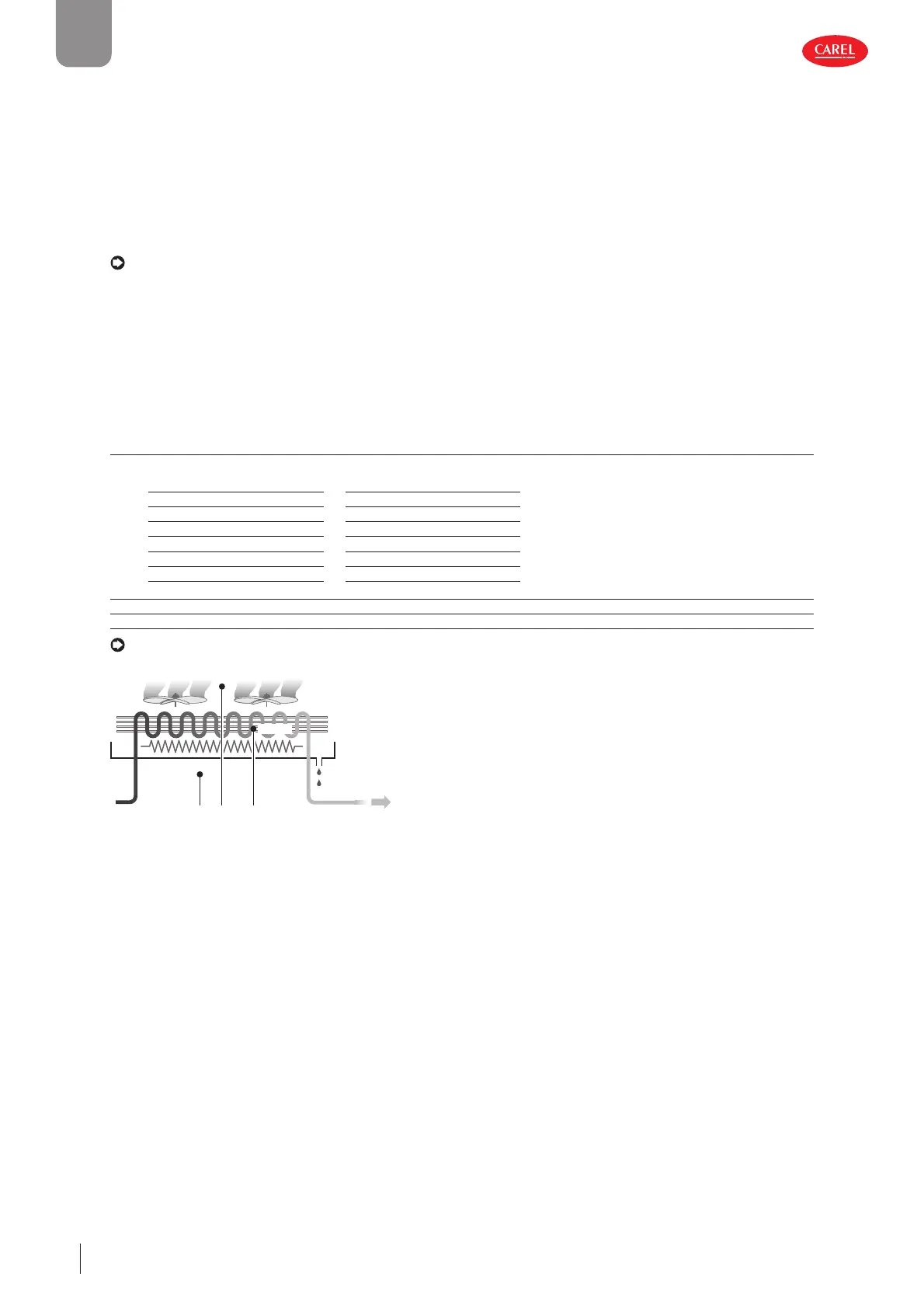
Sm (/FA)
Sr (/Fc)
Regulation probes parameters
Sd (/Fb)
Fig. 5.a
MPXone, inside the showcase or cold room, can use temperature probes to measure:
• the air outlet temperature (at the evaporator outlet);
• the defrost temperature (in contact with the coldest point of the evaporator);
• the air intake temperature (at the evaporator inlet).
The default configuration for assigning the control probes is as follows:
• S1 = Outlet probe (Sm);
• S2 = Defrost probe (Sd);
• S3 = Intake probe (Sr).
The default configuration also involves these three probes being standard CAREL NTC. However, other types of probes can be
connected by setting parameter /P1. On MPXone the default settings can be changed to choose the function associated with
any of the probes connected. There are also cases where the characteristics of the applications require different settings.
Share control status - multi-evaporator applications
This function is used to satisfy the needs of cold rooms or showcases with multiple evaporators, where the secondary devices are
essentially used as expansions for the management of different evaporators. This function shares the main control status across
the LAN (RS485). In this way, the main determines the control status, and each secondary operates as a consequence, ignoring
the parameters set locally. Consequently, the secondary controllers can be used without the air outlet and intake probes. If the
secondary controller is not accessible from the main, duty setting operating mode must be activated, setting the corresponding
parameter c4 >0.


 To Next Page
 Loading...







