39
ENG
mpxone +0300086EN rel. 2.2 - 13.11.2023
Functions
Delayed external alarm (par. DIb)
The behaviour of this alarm is the same as for the immediate external alarm, with a delay in activation (parameter A11). If set to
0, the alarm is signal-only.
Code Description Def Min Max UOM User User terminal
DIb Assign delayed external alarm digital input - see DIA 0 -1 5 - S NO
Enable defrost (par. DIc)
Used to disable any defrost calls. When the contact is open, all defrost calls are ignored. Par. d5 can be used to delay activation.
Notice:
• if the contact is open while a defrost is in progress, this is immediately stopped, the defrost icon fl ashes on the display indicat-
ing the defrost call is active (this starts again when the contact closes);
• this function can be useful to prevent defrosting the units at unwanted times.
Code Description Def Min Max UOM User User terminal
DIc Assign enable defrost digital input - see DIA 0 -1 5 - S NO
Start defrost (par. DId)
Closing the digital contact starts a defrost, if enabled. With a main-secondary network connection, if the controller is the main,
the defrost will be a network defrost, while if it is a secondary, it will only be a local defrost. The defrost digital input can be used
eff ectively to perform real time defrosts. Simply connect a timer to the multifunction digital input on the main and use d5 to
delay the defrosts on the various secondary devices and thus avoid current overloads.
Notice: if the defrost is disabled by another digital input confi gured as “enable defrost”, the defrost calls are ignored.
Code Description Def Min Max UOM User User terminal
DId Select digital input for start defrost - see DIA 0 -1 5 - S NO
d5 Defrost delay (for secondary also after command from main)
0 = delay disabled
0 0 240 min S NO
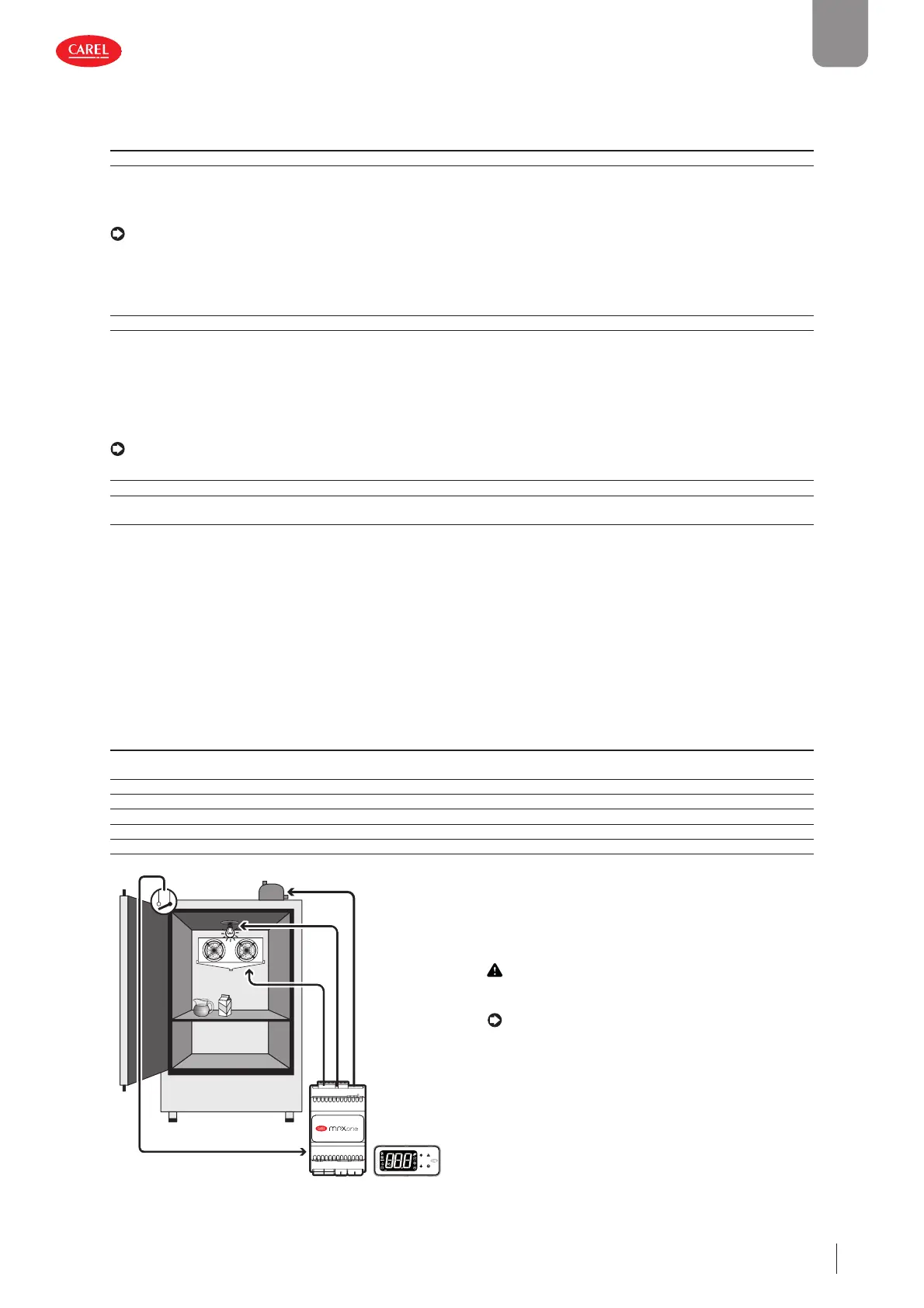
Door switch with stopping control (par. DIE)
Door open:
• stop control (solenoid/compressor and evaporator fans off ); alternatively, control can be kept active by setting parameter DIP
(see the description below);
• light on (see par. DOE);
• ALARM fl ashing;
• disable temperature alarms. Door closed:
• resume control;
• light off (see par. DOE) with delay set by par. H14;
• ALARM stops fl ashing;
• enable temperature alarms with delay Ad after bypass time defi ned by par. Add
Code Description Def Min Max UOM User User terminal
DIE Assign digital input for door switch with solenoid/compressor
and evaporator fans OFF - see DIA
0-15- S NO
DOE Assign light digital output - see DOA 4 0 4 - S NO
H14 Time light stays on after closing the door 0 0 240 min U NO
Ad Delay time for high and low temperature alarms (AH, AHA, AL, ALA) 120 0 240 min U YES
Add High temperature alarm bypass time for door open 30 1 240 min U NO
Tdoor Door open: alarm delay 30 1 240 min S NO
300086_011_R01
Caution: check compatibility of disabling/delaying the
alarm with the site’s HACCP procedures.
Notice:
• when control resumes, the compressor times are ob-
served (see the paragraph “Compressor”);
• if the door remains open for longer than the value of
par. Tdoor, control resumes in any case. The light remains
on, the measurement shown on the display fl ashes,
the buzzer and the alarm relay are activated, and the
temperature alarms with threshold AH/AHA (threshold
relative to set point/absolute) are enabled with delay
Ad+Add.
Fig. 5.c


 To Next Page
 Loading...







