EN 5
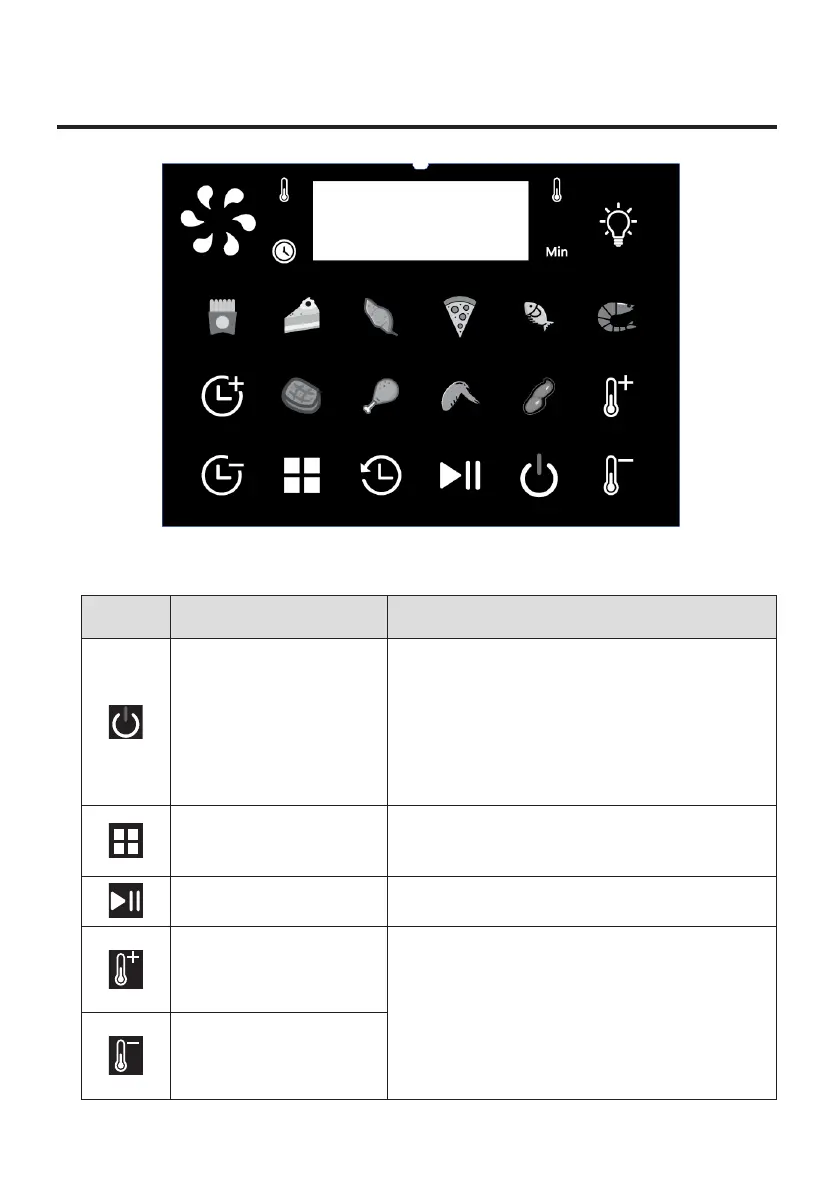
04 CONTROL PANEL
Icon Function Usage
Power on/off
Tap the icon to enter the setting state (if
there is no operation within 5 minutes,
directly return to the standby state).
Long press icon for 2 seconds, “OFF“ will
ash 3 times, 2 seconds later the air fryer
will shut down.
Menu selection
Tap to enter the menu mode, and the
selected menu light will ash.
Start/Pause Tap to start or pause the program.
Temperature increase
The temperature is increased or
decreased in in-crements of 5 ℃, the
maximum temperature is set 200 ℃,
the minimum temperature is 80 ℃,
long press to increase or decrease
temperature quickly.
Temperature
decrease



 To Next Page