EasyManua.ls Logo

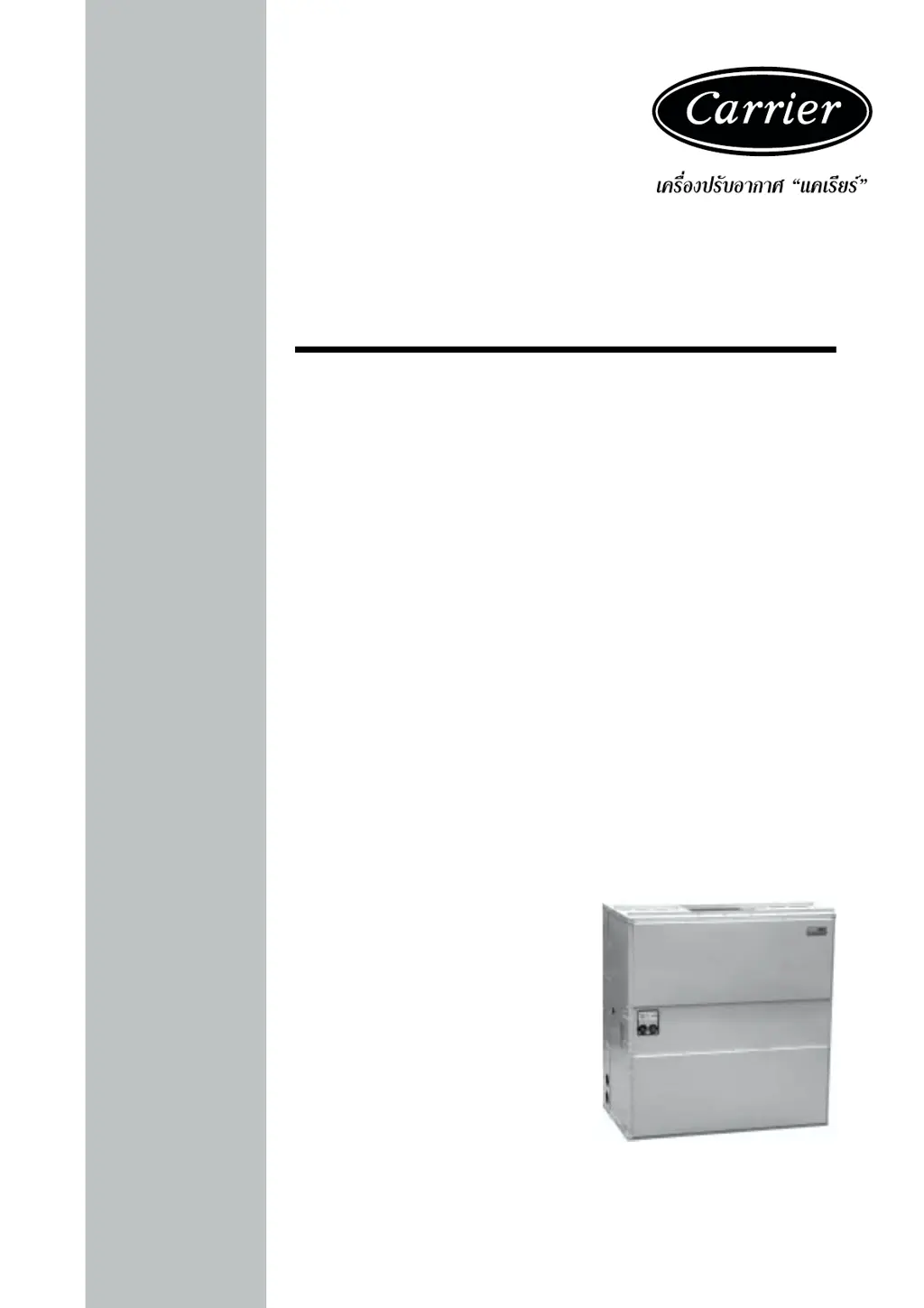
Carrier 50BL Series - User Manual

Carrier 50BL Series
24 pages
Print Icon
To Next Page IconTo Next Page
Loading...
§Ÿà¡◊Õ°“√µ‘¥µ—È߇§√◊ËÕߪ√—∫Õ“°“» ·§‡√’¬√å
Single-Package Cooling Units
50BY, BL
50BY, BL
50BY, BL

Questions and Answers

  • D
    Dawn RileyAug 13, 2025
    What to do if my Carrier Accessories compressor will not run?
    • J
      Joseph RodriguezAug 13, 2025
      If the compressor won't run, it could be due to several reasons. First, the overload might be open, in which case you should check and correct the cause. Another possibility is that the pump motor is off, so you should start it. Check the thermostat settings and set it properly if it's too high. Also, low line voltage could be the issue, so check and correct it. Finally, safety devices might be open; in that case, check the cause and reset them.
  • M
    Marcia VangAug 17, 2025
    What to do if Carrier 50BL pressure switches trip out frequently?
    • A
      Alexis WheelerAug 17, 2025
      If the pressure switches are tripping frequently, it might be due to several reasons. First, check and adjust the water flow or temperature, as improper condenser water flow or temperature can cause this issue. Another possibility is that the condenser tubes or coil are dirty, so clean the condenser. Also, improper entering air temperature could be the cause, so check and adjust it. Finally, a low refrigerant charge might be the problem, so add refrigerant.
  • M
    Mary KerrAug 20, 2025
    What to do if the Carrier Accessories power indicator light is on but the system isn't working?
    • S
      Suzanne JonesAug 20, 2025
      If the power indicator light is on, but the system isn't working, the issue might be a broken fan belt, which needs replacement. Alternatively, there might be low line voltage, in which case you should check and correct the cause. Another potential cause is an open overload, which also needs to be checked and corrected.
  • M
    Madison WernerAug 25, 2025
    Why is my Carrier 50BL fan section ratting or squealing?
    • D
      Donna ChristensenAug 26, 2025
      A ratting or squealing noise in the fan section could be due to a few reasons. The bearing might be broken and needs replacement. The fan could be rubbing against the housing, so fasten the fan wheel to the shaft. There might be foreign matter in the fan housing, so remove it. The belt could be loose or worn, so adjust the tension or replace it.
  • C
    Cynthia WilliamsAug 28, 2025
    How to fix insufficient evaporator air in Carrier Accessories?
    • K
      Kylie RobertsAug 28, 2025
      If there is insufficient evaporator air, it could be due to a loose fan. Try adjusting the belt tension. Alternatively, the air filter might be clogged, so clean or replace it.
  • M
    Mrs. Wendy DavisSep 1, 2025
    What to do if the Carrier Accessories overload indication light is on?
    • R
      Richard HickmanSep 1, 2025
      If the overload indication light is on, it could be caused by a broken fan belt, which you should replace. Another possible cause is low line voltage, so check and correct it. It could also be due to an open overload, which you should check and correct.
  • M
    mariamckinneySep 4, 2025
    Why is my Carrier 50BL compressor so noisy?
    • J
      Joseph CardenasSep 5, 2025
      A noisy compressor might be caused by improper compressor mounting. Try adjusting or loosening the mounting bolts.
  • E
    Edward HaneySep 8, 2025
    How to fix Carrier 50BL Accessories when the power indicator light is off?
    • M
      maryperezSep 8, 2025
      If the power indicator light is off, first check if the power switch is off and turn it on. If that's not the issue, the blower fuse might be blown, and you'll need to replace it.

Summary

Safety Information

Dangerous Operations

NEVER reach into unit while fan is running. LOCK OPEN AND TAG fan motor power disconnect before working on a fan.

Rigging and Handling Warnings

CHECK assembly and component weights to be sure rigging equipment can handle them safety. Note also any specific rigging instructions.

Installation Guide

Unit Receiving and Location

Check unit against shipping order, inspect for damage, and select an appropriate installation location.

Rigging, Moving, and Placement

Follow procedures for safe rigging, moving, and precise placement of the unit.

Water Piping and Duct Connections

Connect water piping and air ducts according to guidelines, including specific cautions and procedures.

Electrical Systems and Startup

Electrical Data and Wiring

Adhere to electrical codes, verify voltage, and ensure correct power supply and control wiring.

Startup and Shutdown Procedures

Follow pre-startup checks, unit startup sequence, and safe shutdown procedures.

Lockout Circuit and Fuse Information

Understand the lockout circuit's function and the role of fusible plugs in safety.

Maintenance and Troubleshooting

Routine Maintenance Tasks

Perform regular cleaning, filter checks, lubrication, and oil level checks.

Condenser Cleaning Methods

Learn methods for cleaning water-cooled condensers using acid solutions.

Pulley and Belt Adjustments

Ensure proper pulley alignment and adjust fan belt tension for optimal performance.

Troubleshooting Common Issues

Diagnose and resolve common problems like power, compressor, airflow, and noise issues.

Technical Specifications

Unit Specifications and Models

Review technical data including capacity, weight, compressor, fan, and coil details.

Unit Dimensions and Service Space

Consult dimensions and required service space for various unit models.

Electrical Data and Power Supply

Examine electrical data for models, including voltage, current ratings, and power supply requirements.

Electrical Wiring Diagrams

General Schematic and Component Layout

Presents the main schematic diagram, component arrangement, and legend for unit electrical systems.

Diagrams for 50 BY Series Models

Detailed schematic and component layout diagrams for 50BY series units.

Diagrams for 50 BL Series Models

Detailed wiring and component layout diagrams for 50BL series units.

Carrier 50BL Series Specifications

General IconGeneral
BrandCarrier
Model50BL Series
CategoryAccessories
LanguageEnglish

Related product manuals