EasyManua.ls Logo

Carrier AQUAZONE 50PEC09-18 - User Manual

Carrier AQUAZONE 50PEC09-18
60 pages
Print Icon
To Next Page IconTo Next Page
Loading...
Manufacturer reserves the right to discontinue, or change at any time, specifications or designs without notice and without incurring obligations.
Catalog No. 04-53500052-01 Printed in U.S.A. Form 50PEC-2SI Pg 1 7-09 Replaces: 50PEC-1SI
Installation, Start-Up and Service Instructions
CONTENTS
Page
SAFETY CONSIDERATIONS . . . . . . . . . . . . . . . . . . .1,2
GENERAL . . . . . . . . . . . . . . . . . . . . . . . . . . . . . . . . . . . . . 2
INSTALLATION . . . . . . . . . . . . . . . . . . . . . . . . . . . . . 2-33
Step 1 — Check Jobsite . . . . . . . . . . . . . . . . . . . . . . . . 2
Step 2 — Check Unit . . . . . . . . . . . . . . . . . . . . . . . . . . 17
STORAGE
UNIT PROTECTION
Step 3 — Mount Unit . . . . . . . . . . . . . . . . . . . . . . . . . . 17
Step 4 — Wire Electrical Connections . . . . . . . . . . 17
SUPPLY VOLTAGE
EXTERNAL LOOP POWER CONNECTION
230-V OPERATION
Step 5 — Wire Low Voltage Connections . . . . . . . 30
WATER FREEZE PROTECTION
ACCESSORY CONNECTIONS
WATER SOLENOID VALVES
OPTIONAL WALL-MOUNTED THERMOSTAT
OPTIONAL PREMIERLINK™ CONTROLLER
WSHP OPEN WIRING
Step 6 — Install Supply and Return Piping. . . . . . 32
SUPPLY AND RETURN HOSES
SUPPLY AND RETURN PIPING
Step 7 — Install Condensate Piping . . . . . . . . . . . . 33
PRE-START-UP . . . . . . . . . . . . . . . . . . . . . . . . . . . . 33-35
System Cleaning and Flushing . . . . . . . . . . . . . . . . 33
System Checkout . . . . . . . . . . . . . . . . . . . . . . . . . . . . . 34
FIELD SELECTABLE INPUTS . . . . . . . . . . . . . . . .36,37
Complete C Control Jumper Settings. . . . . . . . . . . 36
Complete C Control DIP Switches. . . . . . . . . . . . . . 36
Deluxe D Control Jumper Settings . . . . . . . . . . . . . 36
Deluxe D Control DIP Switches . . . . . . . . . . . . . . . . 36
Deluxe D Control Accessory
Relay Configurations . . . . . . . . . . . . . . . . . . . . . . . 37
START-UP . . . . . . . . . . . . . . . . . . . . . . . . . . . . . . . . . 37-40
Unit Start-Up/Cooling . . . . . . . . . . . . . . . . . . . . . . . . . 37
Operating Limits. . . . . . . . . . . . . . . . . . . . . . . . . . . . . . 37
Unit Start-Up/Heating . . . . . . . . . . . . . . . . . . . . . . . . . 37
Unit Start-Up with WSHP Open Controls. . . . . . . . 38
Flow Regulation . . . . . . . . . . . . . . . . . . . . . . . . . . . . . . 39
Antifreeze . . . . . . . . . . . . . . . . . . . . . . . . . . . . . . . . . . . . 39
Cooling Tower/Boiler Systems . . . . . . . . . . . . . . . . . 40
Ground Coupled, Closed Loop and Plateframe
Heat Exchanger Well Systems . . . . . . . . . . . . . . . 40
OPERATION . . . . . . . . . . . . . . . . . . . . . . . . . . . . . . . 40-43
Power Up Mode. . . . . . . . . . . . . . . . . . . . . . . . . . . . . . . 40
Units with Aquazone Complete C Control. . . . . . . 40
Units with Aquazone Deluxe D Control . . . . . . . . . 40
Units with WSHP Open Multiple Protocol . . . . . . . 41
COMPLETE C AND DELUXE D BOARD
SYSTEM TEST. . . . . . . . . . . . . . . . . . . . . . . . . . . 43-45
Test Mode. . . . . . . . . . . . . . . . . . . . . . . . . . . . . . . . . . . . 43
WSHP Open Test Mode . . . . . . . . . . . . . . . . . . . . . . . 44
Retry Mode. . . . . . . . . . . . . . . . . . . . . . . . . . . . . . . . . . . 44
Aquazone Deluxe D Control LED Indicators. . . . . 44
Page
SERVICE. . . . . . . . . . . . . . . . . . . . . . . . . . . . . . . . . . .45-47
Unit Inspection . . . . . . . . . . . . . . . . . . . . . . . . . . . . . . . 45
System Flushing . . . . . . . . . . . . . . . . . . . . . . . . . . . . . 45
Water Coil . . . . . . . . . . . . . . . . . . . . . . . . . . . . . . . . . . . 45
Refrigerant System . . . . . . . . . . . . . . . . . . . . . . . . . . . 45
Condenser Cleaning . . . . . . . . . . . . . . . . . . . . . . . . . . 45
Condensate Pans. . . . . . . . . . . . . . . . . . . . . . . . . . . . . 46
Blower Motors . . . . . . . . . . . . . . . . . . . . . . . . . . . . . . . 46
Compressor . . . . . . . . . . . . . . . . . . . . . . . . . . . . . . . . . 46
Safety Control Reset. . . . . . . . . . . . . . . . . . . . . . . . . . 46
Checking System Charge . . . . . . . . . . . . . . . . . . . . . 47
Refrigerant Charging . . . . . . . . . . . . . . . . . . . . . . . . . 47
Air Coil Fan Motor Removal . . . . . . . . . . . . . . . . . . . 47
Replacing the WSHP Open Controller’s
Battery. . . . . . . . . . . . . . . . . . . . . . . . . . . . . . . . . . . . . 47
TROUBLESHOOTING . . . . . . . . . . . . . . . . . . . . . . .47-49
Thermistor . . . . . . . . . . . . . . . . . . . . . . . . . . . . . . . . . . . 47
WSHP Open Controller. . . . . . . . . . . . . . . . . . . . . . . . 47
APPENDIX A — WSHP OPEN SCREEN
CONFIGURATION. . . . . . . . . . . . . . . . . . . . . . . . .50-55
START-UP CHECKLIST. . . . . . . . . . . . . . . . . CL-1, CL-2
SAFETY CONSIDERATIONS
Installation and servicing of air-conditioning equipment can
be hazardous due to system pressure and electrical components.
Only trained and qualified service personnel should install,
repair, or service air-conditioning equipment.
Untrained personnel can perform basic maintenance func-
tions of cleaning coils and filters and replacing filters. All other
operations should be performed by trained service personnel.
When working on air-conditioning equipment, observe precau-
tions in the literature, tags and labels attached to the unit, and
other safety precautions that may apply.
Improper installation, adjustment, alteration, service, mainte-
nance, or use can cause explosion, fire, electrical shock or other
conditions which may cause personal injury or property
damage. Consult a qualified installer, service agency, or your
distributor or branch for information or assistance. The qualified
installer or agency must use factory-authorized kits or accesso-
ries when modifying this product. Refer to the individual
instructions packaged with the kits or accessories when
installing.
Follow all safety codes. Wear safety glasses and work
gloves. Use quenching cloth for brazing operations. Have fire
extinguisher available. Read these instructions thoroughly and
follow all warnings or cautions attached to the unit. Consult
local building codes and applicable electrical codes for special
installation requirements.
Understand the signal words — DANGER, WARNING, and
CAUTION. DANGER identifies the most serious hazards
which will result in severe personal injury or death. WARNING
IMPORTANT: Read the entire instruction manual before
starting installation.
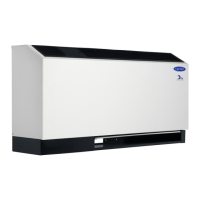
AQUAZONE
50PEC09-18
Water Source Heat Pump Console Unit
with PURON
®
Refrigerant (R-410A)

Table of Contents

Other manuals for Carrier AQUAZONE 50PEC09-18

Questions and Answers

  • W
    weberkristineJul 31, 2025
    How to troubleshoot a Carrier AQUAZONE 50PEC09-18 Heat Pump that won't turn on?
    • B
      Brandon WoodJul 31, 2025
      If your Carrier Heat Pump isn't running, first ensure the power supply is on and the disconnect is closed. Check for blown fuses and replace them or reset the circuit breaker, ensuring you use the correct fuses. If the voltage supply is below the minimum specified on the unit's data plate, contact your local power company. For thermostat issues, set the fan to 'ON' to see if it runs. Test the 'COOL' and 'HEAT' settings at their extremes to see if the unit responds in either mode. If nothing happens, the thermostat may be miswired or faulty. Verify 24 volts at the low voltage terminal strip between 'R' and 'C,' 'Y' and 'C,' and 'O' and 'C' on the condensing section. Also, check for 24 volts between terminals 'G' and 'C' in the air handler. Replace the thermostat if it's defective.
  • A
    Austin KingAug 10, 2025
    What to do if my Carrier Heat Pump turns off due to high pressure?
    • T
      Taylor HallAug 11, 2025
      If your Carrier Heat Pump shuts off due to the high-pressure control, it could be due to several reasons. In cooling mode, check for lack of or inadequate water flow, excessively warm entering water temperature, or a scaled/plugged condenser. In heating mode, ensure adequate airflow by checking for an inoperative blower, clogged filter, or ductwork restrictions. The unit might also be overcharged with refrigerant, requiring you to recover refrigerant and recharge with the factory-recommended amount. Lastly, inspect the high-pressure switch for defects or improper calibration.
  • Y
    Yesenia DunlapAug 14, 2025
    What to do if my Carrier AQUAZONE 50PEC09-18 shuts off on low pressure control?
    • N
      Nicholas RyanAug 15, 2025
      If your Carrier Heat Pump shuts off on low pressure control, it may be due to suction pressure being too low. In cooling mode, check for lack of or inadequate airflow, excessively cold entering air temperature, an inoperative blower, a clogged filter, or ductwork restrictions. In heating mode, check for lack of or inadequate water flow, excessively cold entering water temperature, or a scaled/plugged condenser. The unit might also be low on refrigerant, requiring a check for leaks, repair, evacuation, and recharge with the factory-recommended charge. Finally, inspect the low-pressure switch for defects or improper calibration.
  • I
    Ivan CoxAug 20, 2025
    Why is my Carrier AQUAZONE 50PEC09-18 blower running but not the compressor?
    • J
      Jessica SandersAug 20, 2025
      If the blower in your Carrier Heat Pump is running, but the compressor isn't, check the thermostat settings, calibration, and wiring. Inspect the wiring at the compressor, capacitor, or contactor for loose or broken connections. Check the safety controls, looking for a blink code on the C and D package red default LED. If the compressor is cool and the overload won't reset, the compressor may need to be replaced. If the compressor motor is grounded (internal winding grounded to the shell), replace the compressor and install a suction filter drier if there was a compressor burnout. After the compressor has cooled, check the continuity of the compressor windings; if they are open, replace the compressor.
  • G
    Gregory RodriguezAug 26, 2025
    How to fix a Carrier AQUAZONE 50PEC09-18 Heat Pump that is short cycling?
    • V
      Vanessa ChavezAug 26, 2025
      If your Carrier Heat Pump is short cycling, it could be due to the unit being oversized, so recalculate the heating and cooling loads. The thermostat might be installed near a supply air grill; if so, relocate it and readjust the heat anticipator. Also, check the wiring and controls, specifically looking for a defective or improperly calibrated low-pressure switch.
  • S
    Steven KlineNov 4, 2025
    Why is my Carrier Heat Pump not cooling or heating sufficiently?
    • J
      Jennifer GreeneNov 4, 2025
      If your Carrier Heat Pump isn't cooling or heating enough, start by recalculating the heating or cooling loads to ensure the unit is properly sized. Check for leaks in the ductwork or air entering through doors and windows. Ensure adequate airflow and proper air distribution, and replace any dirty filters. A low refrigerant charge can also cause inefficient operation. Inspect the compressor for defects; if the discharge is too low and suction pressure is too high, the compressor may need replacement. A defective reversing valve can also cause problems, requiring replacement. Compare unit operating pressures to the pressure/temperature chart for the unit. Check the thermostatic expansion valve (TXV) for restrictions or defects and replace if necessary. If the system is contaminated with moi...

Summary

Safety Considerations

Installation Guidelines

Steps and guidelines for installing the 50PEC unit.

Installation Procedures

Electrical Connections

Detailed instructions for making electrical connections to the unit.

Pre-Start-Up Procedures

System Cleaning and Flushing

Essential steps for cleaning and flushing the system before start-up.

System Checkout

Procedures for checking the system after installation and flushing.

Field Selectable Inputs

Complete C Control Jumper Settings

Configuration settings for Complete C control using jumpers.

Complete C Control DIP Switches

Configuration of Complete C control using DIP switches.

Deluxe D Control Jumper Settings

Configuration settings for Deluxe D control using jumpers.

Unit Start-Up Procedures

Start-Up in Cooling Mode

Steps for starting the unit in cooling mode and checking operation.

Start-Up in Heating Mode

Steps for starting the unit in heating mode and checking operation.

Start-Up with WSHP Open Controls

Procedures for starting up units with WSHP Open controls.

Unit Operation

WSHP Open Multiple Protocol Operation

Operation of units with WSHP Open multiple protocol controls.

Service and Maintenance

System Charge Checking

Steps to check and verify the system's refrigerant charge.

Troubleshooting Guide

WSHP Open Controller Troubleshooting

How to view alarms and troubleshoot the WSHP Open controller.

Troubleshooting Fault Table

A comprehensive table listing faults, causes, and solutions.

50 PEC Unit Start-Up Checklist

Carrier AQUAZONE 50PEC09-18 Specifications

General IconGeneral
Model Number50PEC09-18
CategoryHeat Pump
BrandCarrier
Product LineAQUAZONE
Power Supply (V/Ph/Hz)380-415/3/50
Refrigerant TypeR410A
Energy Efficiency Ratio (EER)3.2
Operating Temperature Range Heating (°C)24

Related product manuals