EasyManua.ls Logo

Carrier CRECOMZR101A00 - User Manual

Carrier CRECOMZR101A00
36 pages
Print Icon
To Next Page IconTo Next Page
Loading...
Manufacturer reserves the right to discontinue, or change at any time, specifications or designs without notice and without incurring obligations.
Catalog No. 04-53480416-01 Printed in U.S.A. Form No. IIK-CRECON-SRT-01 Rev. C Pg 1 1-24 Replaces: NEW
Installation Instructions
Part No: CRECOMZR101A00, CRECOMZR102A00, CRECOMZR103A00,
CRECOMZR104A00, CRECOMZR105A00, CRECOMZR106A00,
CRECOMZR107A00, CRECOMZR108A00
CONTENTS
Page
SAFETY CONSIDERATIONS . . . . . . . . . . . . . . . . . . . 1
GENERAL . . . . . . . . . . . . . . . . . . . . . . . . . . . . . . . . . . . 2
Compliance . . . . . . . . . . . . . . . . . . . . . . . . . . . . . . . . . 2
ECONOMIZER INSTALLATION . . . . . . . . . . . . . . . . . 4
INSTALLING OPTIONAL HH57LW001 SINGLE
OUTSIDE AIR ENTHALPY SENSOR . . . . . . . . . . 10
Enthalpy Control Sensor Configuration . . . . . . . . . 10
ENTHALPY SETTINGS (ENTHALPY OPTION)
California’s Title 24 High Temperature
Limit Settings . . . . . . . . . . . . . . . . . . . . . . . . . . . . 12
ECONOMIZER SETTINGS . . . . . . . . . . . . . . . . . . . . . 14
Interface Overview . . . . . . . . . . . . . . . . . . . . . . . . . . 14
ECONOMIZERONE
POL 224 ECONOMIZER MODULE WIRING
Functions . . . . . . . . . . . . . . . . . . . . . . . . . . . . . . . . . . 15
FREE COOLING ECONOMIZING
DEFAULT HYSTERESIS SETTING
DAMPER MODULATION DURING FREE COOLING
LOCATION-BASED SHUTOFF SETPOINTS
COOLING STAGE OPERATION
MULTI-SPEED FAN SUPPORT
COOLING DELAY VIA INCREASING FAN SPEED
DEMAND CONTROLLED VENTILATION (DVC)
HIGH HUMIDITY LIMITATION
ANTI-FREEZE PROTECTION
MAT-BASED ANTI-FREEZE PROTECTION
OAT-BASED ANTI-FREEZE PROTECTION
EXHAUST FAN OPERATION
OCCUPANCY INPUT
PRE-OCCUPANCY PURGE
AIRFLOW COMMISSIONING
FAULT DETECTION AND DIAGNOSTICS
FIRMWARE UPDATE
MOUNTING, INSTALLATION, AND WIRING . . . . . . 20
Mounting the Economizer Controller Base
Module . . . . . . . . . . . . . . . . . . . . . . . . . . . . . . . . . . 20
Mounting Devices Connected To the Economizer
Controller . . . . . . . . . . . . . . . . . . . . . . . . . . . . . . . . 20
Connecting Peripheral Devices to the Economizer
Controller . . . . . . . . . . . . . . . . . . . . . . . . . . . . . . . . 22
SETUP AND CONFIGURATION . . . . . . . . . . . . . . . . 24
START-UP . . . . . . . . . . . . . . . . . . . . . . . . . . . . . . . . . 29
Cooling with EconomizerONE System . . . . . . . . . . 29
Heating with EconomizerONE System . . . . . . . . . . 29
APPENDIX A — TROUBLESHOOTING . . . . . . . . . . . 30
APPENDIX B — SEQUENCE OF OPERATION . . . . .31
APPENDIX C — MODBUS ADDRESSES . . . . . . . . . .34
SAFETY CONSIDERATIONS
Installation of this accessory can be hazardous due to system
pressures, electrical components, and equipment location (such as
a roof or elevated structure). Only trained, qualified installers and
service technicians should install, start-up, and service this
equipment.
When installing this accessory, observe precautions in the
literature, labels attached to the equipment, and any other safety
precautions that apply:
Follow all safety codes
Wear safety glasses and work gloves
Use care in handling and installing this accessory
It is important to recognize safety information. This is the safety-
alert symbol: . When you see this symbol on the unit and in
instructions or manuals, be alert to the potential for personal
injury.
Understand the signal words DANGER, WARNING, CAUTION,
and NOTE. These words are used with the safety-alert symbol.
DANGER identifies the most serious hazards which will result in
severe personal injury or death. WARNING signifies hazards
which could result in personal injury or death. CAUTION is used
to identify unsafe practices, which may result in minor personal
injury or product and property damage. NOTE is used to highlight
suggestions which will result in enhanced installation, reliability,
or operation.
CAUTION
PERSONAL INJURY HAZARD
Failure to follow this caution may result in personal injury.
Sheet metal parts may have sharp edges or burrs. Use care and
wear appropriate protective clothing, safety glasses and gloves
when handling parts and servicing air conditioning equipment.
CAUTION
PERSONAL INJURY HAZARD
Failure to follow this caution can result in personal injury and
damage to the unit.
Cover the duct opening as a precaution so objects cannot fall
into the return duct opening. Be sure to remove the cover when
installation is complete.
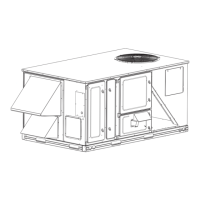
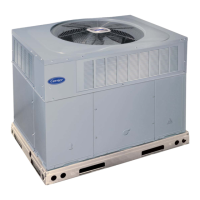
Vertical/Horizontal Low Leak/Ultra Low Leak
EconomizerONE Accessory for
Small Rooftop Units
Select 3 to 12.5 Tons


Questions and Answers

  • S
    stacysullivanAug 22, 2025
    How to fix Carrier CRECOMZR101A00 Wi-Fi connection failure?
    • J
      James MartinAug 22, 2025
      To resolve a Wi-Fi connection failure on your Carrier Air Conditioner, try the following: * Unplug and re-plug in the Wi-Fi/WLAN stick. * Enter the correct username and password. * Restart the controller. * Replace the Wi-Fi/WLAN stick. If using a POL903.00/100 Wi-Fi/WLAN stick, the default username is Siemens-WLAN-Stick and the password is SIBPAdmin. The DNS name is siemens.wlanstick.
  • T
    Teresa KellerAug 25, 2025
    What to do if Carrier Air Conditioner displays an alarm on the LCD?
    • C
      Christopher DyerAug 25, 2025
      If your Carrier Air Conditioner shows an alarm on the LCD, it indicates that a sensor, damper, or the entire working system might not be functioning correctly. You should check the sensor, damper, and the whole working system, paying attention to the detailed alarm information provided.
  • C
    Cassandra LeeAug 27, 2025
    Why is the Free Cooling LED solid RED on my Carrier CRECOMZR101A00 Air Conditioner?
    • A
      awallaceAug 27, 2025
      If the Free Cooling LED on your Carrier Air Conditioner is solid red, it means that a sensor, damper, or the entire working system may not be working properly. You should check the sensor, damper, or the whole working system following the detailed alarm information.
  • M
    Michael WilliamsAug 28, 2025
    What to do if Carrier Air Conditioner Sensor LED is solid RED?
    • K
      Kathleen RowlandAug 28, 2025
      If the Sensor LED on your Carrier Air Conditioner is solid RED, it could indicate a sensor error. Here's what to check: * **Mixed Air (MA) sensor error:** Verify the MA sensor. It should be either a Type II NTC 10K or a 0-10 vdc sensor. * **Outside Air (OA)/Return Air (RA) sensor error:** Check the wiring and signal of the OA sensor. If operating in Differential (DIFF) mode, also check the RA sensor. Valid sensor signals include Type II NTC 10K or 0-10 vdc for temperature, and 0-10 vdc or 4-20 mA for humidity. * **Air temperature failure/fault:** Inspect the air temperature sensor signal, ensuring it is a Type II NTC 10K or 0-10 vdc signal.
  • P
    pagemitchellAug 30, 2025
    Why is the Carrier CRECOMZR101A00 Free Cooling LED blinking RED?
    • R
      Robert CookAug 30, 2025
      If the Free Cooling LED is blinking red on your Carrier Air Conditioner, it suggests that the system is not economizing when it should be. Check the entire economizer working system, including the sensor, damper, and thermostat.
  • E
    elizabeth50Aug 31, 2025
    What does it mean if DAC LED is blinking RED on Carrier CRECOMZR101A00 Air Conditioner?
    • L
      Lori WuAug 31, 2025
      If the DAC LED on your Carrier Air Conditioner is blinking red, it indicates damper slippage. Check whether the damper is working properly.
  • C
    catherine05Sep 2, 2025
    What does it mean if the Carrier CRECOMZR101A00 Air Conditioner Sensor LED is blinking RED?
    • C
      carolynodomSep 2, 2025
      If the Sensor LED on your Carrier Air Conditioner is blinking RED, it indicates excess outdoor air. Check the whole economizer working system, such as the sensor, damper, and thermostat.
  • W
    William MillerSep 4, 2025
    What to do if Carrier Air Conditioner Economizer controller has no alarm, but the Free Cooling LED will not turn on?
    • E
      Emily GoodSep 4, 2025
      If your Carrier Air Conditioner's economizer controller shows no alarm, but the Free Cooling LED doesn't activate when outdoor air seems suitable, consider these possibilities: * **Shutoff SP setting error:** The shutoff temperature and/or enthalpy set point may be incorrectly configured. * **OA temp is too low:** The outside air temperature might be too low, preventing cooling demand and potentially enabling anti-freeze protection. * **OA temp is too high or too humid:** In DIFF mode, Free Cooling deactivates if both OA and RA temperatures exceed the high limit, even if OA temperature is lower than RA temperature. Similarly, in Differential Enthalpy control mode, Free Cooling turns off if both OA and RA enthalpy exceed the high limit, even if OA enthalpy is lower than RA enthalpy.
  • S
    Stephen PattersonSep 6, 2025
    How to resolve RS485 communication failure in Carrier CRECOMZR101A00 Air Conditioner?
    • B
      Beverly OnealSep 6, 2025
      To resolve an RS485 communication failure in your Carrier Air Conditioner, check the wiring, configuration, Baud Rate (using the mobile application), and other network communication parameters.
  • W
    williselizabethSep 8, 2025
    What does it mean if DAC LED is OFF on Carrier CRECOMZR101A00?
    • L
      Lisa GonzalezSep 8, 2025
      If the DAC LED is OFF on your Carrier Air Conditioner, it means the Terminal ACT-FB is configured, but there is no available feedback signal. Check whether the feedback signal is connected and if ACT-FB is faulty.

Summary

Safety Considerations

General

Compliance

Details on compliance with California Title 24, ASHRAE 90.1, and IECC standards for economizers.

Economizer Installation

Installing Optional HH57 LW001 Single Outside Air Enthalpy Sensor

Enthalpy Control Sensor Configuration

Details on configuring the optional HH57LW001 enthalpy sensor for various control modes.

Economizer Settings

Interface Overview

Describes the user interface and keypad of the POL 224 economizer controller, including LCD and buttons.

POL 224 Economizer Module Wiring

Details the wiring of the POL 224 economizer controller used on electromechanical units.

Mounting, Installation, and Wiring

Mounting the Economizer Controller Base Module

Instructions for mounting the POL 224 economizer controller base module to sheet metal.

Mounting Devices Connected To the Economizer Controller

Guidance on mounting devices like sensors, actuators, and fans connected to the economizer controller.

Setup and Configuration

Appendix A - Troubleshooting

Appendix B - Sequence of Operation

Appendix C - Modbus Addresses

Carrier CRECOMZR101A00 Specifications

General IconGeneral
BrandCarrier
ModelCRECOMZR101A00
CategoryAir Conditioner
LanguageEnglish

Related product manuals