EasyManua.ls Logo

Carrier Debonair 33CS220-FS - User Manual

Carrier Debonair 33CS220-FS
12 pages
Print Icon
To Next Page IconTo Next Page
Loading...
Manufacturer reserves the right to discontinue, or change at any time, specifications or designs without notice and without incurring obligations.
PC 111 Catalog No. 533-352 Printed in U.S.A. Form 33CS-35SI Pg 1 105 9-00 Replaces: New
Book 1 4
Tab 1 1 a 1 3 a
Installation, Start-Up and
Operating Instructions
Part Numbers 33CS250-FS
and 33CS220-FS
CONTENTS
Page
SAFETY CONSIDERATIONS ...................... 1
GENERAL ........................................ 1
INSTALLATION ................................. 2-7
Select Thermostat Location ......................2
Install Thermostat (With Junction Box)...........2
Install Thermostat (Without Junction Box) .......3
Set Clock......................................... 4
Configure Advanced Setup....................... 4
Install Accessories ............................... 5
Program Thermostat Schedules..................6
Factory Defaults ................................. 7
Calibrate Sensor .................................7
Check Thermostat Operation..................... 7
Final Checklist ...................................7
OPERATION.................................... 7-9
Auto-Changeover ................................7
Two-Stage Operation.............................7
Clock Backup ....................................7
Fan Operation....................................8
Emergency Heat ................................. 8
Electric Heat ..................................... 8
Holiday Mode ....................................8
Remote Temperature Sensor .....................8
Keypad Lock .....................................8
Dry Contact Switch/External Control .............8
10-Watt Resistor .................................9
Outside Temperature Sensor (Optional) ..........9
TROUBLESHOOTING............................10
SAFETY CONSIDERATIONS
Read and follow manufacturer instructions carefully. Fol-
low all local electrical codes during installation. All wiring
must conform to local and national electrical codes. Improper
wiring or installation may damage thermostat.
Recognize safety information. This is the safety alert sym-
bol . When the safety alert symbol is present on equipment
or in the instruction manual, be alert to the potential for person-
al injury.
Understand the signal words DANGER, WARNING, and
CAUTION. These words are used with the safety alert symbol.
DANGER identifies the most serious hazards which will result
in severe personal injury or death. WARNING signifies a haz-
ard which could result in personal injury or death. CAUTION
is used to identify unsafe practices which would result in minor
personal injury or property damage.
GENERAL
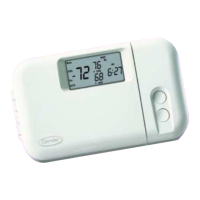
The commercial, 7-day, programmable thermostats are
wall-mounted, low-voltage thermostats which maintain room
temperature by controlling the operation of an HVAC (Heating,
Ventilation, and Air Conditioning) system. Separate heating
and cooling set points and auto-changeover capability allow 4
different programming time periods for energy savings.
All thermostats allow up to 4 time/temperature settings to
be programmed per 24-hour period. Each thermostat stores
programs for 7 independent days. Batteries are not required.
During power interruption the internal NEVER-LOST™
memory stores programmed schedules for an unlimited
amount of time while the clock continues to run for at least
48 hours.
The thermostat can be configured to accept several different
equipment configurations, including heat pump operation.
NOTE: The thermostat is not factory-configured for use in heat
pump applications. The advanced setup must be performed to
configure the thermostat for use with heat pump units.
NOTE: The 33CS250-FS thermostats have wiring connections
for a remote room sensor and dry contacts. The 33CS220-FS
thermostats do not have these connections.
PACKAGE CONTENTS
IMPORTANT: Read entire instructions before starting
the installation.
ITEM QUANTITY
Thermostat 1
Cutout Template 1
1-in. Screws (Junction Box Installation) 2
1
1
/
2
-in. Self-Tapping Screws
(Non-Junction Box Installation)
2
Plastic Tabs 2
Power Resistor (270 ohm, 10 Watt) 1
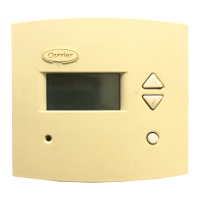
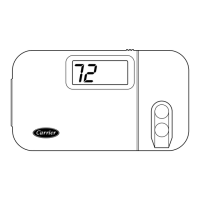
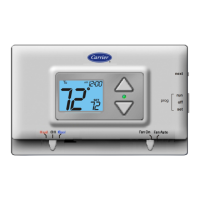
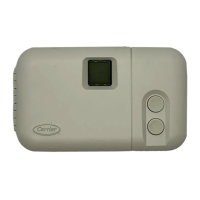
Debonair®
33CS
Flush-Mounted FlatStat
Commercial Programmable Thermostat

Other manuals for Carrier Debonair 33CS220-FS

Questions and Answers

  • J
    justin69Aug 15, 2025
    How to fix Carrier Debonair 33CS220-FS Thermostat when using 4 wires and cooling equipment tries repeatedly to turn on?
    • T
      Tristan LeachAug 15, 2025
      If, when using 4 wires (R, G, W, Y), the cooling equipment attempts repeatedly to turn on but fails, and the Carrier Thermostat display dims or disappears, it suggests there is not enough power available. To resolve this, connect a 270 ohm, 10 watt power resistor (supplied with the thermostat) at the air conditioning equipment between terminals W and C (for non-heat pump applications only).
  • A
    Angelica SpencerAug 18, 2025
    How to fix Carrier Debonair 33CS220-FS when using 4 wires and heating equipment tries repeatedly to turn on?
    • R
      Roger PenaAug 18, 2025
      If, when using 4 wires (R, G, W, Y), the heating equipment attempts repeatedly to turn on but fails, and the Carrier Thermostat display dims or disappears, it suggests there is not enough power available. To resolve this, connect a 270 ohm, 10 watt power resistor (supplied with the thermostat) at the air-conditioning equipment between terminals Y and C (for non-heat pump applications only).
  • F
    fernandezjacobAug 21, 2025
    Why does my Carrier Thermostat display rise to 99 F?
    • P
      Peter CombsAug 21, 2025
      If your Carrier Thermostat temperature display rises to 99 F, it indicates that there is not enough voltage reaching the thermostat. You should check the wiring and power supply to resolve this issue.
  • A
    Angel LopezAug 25, 2025
    What to do if the display on my Carrier Thermostat is not illuminated?
    • M
      meagansandersAug 25, 2025
      To troubleshoot a Carrier Thermostat with a display that is not illuminated, check for 24 vac at the R terminal connection. The R terminal must be connected for the thermostat to operate properly.
  • D
    david69Aug 27, 2025
    What to do if the Carrier Thermostat cooling will not energize?
    • P
      pproctorAug 27, 2025
      If your Carrier Thermostat isn't activating cooling, first, ensure you've selected Cooling mode. Next, lower the cooling set point to 10 degrees below the current room temperature. Check for 24 vac at the Y1 terminal with a load connected. If the voltage is present, the thermostat is likely working correctly, and the issue lies with the wiring or equipment. If 24 vac is absent, consider replacing the thermostat. Also, check the Compressor Cycle per Hour Limit, as cooling may be locked out.
  • C
    Christina GonzalezAug 30, 2025
    What to do if the Carrier Debonair 33CS220-FS Thermostat heating will not energize?
    • W
      williamsjanetAug 30, 2025
      If your Carrier Thermostat isn't activating heating, first, ensure you've selected Heating mode. Next, increase the heating set point to 10 degrees above the current room temperature. Check for 24 vac at the W1-O-B terminal with a load connected. If the voltage is present, the thermostat is likely working correctly, and the issue lies with the wiring or equipment. If 24 vac is absent, consider replacing the thermostat.
  • Z
    Zachary MillerSep 2, 2025
    What to do if my Carrier Debonair 33CS220-FS Thermostat displays 'Service Filter'?
    • K
      Kathleen GrossSep 2, 2025
      If your Carrier Thermostat displays the ''Service Filter'' message, it means the configured number of blower operating hours has been reached, reminding you to replace the filter. To clear the message and reset the blower operation timer to 0 hours, reset the Service Filter feature.
  • M
    Mary GrantSep 5, 2025
    Why does heat come on during cooling cycle when controlling a heat pump with Carrier Debonair 33CS220-FS Thermostat?
    • R
      Richard VegaSep 5, 2025
      If heat comes on during the cooling cycle when you are controlling a heat pump with your Carrier Thermostat, you need to configure the thermostat for heat pump operation (Table 2, Step 4).
  • A
    Amber RobertsonSep 8, 2025
    What to do if heating and cooling are energized simultaneously when calling for cooling with Carrier Debonair 33CS220-FS Thermostat?
    • D
      David LiuSep 8, 2025
      If both heating and cooling are energized when you call for cooling with your Carrier Thermostat, it means that the thermostat is configured for a heat pump. You need to configure the thermostat for non-heat pump operation (Table 2, Step 4).
  • L
    lindsayoconnorSep 12, 2025
    What to do if resistor labeled “L3” on Carrier Debonair 33CS220-FS Thermostat is burned out?
    • J
      Joan MccormickSep 12, 2025
      The thermostat has been wired incorrectly and the circuit board is burned out. Thermostat must be replaced.

Summary

Safety Considerations

Installation

Select Thermostat Location

Guidance on selecting the optimal mounting location for the thermostat.

Install Thermostat (With Junction Box)

Step-by-step instructions for installing the thermostat using a junction box.

Install Thermostat (Without Junction Box)

Detailed procedure for installing the thermostat directly on the wall.

Set Clock

Instructions for setting the current time and day on the thermostat display.

Configure Advanced Setup

Guide to accessing and configuring advanced thermostat settings.

Operation

Program Thermostat Schedules

Steps to program daily heating and cooling schedules for optimal energy use.

Check Thermostat Operation

Procedure to verify the proper functioning of heating, cooling, and fan modes.

Troubleshooting

Carrier Debonair 33CS220-FS Specifications

General IconGeneral
BrandCarrier
ModelDebonair 33CS220-FS
CategoryThermostat
LanguageEnglish

Related product manuals