To Prevent Accidental Start-Up
The PIC can be set up so that start-up of the unit is more difficult than just pressing the
LOCAL or CCN softkeys during machine service or when necessary. By accessing the
Status01 table, and highlighting the chiller Start/Stop line, the value can be overridden to stop
by pressing SELECT and then the STOP and ENTER softkeys. ‘‘SUPVSR’’ will appear after the
value. When attempting to restart, remember to release the override. The default machine
message line will also state that the Start/Stop has been set to ‘‘Start’’ or ‘‘Stop’’ when the value
is overridden.
Check Machine Operating Condition
Check to be sure that machine temperatures, pressures, water flows, and oil and refrigerant
levels indicate that the system is functioning properly.
Instruct the Customer Operator
Check to be sure that the operator(s) understand all operating and maintenance procedures.
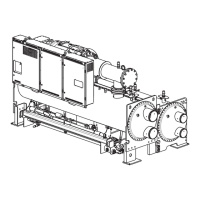
Point out the various machine parts and explain their function as part of the complete system.
Cooler-Condenser
Float chamber, relief devices, refrigerant charging valve, temperature sensor locations,
pressure transducer locations, Schrader fittings, waterboxes and tubes, and vents and drains.




 To Next Page