12
13
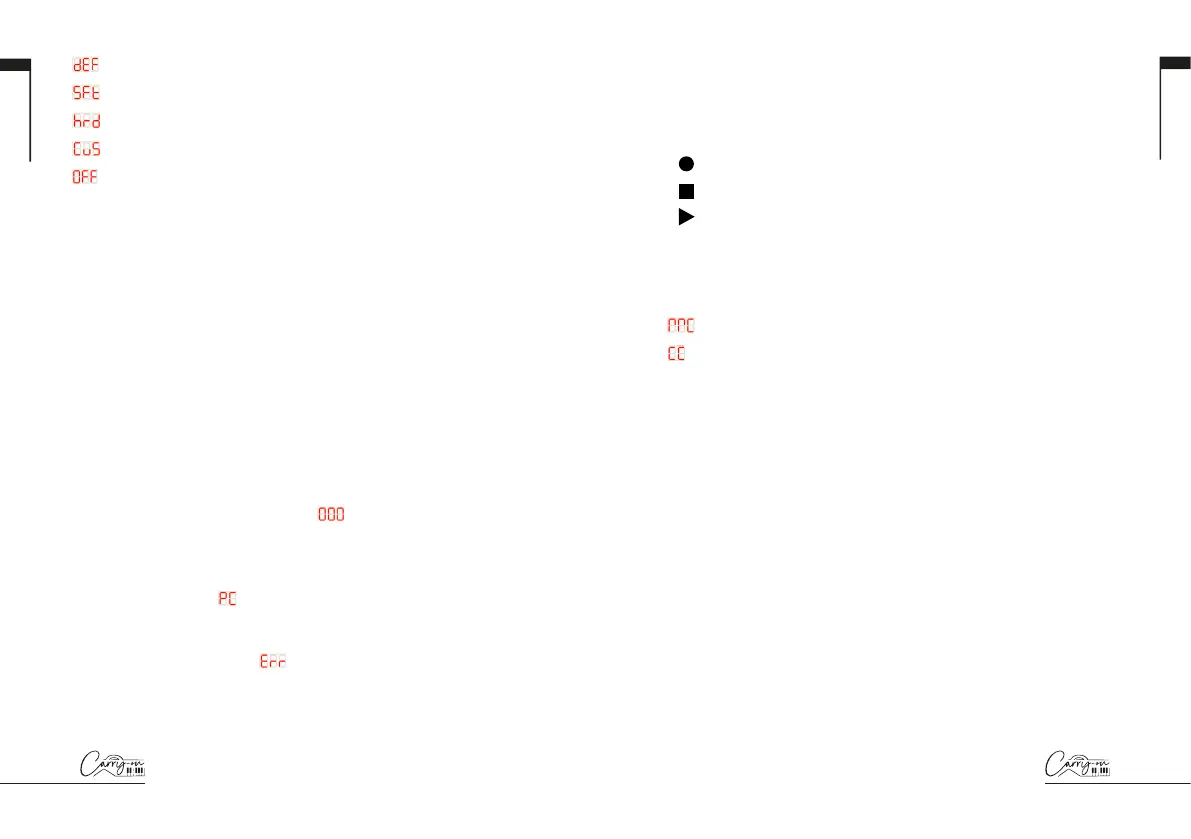
= Default
= Soft
= Hard
= Custom
= Off
The velocity curve options change the emphasis of the velocity curve.
The hard velocity curve will emphasise higher velocities and the soft curve
will emphasise lower velocities. Setting the velocity curve to off will result
in all key presses outputting the same fixed velocity. The custom curve
can be altered using the Carry-on Control app and saved to your Folding
Controller.
NOTE: The default velocity when the velocity curve is off is 80. This can
also be adjusted in the Carry-on Control app.
MIDI CHANNELS: These keys can be used to select the MIDI channel
for all MIDI messages. For example, pressing the 2 key will set the MIDI
channel of all MIDI messages to channel 2.
NOTE: For information on how to select individual MIDI channels for
specific controls, please see the section on the Carry-on Control app.
PROGRAM CHANGE, NUMERIC KEYPAD, CANCEL and ENTER: Program
change messages can be sent using these keys. To send a PC message:
- Press the PROGRAM CHANGE key - will be displayed on screen
- Use the NUMERIC KEYPAD to enter the desired PC message number
- Press the ENTER key to confirm and send the message
The display will show
and the message number to confirm the
message has been sent. To cancel sending a message after pressing the
PROGRAM CHANGE key, press the CANCEL key.
NOTE: The display will show
if the number is outside of the MIDI
range. The range of MIDI PC message numbers is 0 to 127.
English
English
9. Transport Buttons
The default transport control configuration will be pre-mapped to most
Digital Audio Workstations (DAWs) and MIDI devices. In this configuration,
the transport controls will send the MIDI Machine Control messages (MMC
messages) associated with their icons:
= Record
= Stop
= Play
The transport controls can be configured instead to send CC messages.
To do this hold the SHIFT button and press the transport button you
would like to change. The display will show the current configuration of
that control:
= MMC (MIDI Machine Control)
= CC (Control Change)
NOTE: The default CC numbers for the transport controls are 14, 15
and 16 for the Record, Stop and Play buttons respectively. The button
behaviour and CC numbers assigned to the transport controls can be
adjusted using the Carry-on Control app.
Please see the section on DAW Integration for more information about
using the transport controls with specific DAWs.
Rear Panel Features
10. MIDI OUT
Output MIDI to external MIDI devices using the MIDI OUT socket. The
default MIDI channel for the MIDI OUT is channel 1.
NOTE: To connect a 5 pin MIDI cable use a TRS MIDI to 5 pin MIDI
adaptor.
11. Power Button
The power button toggles your Folding Controller on and off. Hold the
power button for 3 seconds to power up and power down your Folding
Controller. The display will illuminate when the Folding Controller is on.


 To Next Page
 Loading...