23 // GB
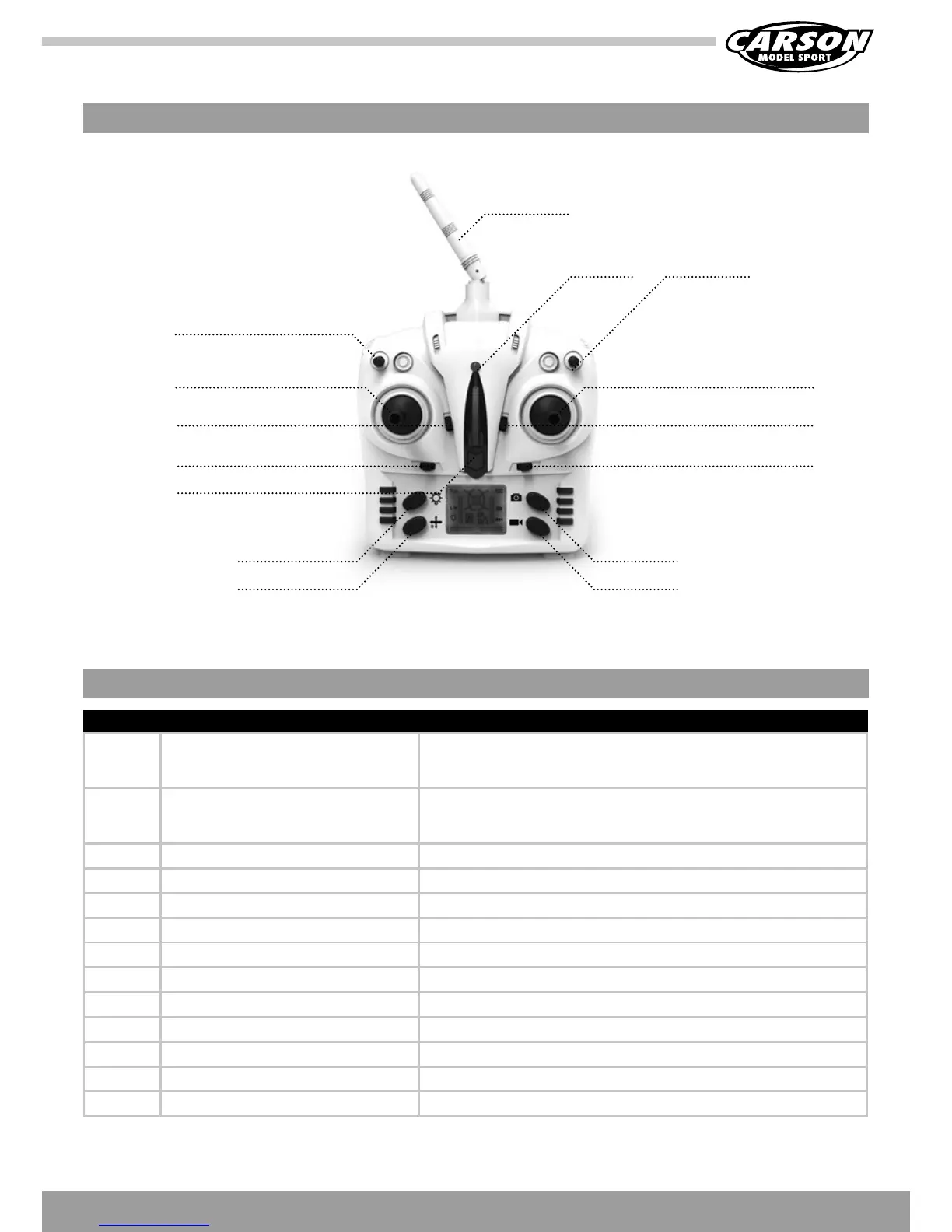
S/N Identification Function
1 Left control lever Forwardandbackwardmovementofthestickmakesthequadcopterascend
and descend respectively. When the control lever is moved left or right, the
copter will turn left or right.
2 Right control lever Forwardandbackwardmovementofthestickmakesthequadcoptermove
forward and backward respectively. Left and right movement of the stick
makesthequadcopterdriftsidewaysleft/rightrespectively.
3 Roll trim Aileron trim subsidiary adjusts left and right drift.
4 Nick trim Elevator trim subsidiary adjusts forward and backward movement.
5 Tail rotor trim Rudder trim subsidiary adjusts left and right rotation.
6 On/Off power switch To switch on the transmitter please push the button. Push again to switch off.
7 Demo-Flight The model flies circles by pressing the button
8 Throttle trim Throttle trim regulates climb and descent
9 Expertmodeswitch40%60%100% Pressing the switch alters the copter's agility
10 Acrobatic-knob Push the button to perform flips and loops
11 Light button Press the button to switch the copter's light on or off
12 Headless Mode Press the button to activate/deactivate this mode
13 Photo/video button Press this button to take photos or record a video
INPUT KEY FUNCTION
Antenna
Power
indicator
Acrobatic-knob
FOUR CHANNEL REMOTE CONTROL TRANSMITTER
Explanation transmitter
ThrottleStick+Rudder Direction Stick
Elevator TrimThrottle Trim
Aileron TrimRudder Trim
On/Off switch
PhotoLight
VideoHeadless Mode
Pro-knob



 To Next Page