29 // GB
FLIPS UND LOOPS
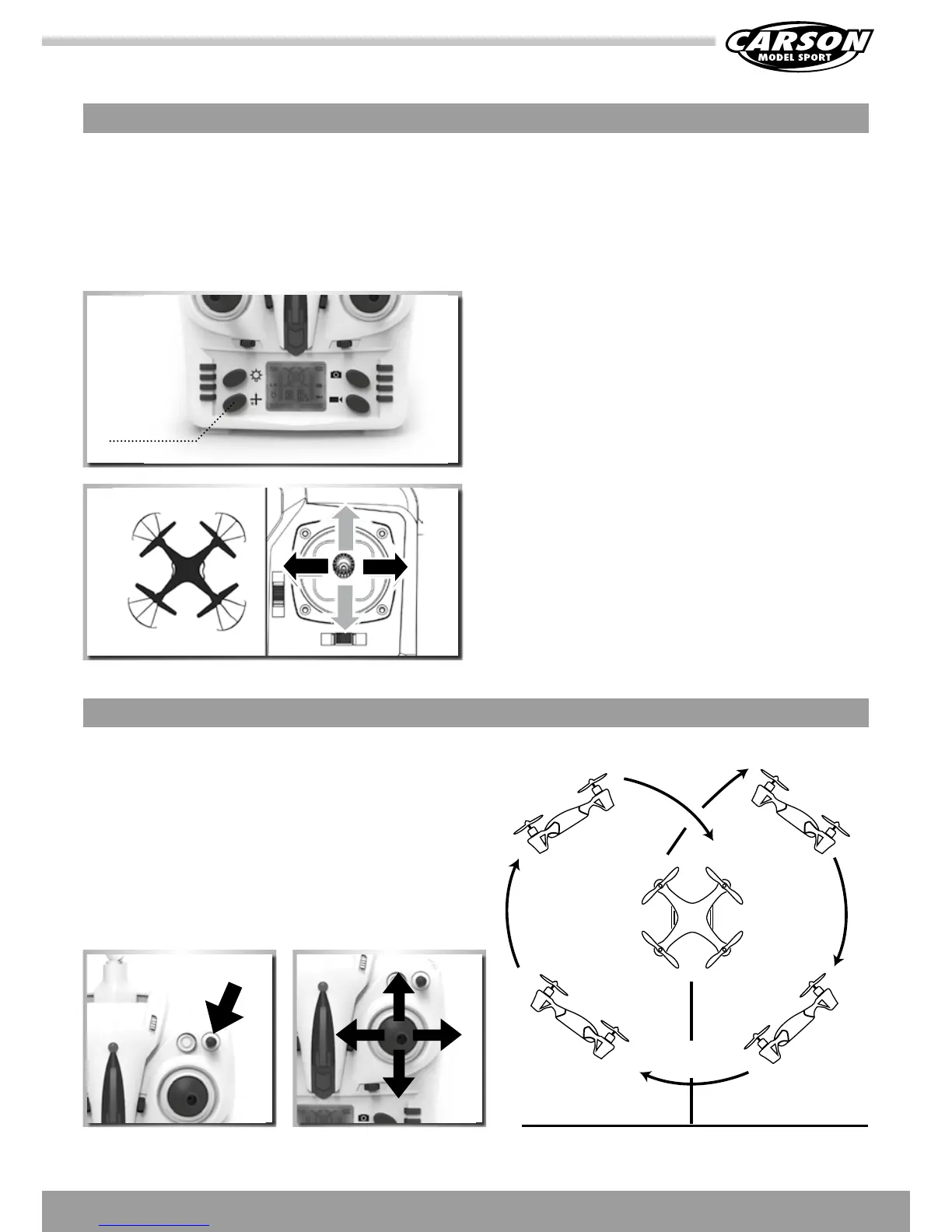
Flips and loops
If you make moored with the basic flight maneuvers, you can
checkouttheacrobaticflightcharacteristicsoftheX4quad-
copter.
Climp up to a height of at least 3 meters.
Press the stunt button which is at the top right of the trans-
mitter. You will hear a continuous beep „DDD...“ Now move
the right control stick (forwards, backwards, right or left). The
model performs a loop in the given direction.
3 meters
SPECIAL FUNCTION EXPLANATION
Headless - Function
TheHeadless-functionallowssimplifiedcontrolofaquadcopter,inwhichallcontrolcommandsasusethereferencepointthelocation
of the pilot. Here, it is no longer necessary, the position and orientation of the model taken into account. A feature which may be a bit
confusingforexperiencedpilots,beginners,however,itfacilitatescontrolsignificantly.
1. When the model is first switched on, the normal control func-
tion is activated. The LED glows permanently. Once the headless
function switch on the transmitter is pushed to the left, you will
hear a beep „D....“. D... D...“. This means that the headless func
-
tion is activated. Press the button again. You will hear another
three beeps „DDD“ to indicate that the headless function has
been switched off. (the LED glows permanently in headless
mode)
Switch to headless function and general function
2. In headless state, the operator has no need to recognize the
position of aircraft’s headpiece, and he just needs to control
the aircraft in accordance with the direction of remote control’s
operating rod.
Front
Left Right
Back
Front
Left Right
Back
headless
function



 To Next Page