8 | P a g e
Setting up the CAS PD-I to work with CRE
To set up the scale to work with CRE, turn on the computer, start CRE, select Manager, provide
the requested credentials, and follow these steps.
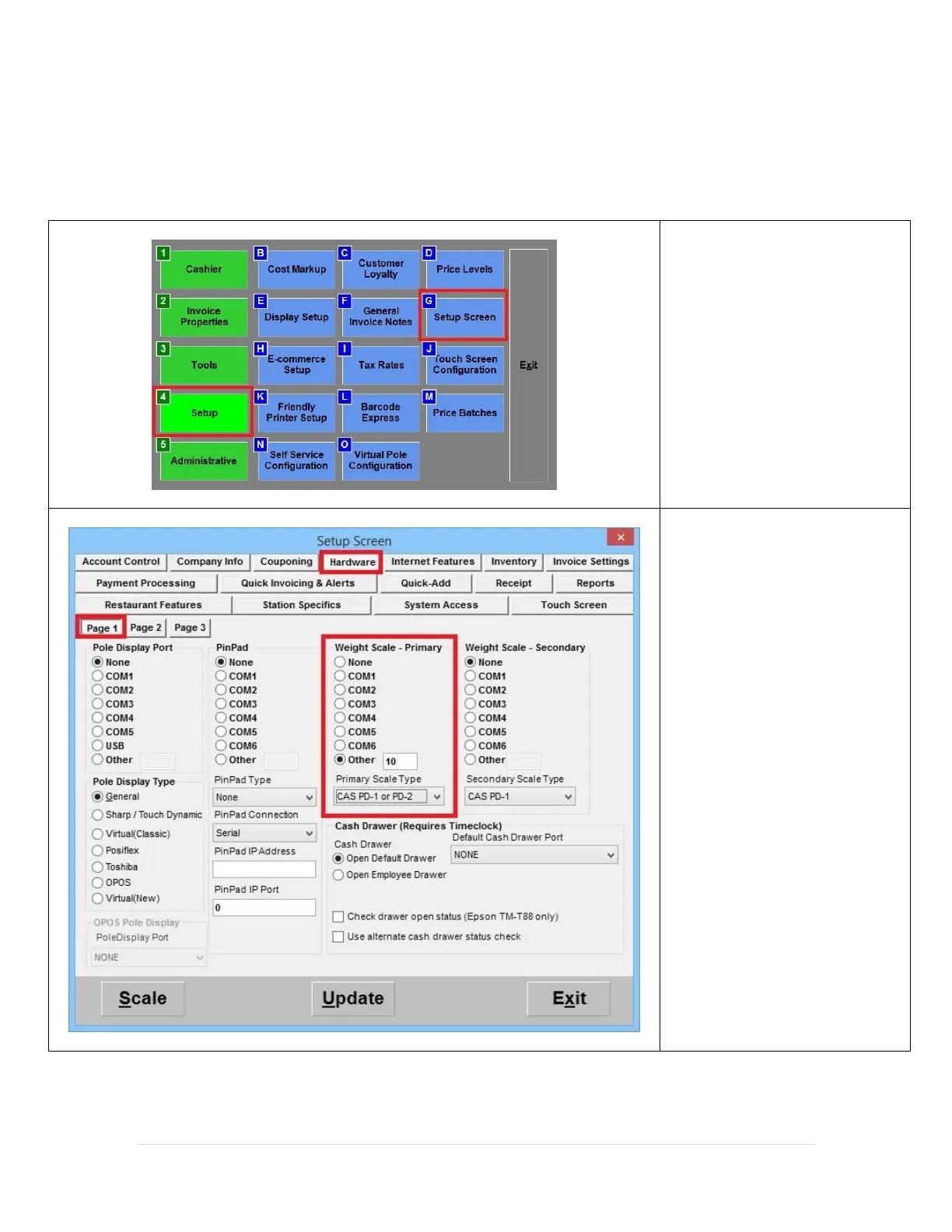
1. Select Setup and then Setup
Screen.
2. Select the Hardware tab.
3. Select the COM port that the
scale is connected to. Many
systems have labels on the
ports that contain this
information. If yours does
not, select COM 1. You may
need to select other COM
ports later if CRE does not
find the scale.
Enter the optional tare amount.
Leave at 0 if you do not want to
use a tare.
4. Select CAS PD-I or PD II for
“Primary Scale Type”.



 To Next Page