
 Need help?
Do you have a question about the CasaCam BC200 and is the answer not in the manual?
Warnings regarding strangulation, choking, supervision, and proper product usage.
Guidelines on power, ventilation, water contact, and interference avoidance.
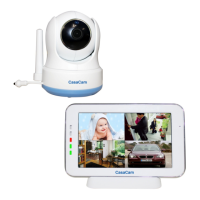
Identification of buttons, sensors, ports, and parts of the wireless camera.
Identification of screen, buttons, ports, and parts of the wireless monitor.
Steps for charging, positioning, and powering up the monitor and camera.
Instructions for connecting additional cameras to the monitor.
Understanding signal strength, clock, camera number, and zoom mode indicators.
Interpreting battery, temperature, feed time, night light, and quad mode indicators.
Using the two-way audio feature to speak back to the camera.
Accessing menu settings, adjusting volume, zoom, lullabies, and camera movement.
Pairing cameras and adjusting VOX sensitivity for sound detection.
Configuring date, time, language, brightness, temperature, and volume.
Resetting to factory defaults and navigating menu pages.
Details on frequency, power, data rate, and communication range.
Information on sensor, resolution, lens, viewing angle, and temperature.
Specifications for LCD, resolution, operating temperature, and humidity.
Compliance with FCC rules and managing radio frequency interference.
SAR limits and safe usage distances for body-worn operations.
 General
| Brand | CasaCam |
|---|---|
| Model | BC200 |
| Category | Security Camera |
| Language | English |

 To Next Page