7
11. TalkBack: Pressthisbuttonwhiletalking.
Note:
a) “TalkBack”buttononlyappearonsinglecameraLiveViewmode
b) PressandholdTalkBackbutton,canactivatetalkbackfunction
c) Ifcameraunitwasplayinglullaby,itthenitwillbepaused.
d) Thecameraspeakerloudnesssettingis
sameaslullabyplaylevel.(selectMenu>Sound>Camera
Volume)
e) IfreleaseTalkBackbutton,thengobacktoLiveViewmode.IfCamerapreviouslylullabyhas
beenturnedon,thenitwillresumeplaylullabyagain.
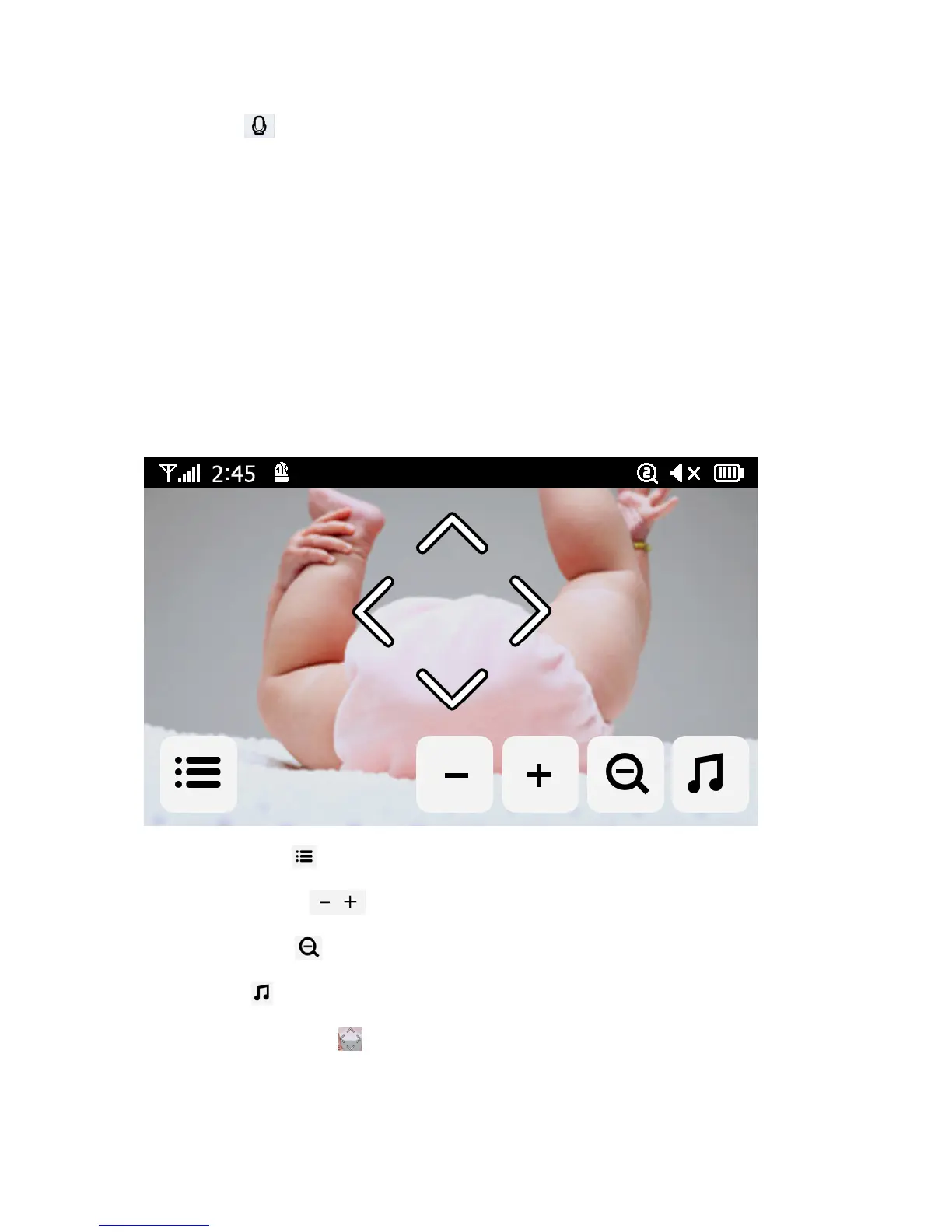
OperationKey
Bytappinganypositiononthescreenthen“Operation”keys
comeout
Ifusertapesscreenwithouttouchinganyfunctionkey(ortimeisoutafter10seconds),thenitwill
backtoLiveViewmode.
1. MenuSetting:
Menusettingincludesmonitorandcamerasettings
2. MonitorVolume: adjustthemonitorvolume
3. ZoomIn/Out:
Youcanhaveacloserlookviathisbutton
4. Lullaby:
PresstheLullabyicontoturnlullabiesON/OFF.Plays4pre‐programmedsongs
5. NavigationControls:
UsethisicontoremotelyPan/Tiltthecamera


 To Next Page