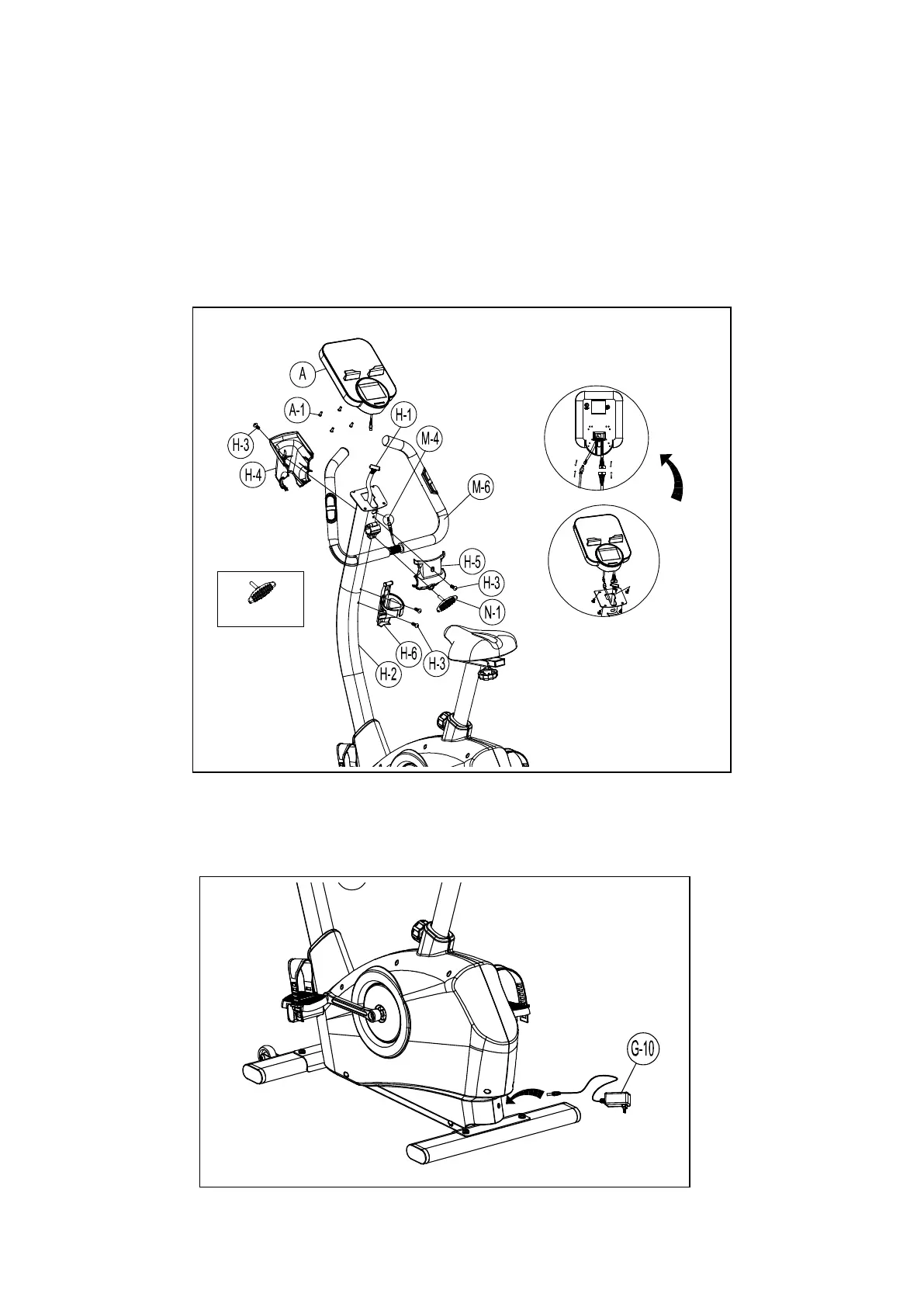
Step 5- Handlebar and Computer and Water holder Assembly
1. Pass the hand-pulse wire (M-4) through the handlebar post hole.
2. Attach the handlebar (M-6) to the handlebar post (H-2).
3. Attach the front cover (H-5) and the T-Knob (N-1) clamp by fixing the screws (H-3) to the
handlebar post (H-2).
4. Connect the upper console cables (H-1) and hand pulse wire (M-4) to the console (A).
Then attach the console (A) to the computer bracket with the enclosed screws (A-1).
5. Attach the rear cover (H-4) by fixing the screws (H-3) on the handlebar post (H-2).
6. Remove the pre-installed screws (H-3) on the handlebar post first, then assemble the bottle
holder (H-6) by using a screw (H-3).
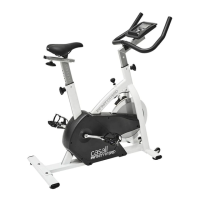
Step 6- Adaptor Assembly
1. Connect the adaptor (G-10) to the DC hole (located on the back of the chain cover).


 To Next Page