8 6028021 Rev. 1
NSTALLATION
I
4
1
2
3
RC0941.ill
5
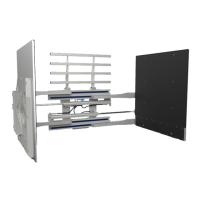
Mount clamp on truck carriage
A Center truck behind the roll clamp.
B Tilt forward and raise carriage into position.
C Engage top mounting hooks with carriage.
Make sure centering tab engages a notch on
the top carriage bar. NOTE: Centering tab
can be oriented to 4 different positions to
center the Clamp (see illustration).
D Lift Clamp 2 in. (5 cm) off pallet.
RC0948.ill
A
B
6
Install and engage lower hooks
RC0954.ill
Install hooks,
tap tight
into position.
Class IV, 90FX, 100FX – Tighten capscrews to
260 ft.-lbs. (350 Nm)
Lower
Carriage
Bar
GA0146.ill
ITA Class III – 0.72–0.78 in. (18–20 mm)
ITA Class IV – 0.72–0.78 in. (18–20 mm)
ITA Class III – 0.39–0.43 in. (10–11 mm)
ITA Class IV – 0.47–0.51 in. (12–13 mm)
Back (Driver's) View
Truck Upper
Carriage Bar
CC
Engage
centering tab
with notch
Centering Tab
Positions
C
IMPORTANT: Hoses must
be connected to end block
before mounting Clamp.


 To Next Page
 Loading...