SECTION 2 - CONTROLS, INSTRUMENTS AND OPERATION
2ï44
Input error messages
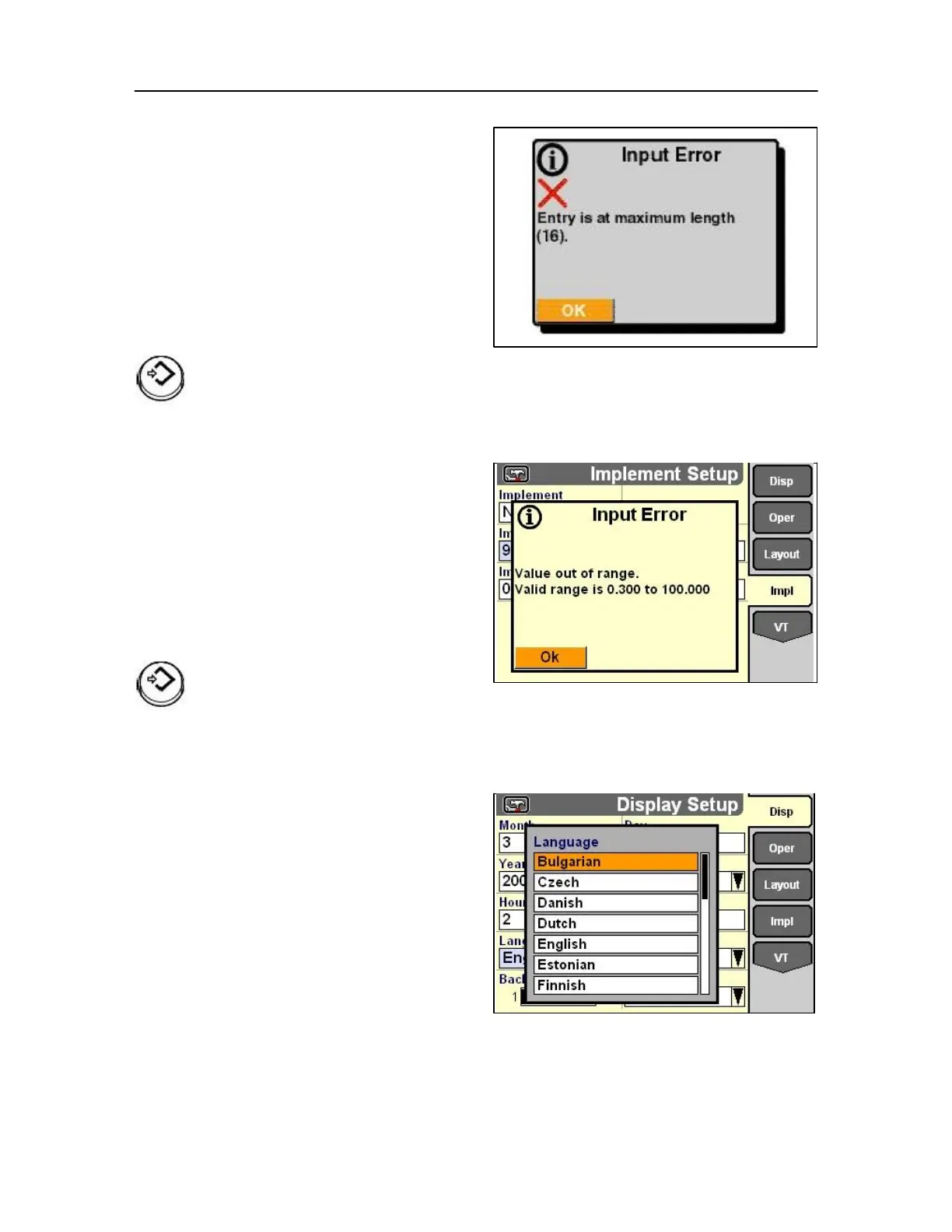
If an operator attempts to create a name on the
keypad which exceeds the maximum characters
allowed for the selected field, an input error message
appears.
The message occurs when the first character which
exceeds the maximum number allowed is selected.
The message shows the maximum number of
characters permitted for the field. The maximum
number is defined by the software application using
the keypad.
79
Press Select or touch to acknowledge and clear the
message.
Limit the name to the maximum length.
If an operator attempts to enter a value on the keypad
which exceeds the range allowed for the selected
field, an input error message appears.
The message occurs when Enter on the keypad is
selected.
The message shows the valid range for the field. The
valid range is defined by the software application
using the keypad.
80
Press Select or touch to acknowledge and clear the
message.
Limit the value to the specified range.
Pop-up lists
Pop-up lists are part of the foundation software on the
monitor and are available to any application on the
display.
Pop-up lists are used:
• to select an option from a predefined list: for
example, display language or
units of measurement,
• to select an option from a user defined list: for
example, operator name,
• to select files for storing, recalling or editing.
81
Languages available:



 To Next Page